External image

Hiring Process in Hospitality: A Complete Guide From First Headcount Request to Successful Onboarding

Key Takeaways

  • The hiring process in hospitality is a repeatable, step-by-step system that takes you from identifying staffing needs through onboarding, typically lasting 1–4 weeks depending on the role and season.
  • Modern hospitality hiring blends human insight with automation: structured interviews and manager assessments are supported by applicant tracking systems, AI screening tools, and automated scheduling.
  • A clear, documented process reduces time-to-hire, cost-per-hire, and unconscious bias while improving candidate experience and quality of hire across roles from servers and cooks to management.
  • Small hospitality businesses can run an effective hiring process with 7 streamlined steps, while larger operations often follow 10–15 detailed stages involving multiple hiring managers and HR partners.
  • This guide provides practical, hospitality-focused step-by-step guidance, realistic timelines, and answers to common questions about costs, legal considerations, and where automation fits.

Ready to streamline your hospitality hiring? Discover how StaffedUp can help you find and onboard the right talent faster.

What Is a Hiring Process in Hospitality?

In hospitality, the hiring process is a standardized, repeatable set of stages your business follows to attract, evaluate, select, and onboard new employees for roles such as servers, bartenders, cooks, front desk agents, and managers. Think of it as your playbook for finding the right talent who can deliver excellent guest experiences—whether you’re staffing a busy restaurant, hotel, or event venue.

Every hospitality business should develop its own hiring process, tailored to its unique needs and structure, ensuring each stage is well-defined and fits the organization’s goals.

In 2025, hospitality companies increasingly use applicant tracking systems tailored to hospitality, structured interviews, and AI-based tools while keeping human judgment central. Technology handles resume parsing, interview scheduling, and candidate screening, while your hiring team focuses on assessing personality traits, communication skills, and cultural fit—key factors in hospitality success.

Understanding the difference between recruitment and hiring is important:

  • Recruitment covers sourcing and attracting candidates through job postings on hospitality job boards, social media platforms, and employee referrals. It’s important to start with a clear recruitment plan that aligns with your business goals and involves relevant stakeholders.
  • Hiring encompasses assessing, selecting, and onboarding phases where you evaluate candidates’ skills and fit and bring them onto your team.

While the specific steps and tools may vary between a boutique hotel and a large restaurant chain, most hospitality hiring processes share core phases: planning, sourcing, screening, interviewing, decision-making, offer, and onboarding. During planning, assess your hiring needs based on gaps in your team’s workload and organizational tasks to ensure you are addressing the right staffing requirements.

If you want to reduce turnover and improve guest satisfaction, a well-structured hiring process is essential. StaffedUp’s hospitality-focused platform is designed to help you every step of the way.

Image

Core Steps of a Modern Hospitality Hiring Process (End-to-End Overview)

Here’s a chronological overview of the 10–12 core steps that make up an effective hospitality hiring process in 2025. A streamlined recruiting process can make the process easier for hospitality businesses by reducing bottlenecks and improving efficiency. Use this as your roadmap from the moment your hiring process begins until your new hire is fully integrated and delivering great service.

Typical hospitality hiring flow:

  1. Define the staffing need and get budget approval
  2. Create a role profile and create job descriptions that are detailed and well crafted, tailored specifically to hospitality roles
  3. Build or tap into a talent pool of hospitality professionals
  4. Post the job on hospitality job boards and source candidates actively
  5. Screen applications and conduct initial phone or video interviews as part of a structured selection process to select candidates who best fit the requirements
  6. Run structured main interviews with the hiring team, including group interviews if applicable, continuing the selection process to further select candidates for the role
  7. Administer job-relevant assessments (e.g., customer service skills, emotional intelligence)
  8. Complete background and reference checks
  9. Make the hiring decision and extend a job offer with clear details
  10. Handle paperwork and pre-boarding logistics
  11. Onboard the new employee with a structured plan emphasizing hospitality culture
  12. Conduct check-ins during the first 90 days to support retention

StaffedUp’s platform automates many of these steps, from posting jobs to scheduling interviews, making the process easier and helping you focus on selecting the right candidates. 

For hospitality roles, expect the entire process to take 1–4 weeks depending on position and seasonality. Hourly roles like servers and housekeepers often move faster, while management positions may take longer.

Step 1–3: Plan the Role and Create a Compelling Job Description for Hospitality

Successful hospitality hiring starts with careful planning before you post a job opening. Getting this right saves hours interviewing unsuitable candidates later.

Crafting a Strong Role Profile

  • Clearly state the job title at the top of the role profile to avoid confusion and ensure candidates know exactly which position they are applying for.
  • Outline key responsibilities and expectations for the role.
  • List required qualifications and skills. Note: Some roles may not require a college degree, as many employers are now open to candidates with diverse educational backgrounds.
  • Highlight any unique aspects of your company culture or benefits.

Defining the Staffing Need

Every hire should address a clear operational need. Your staffing needs might include:

  • Replacement hire: A server is leaving before the busy summer season
  • New role: Opening a new restaurant requires additional cooks and hosts
  • Seasonal surge: Need extra bartenders for holiday events
  • Capacity expansion: Increasing hotel occupancy demands more front desk agents

Documenting why the role exists and what success looks like helps ensure candidates can meet your business goals.

Getting Stakeholder Alignment

In hospitality, hiring involves multiple stakeholders:

StakeholderRole in the Process
Restaurant or Hotel ManagerDefines requirements, conducts interviews, makes final decision
HR or Staffing CoordinatorEnsures process compliance, coordinates logistics, advises on market rates
FinanceApproves headcount and salary band

Getting alignment upfront on salary range, required skills, and preferred traits prevents delays when you find your top candidate.

Crafting a Strong Role Profile

A role profile captures:

  • Core responsibilities and day-to-day tasks (e.g., serving guests, managing reservations)
  • Must-have versus nice-to-have qualifications (e.g., food safety certification, prior hospitality experience)
  • Reporting lines and team structure
  • Location, shifts, and work schedule
  • Success metrics for the first 30, 60, and 90 days
  • Starting salary range and compensation details

Writing a Bias-Aware Job Description

Your job description is often a candidate’s first impression. To attract quality hospitality candidates:

  • Use clear, specific language about duties and skills (e.g., “experience with POS systems” rather than vague terms)
  • Avoid biased language that may discourage diverse applicants
  • Include salary range and shift details where possible
  • Highlight company culture and benefits, such as flexible scheduling or employee discounts

The best job postings tell candidates exactly what they’ll do, what skills they need, and what they’ll gain—not just what you want from them.

Need help creating job descriptions that attract top hospitality talent? StaffedUp offers customizable templates designed for hospitality roles generated by AI tools.

Image

The Role of the Hiring Manager in Hospitality Recruitment

In hospitality, hiring managers are the driving force behind a successful recruitment process. From the moment a job opening is identified, hiring managers take charge of creating a well crafted job description that clearly outlines the required skills, responsibilities, and expectations for the role. This foundational step ensures that only qualified candidates who align with the company culture are attracted to the position.

Once the job description is finalized, hiring managers oversee the recruitment process, leveraging applicant tracking systems to organize applications and streamline communication. They play a hands-on role in conducting initial interviews, using structured interview questions to assess both technical abilities and soft skills such as communication and teamwork. By focusing on both the candidate’s experience and their fit within the team, hiring managers help ensure a seamless interview process that identifies the right employees for the job.

Throughout the process, effective hiring managers rely on data driven decisions—reviewing applicant assessment results, interview feedback, and reference checks—to select the best candidate. Their attention to detail and commitment to a positive candidate experience not only improve hiring outcomes but also strengthen the company’s reputation as an employer of choice in the hospitality industry.

Step 4–6: Source Candidates and Manage Applications in Hospitality

With your role profile and job posting ready, the next phase is getting your opportunity in front of hospitality job seekers and managing applications efficiently. Including a cover letter with applications is important, as it allows hiring managers to quickly assess a candidate’s qualifications and suitability for the role.

Sourcing Channels That Work in Hospitality

Effective hospitality recruitment strategies use multiple channels:

  • Internal postings: Current employees may want to grow or refer friends
  • Employee referrals: Often your highest-quality source—people recommend others who fit your culture
  • Hospitality job boards: Sites like Indeed, Google Jobs & StaffedUp’s own platform
  • Social media: Instagram and Facebook for local reach, LinkedIn for management roles
  • Local community boards: Great for seasonal or entry-level hires

StaffedUp integrates with popular hospitality job boards and social media platforms to maximize your reach.

Using an Applicant Tracking System Built for Hospitality

An ATS like StaffedUp helps you:

  • Publish jobs to multiple hospitality sites with one click
  • Collect and organize applications in one place
  • Track candidates’ progress through your pipeline
  • Coordinate feedback among interviewers
  • Maintain compliance and documentation

Even small hospitality businesses benefit from ATS tools to avoid losing qualified candidates in spreadsheets or emails.

Leveraging AI and Automation in Hospitality Hiring

Modern hospitality recruitment often includes:

  • Programmatic job advertising: AI optimizes your ad spend based on performance
  • Resume parsing: Automatically extracts skills and experience to surface right candidates faster
  • Automated scheduling: Eliminates back-and-forth for interview times

StaffedUp’s AI-powered tools streamline these tasks so you can focus on meeting candidates.

Handling High Application Volumes

Popular hospitality jobs can attract many applicants. Efficiency matters:

  • Send auto-responses confirming receipt so candidates know their application landed
  • Use knockout questions for essential requirements (e.g., availability, certifications)
  • Set clear timelines and communicate next steps upfront
  • Review applications in batches to improve consistency

The Importance of Employee Referrals in Hospitality Hiring

Employee referrals are a cornerstone of effective recruitment strategies in hospitality. When current employees recommend qualified candidates from their own networks, they provide valuable insights into a candidate’s work ethic, personality traits, and potential cultural fit. This inside perspective helps hiring managers identify quality hires who are more likely to thrive within the company culture.

Referrals also boost hiring efficiency by reducing the time to fill open positions. Since referred candidates are often pre-vetted by trusted team members, the recruitment process can move more quickly and with greater confidence. In fact, employee referrals frequently lead to higher retention rates and improved team dynamics, as new hires are already familiar with the expectations and values of the organization.

To maximize the benefits of employee referrals, hospitality businesses should implement structured referral programs, offer incentives for successful hires, and publicly recognize employees who contribute to the recruitment process. By tapping into the networks of current employees, hiring managers can attract top talent, enhance the quality of their candidate pool, and build a stronger, more cohesive team.

Step 7–9: Screening, Interviews, and Assessments in Hospitality

Separate promising candidates from those who look good on paper but won’t succeed in your hospitality environment. The interview stage is a critical phase in the hiring process, allowing you to evaluate candidates’ fit, skills, and potential contributions to your team.

6.1 Initial Screening

Begin with an initial screen, which may include a phone screen or phone interview to assess basic qualifications, communication skills, and problem-solving abilities. This step helps you quickly determine if a candidate should move forward in the hiring process.

6.2 In-Depth Interviews

Next, interview candidates using structured methods to ensure consistency and fairness. Assess their responses, experience, and cultural fit during this stage to make informed hiring decisions.

Screening and Background Checks

As part of the employment screening procedures, background checks are essential. Depending on the role, drug testing may also be required as a component of the screening process, and technology can help streamline these checks.

Conducting Initial Screens

Phone or video screens (10–20 minutes) focus on basics:

  • Confirm essential qualifications
  • Understand candidate motivation and availability
  • Discuss salary expectations and logistics
  • Assess communication skills and professionalism

Recruiters or HR coordinators usually handle this stage, creating a shortlist for hiring managers.

Structuring Main Interviews

Hospitality interviews often include:

  1. Hiring manager interview: Deep dive into experience and role fit
  2. Group interviews: Especially for front-line roles to observe teamwork and communication
  3. Peer interviews: Colleagues assess collaboration potential
  4. Senior leader conversation: For management roles, focusing on leadership and company alignment

Use behavioral and situational questions to reveal how candidates handle real hospitality scenarios:

  • “Tell me about a time you managed a difficult guest”
  • “Describe how you handled a busy shift with limited staff”
  • “Walk me through how you would upsell menu items to guests”
Image

Why Structured Interviews Matter in Hospitality

Structured interviews with standardized questions and scoring improve hiring accuracy and fairness. The STAR method (Situation–Task–Action–Result) helps candidates structure answers and allows you to compare responses objectively.

Using Assessments Wisely

Assessments can include:

  • Customer service skills tests
  • Emotional intelligence evaluations
  • Role-plays simulating guest interactions

Keep assessments relevant and concise to avoid losing quality hires to faster-moving competitors.

Creating a Positive Candidate Experience in Hospitality

A positive candidate experience is essential for attracting and retaining the right candidates in the competitive hospitality job market. The hiring process begins with the initial job posting, where hiring managers should ensure that job descriptions are clear, engaging, and highlight both required and preferred skills. This transparency sets expectations and encourages applications from job seekers who are genuinely interested and qualified.

As candidates move through the interview process, hiring managers should prioritize clear communication and respect for each applicant’s time. Structured phone screens, video interviews, and in person interviews allow for a thorough assessment of communication skills, emotional intelligence, and cultural fit. Incorporating background and reference checks at the appropriate stage further ensures that only the most suitable candidates progress.

Timely feedback and transparency about next steps are crucial for maintaining a positive impression. Showcasing company culture—whether through virtual tours, team introductions, or sharing stories about a time when employees went above and beyond—helps candidates envision themselves as part of the team. By focusing on these elements, hospitality businesses can create a welcoming and efficient hiring journey that attracts quality candidates and sets the stage for long-term success.

Step 10–12: Decision, Offer, and Onboarding in Hospitality

You’ve found promising candidates. Now confirm the chosen candidate, extend a compelling offer, formalize the relationship, and set them up for success.

Once you have made your decision, reach out to the chosen candidate and prepare to extend a formal job offer. A well-crafted offer letter should clearly outline the salary, benefits, and other employment terms. For top talent, be prepared to negotiate a higher salary or additional perks to secure their acceptance.

After the candidate accepts the offer letter, the hiring process transitions to onboarding. This stage involves integrating the new employee into your organization, providing necessary training, and ensuring a smooth start.

Making the Decision

Consolidate feedback using scorecards and hold a decision meeting with key stakeholders. Focus on evidence from interviews and assessments, considering skills and cultural fit.

Act quickly to secure top candidates, especially during peak hiring seasons.

Reference and Background Checks

Before extending an offer, verify employment history, check references about work style and reliability, and conduct background checks as allowed by law.

Crafting the Job Offer

A hospitality job offer should include:

  • Base hourly wage or salary and payment schedule
  • Tips policy and any bonus structure
  • Benefits overview (health, PTO, employee meals)
  • Work location and shift expectations
  • Start date and contingencies (background check, reference verification)

StaffedUp can help you generate professional offer letters quickly.

Onboarding Your New Hire

First 90 days set the tone for retention and performance. Strong onboarding includes:

Pre-boarding:

  • Account setup for scheduling and payroll systems
  • Equipment and uniform ordering
  • Welcome email from manager or team

First week:

  • Orientation to company culture and guest service standards
  • Introductions to team members and key stakeholders
  • Clear role expectations and initial training
  • One-on-one meeting with manager

First 30/60/90 days:

  • Regular check-ins to provide feedback and answer questions
  • Buddy or mentor assignment for informal support
  • Progressive responsibility as competence grows

StaffedUp’s onboarding tools help you deliver a smooth experience that boosts retention.

How Long Does the Hospitality Hiring Process Take and What Affects the Timeline?

Typical timelines in hospitality:

  • Hourly roles (servers, housekeepers): 1–2 weeks
  • Supervisory roles: 2–4 weeks
  • Management roles: 3–6 weeks

Factors affecting time to fill include role complexity, seasonal demand, candidate availability, and internal approval speed.

Best Practices to Improve and Streamline Your Hospitality Hiring Process

Define Your Success Metrics

Track:

MetricWhat It Tells You
Time-to-fillDays from job opening to accepted offer
Offer acceptance ratePercentage of offers accepted vs. extended
Source effectivenessWhich channels produce quality hires
Quality of hirePerformance ratings and retention at 6–12 months
Candidate satisfactionSurvey scores on the hiring experience

Standardize Core Elements

Consistency improves efficiency and fairness:

  • Use structured interview guides with hospitality-specific questions
  • Develop evaluation rubrics for interviewers
  • Build communication templates for every stage
  • Document your recruitment process for clarity and compliance

Use Technology Thoughtfully

Technology should simplify your process:

  • Automate status updates and interview scheduling
  • Use AI screening to handle high volumes
  • Enable video interviews for remote candidates

StaffedUp’s platform is built specifically for hospitality businesses to streamline hiring from start to finish.

Review and Iterate Regularly

Analyze where candidates drop off, gather feedback, simplify steps, and ensure data-driven decisions to keep improving.

A well-designed hiring process isn’t just administrative—it’s a competitive advantage in hospitality. Efficient hiring and respectful candidate treatment build teams that deliver outstanding guest experiences.

Ready to optimize your hospitality hiring? Partner with StaffedUp for a faster, smarter hiring process tailored to your business needs. Get started with StaffedUp today!

Code of Conduct for Restaurant Employees

Running a restaurant means managing dozens of moving parts at once—from the kitchen line to the front door. Without clear rules, even the best teams can fall into confusion, conflict, or compliance issues that hurt your business.

A code of conduct for restaurant employees is your foundation for consistent behavior, legal protection, and a positive work environment that keeps guests coming back. The company plays a crucial role in setting the culture, guiding employee conduct, and ensuring accountability within the restaurant. This complete guide walks you through every key section you need, from professional appearance standards to anti harassment policies and emergency response protocols.

Whether you’re drafting your first restaurant employee handbook or updating an existing document, you’ll find practical examples and actionable standards that work for real-world restaurant operations.

What Is a Restaurant Employee Code of Conduct?

A code of conduct is a written set of behavior rules that applies to all front-of-house and back-of-house staff. It sets clear expectations for how employees should act, communicate, and make decisions during every shift.

This code applies to servers, bartenders, hosts, bussers, line cooks, dishwashers, supervisors, and managers working in the restaurant. Everyone from the newest hire to the general manager follows the same core values and standards.

How it differs from other documents:

  • A mission statement describes your restaurant’s purpose and brand vision
  • An employee handbook covers policies like scheduling, benefits, and leave requests
  • A code of conduct focuses on daily actions, decisions, and behavior

The code covers behavior toward guests, coworkers, suppliers, and the public—including online interactions on social media where your restaurant’s reputation is at stake.

Key benefits of a strong code:

  • Consistency: Everyone operates from the same page, reducing confusion during busy shifts
  • Safety: Clear food safety practices and workplace safety rules protect staff and guests
  • Legal protection: Documented standards help defend against harassment claims and labor law disputes
  • Better guest experience: Professional conduct ensure service quality stays high

Employee Handbook and Policies

A restaurant employee handbook is a cornerstone of effective management and team cohesion. This document goes beyond basic rules—it provides employees with a clear understanding of the company’s mission statement, core values, and code of conduct. Key sections of the employee handbook should include the restaurant’s history, workplace policies, procedures for overtime pay, and guidelines for disciplinary measures.

By outlining these essential topics, the employee handbook ensures that all restaurant employees are on the same page regarding expectations and responsibilities. It also helps promote a positive work environment by clarifying procedures and reducing misunderstandings. When employees know what is expected of them and how to access support, customer satisfaction improves and turnover rates decrease. A well-structured handbook is not just a set of rules—it’s a tool for building a strong, unified team that upholds the restaurant’s standards and values.

Core Principles of Conduct

Every effective restaurant code rests on a handful of core principles that guide decision-making when the rulebook doesn’t cover a specific situation. These principles should reflect your restaurant’s mission and the highest ethical standards you expect from your team.

Foundational principles to include:

  • Respect: Treat all guests, coworkers, and vendors with courtesy and dignity—even during the Friday dinner rush when tempers run hot
  • Integrity: Be honest in all interactions; never falsify clock-in times, manipulate tips, or misrepresent menu ingredients to guests
  • Safety: Follow all safety protocols without shortcuts, whether handling hot oil or mopping wet floors
  • Accountability: Own your mistakes, report problems immediately, and accept feedback without defensiveness
  • Hospitality: Create great service by anticipating guest needs and solving problems before they escalate
  • Compliance: Follow all national, state, and city labor laws, health administration regulations, and local regulations that apply to your restaurant’s location

These principles apply at all times while on duty, on restaurant property, at off-site catering gigs, and when representing the restaurant at festivals or community events.

Violations of these principles will guide disciplinary measures described later in this article. When an incident occurs, managers should ask: “Which core principle did this behavior violate?” That framework keeps discipline consistent and fair.

Professional Behavior and Appearance

Professional behavior and appearance matter for three reasons: sanitation, brand image, and guest trust. Guests make judgments about food quality based on how your staff looks and acts. A sloppy appearance or rude interaction can tank an online review faster than a slow ticket time.

Punctuality expectations:

Employees should arrive at least 10–15 minutes before scheduled shifts. This allows time to clock in, review notes, check the floor or kitchen setup, and be fully ready at the official start time. Habitual lateness disrupts business operations and shifts the burden onto coworkers.

Uniform and dress code standards:

ItemRequirement
FootwearBlack non-slip shoes, closed-toe
ShirtsClean, pressed, with restaurant logo visible
ApronsFresh apron each shift, no visible stains
HairTied back if longer than shoulder length; hair restraints in kitchen
JewelryMinimal—small earrings only, no dangling pieces near food

Grooming habits:

  • Daily hygiene including showering and using deodorant
  • No strong perfume or cologne (can interfere with food aromas)
  • Nails trimmed short and clean
  • Any open cuts on hands must be covered with waterproof bandages and gloves

Professional communication:

  • Use polite phrases with guests (“My pleasure,” “Absolutely,” “I’ll find out for you”)
  • Avoid profanity in guest areas—even when you think no one is listening
  • Resolve conflicts calmly; step away if needed rather than arguing in front of customers

Phone use restrictions:

Personal phones must be stored away during shifts—in lockers, cubbies, or pockets where they’re not visible. Phones should never appear on guest tables, service stations, or the kitchen line. Exceptions apply only for genuine emergencies, and staff should notify a manager before stepping away.

Examples of acceptable vs. unacceptable behavior:

AcceptableUnacceptable
Arriving early to review the 86 listRushing in after the shift starts
Politely asking a coworker to cover a tableSnapping at a coworker during rush
Tucking phone in locker before clocking inChecking texts while at the host stand

Interactions With Guests and Customers

Guest interactions directly affect online reviews, repeat business, and tip income. Every touchpoint—from the greeting to the check drop—shapes how customers perceive your restaurant.

Greeting standards:

  • Acknowledge guests within 60 seconds of entering, even if just with eye contact and a nod
  • Use a friendly, genuine tone—not a robotic script
  • If the host stand is busy, nearby staff should step in with a quick “Welcome in, someone will be right with you”

Customer service standards for service quality:

  • Take orders accurately by writing them down or entering them immediately
  • Repeat orders back to confirm (“So that’s the salmon, medium, with the house salad?”)
  • Check in within 2–3 minutes after food delivery to ensure everything is correct
  • Refill drinks proactively without being asked

Handling complaints:

When a guest is unhappy, follow this sequence:

  1. Listen fully without interrupting
  2. Apologize sincerely (“I’m sorry that happened”)
  3. Avoid blaming the kitchen, a coworker, or anyone else
  4. Immediately involve a supervisor if the guest is upset or mentions health concerns
  5. Document the complaint after the shift for management review

Refusing service:

Sometimes you must decline service—to intoxicated guests or disruptive individuals. Always:

  • Use clear, respectful language
  • Involve a manager before cutting off alcohol service
  • Follow local laws regarding alcohol refusal
  • Never physically confront or argue with the guest

Staff should never argue with guests, discuss tips, or share internal disputes in front of customers. Save those conversations for the back of house or after the shift ends.

Respectful Workplace and Anti‑Harassment Rules

This restaurant is committed to a safe, harassment‑free environment for all employees and guests. Everyone deserves to work without fear of mistreatment, regardless of their role or hours worked.

Harassment and discrimination defined:

Harassment includes any unwanted conduct that creates a hostile, intimidating, or offensive environment. In restaurant settings, examples include:

  • Crude or sexual jokes in the kitchen or walk-in
  • Unwanted touching, shoulder rubs, or “playful” shoving
  • Slurs or derogatory comments about race, gender, religion, national origin, or sexual orientation
  • Repeated unwelcome advances despite clear rejection
  • Displaying offensive images on phones or in staff areas

Harassment, discrimination, bullying, and retaliation are strictly prohibited—regardless of position, seniority, or tip status. A manager harassing a dishwasher is just as serious as any other scenario.

Who this applies to:

This code applies to interactions among employees, with guests, vendors, delivery drivers, and third‑party staff like cleaning crews. Misconduct outside the building that affects workplace relationships may also be subject to review.

Relationships and conflicts of interest:

Romantic or sexual relationships between managers and staff they supervise must be disclosed immediately. These relationships may be restricted or require reassignment to avoid conflicts of interest in scheduling, discipline, and performance reviews.

Reporting requirements:

All staff must immediately report harassment they experience, see, or hear about. Use the reporting channels detailed later in this document. You don’t need proof—just a good-faith belief that something is wrong.

Equal Opportunity and Fair Treatment

Employment decisions at this restaurant are based on performance, skills, and business needs—not on protected characteristics. We hire, promote, train, and discipline based on how well someone does the job.

Protected characteristics include:

  • Race and color
  • National origin
  • Religion
  • Sex
  • Sexual orientation
  • Gender identity
  • Age
  • Disability
  • Genetic information
  • Other categories protected by local laws

Fair treatment expectations:

  • Schedules are distributed based on availability, seniority, and business needs—not favoritism
  • Promotions and training opportunities go to qualified candidates through a transparent process
  • Discipline follows documented procedures with consistent standards

Managers should document performance feedback and disciplinary steps to support fair and transparent treatment. If an employee feels they’ve been treated unfairly, they can raise concerns without fear of punishment using the reporting channels described below.

Safety, Hygiene, and Food Handling Standards

Safety and sanitation are non‑negotiable. They protect guests from illness, employees from injury, and the restaurant’s license from revocation. This section outlines the safety measures and food safety practices every team member must follow.

Personal hygiene rules:

  • Frequent hand washing is required—after handling raw meat, touching cash, using the phone, sneezing, or using the restroom
  • Proper glove use: change gloves between tasks, never reuse gloves, and wash hands before putting on new gloves
  • Clean uniforms every shift; do not reuse stained or soiled clothing
  • Report any symptoms like vomiting, diarrhea, or fever immediately—you cannot handle food or work on site while symptomatic

Food safety basics:

PracticeStandard
Cold storageRefrigerators at 40°F or below; freezers at 0°F or below
Hot holdingKeep hot foods at 140°F or above
LabelingAll prep items labeled with preparation date and discard date
Cross-contaminationSeparate cutting boards and utensils for raw and ready-to-eat foods

Equipment safety:

  • Handle knives safely—cut away from your body, store in designated blocks or magnetic strips
  • Keep walkways dry; clean spills immediately
  • Use protective gear (oven mitts, heat-resistant gloves) when handling hot pans
  • Lock out faulty equipment and tag it “Do Not Use” until repaired

Reporting requirements:

Employees must immediately report accidents, near‑misses, and unsafe conditions to a supervisor. Record incidents according to the restaurant’s procedure, including date, time, and description of what happened.

We adhere to local health department regulations, current food safety guidelines, and conduct regular internal checks like weekly temperature logs for refrigerators and freezers.

Emergency and Incident Response

Every restaurant needs clear steps for fires, power outages, severe weather, or medical emergencies. When seconds count, confusion can cost lives.

Basic expectations:

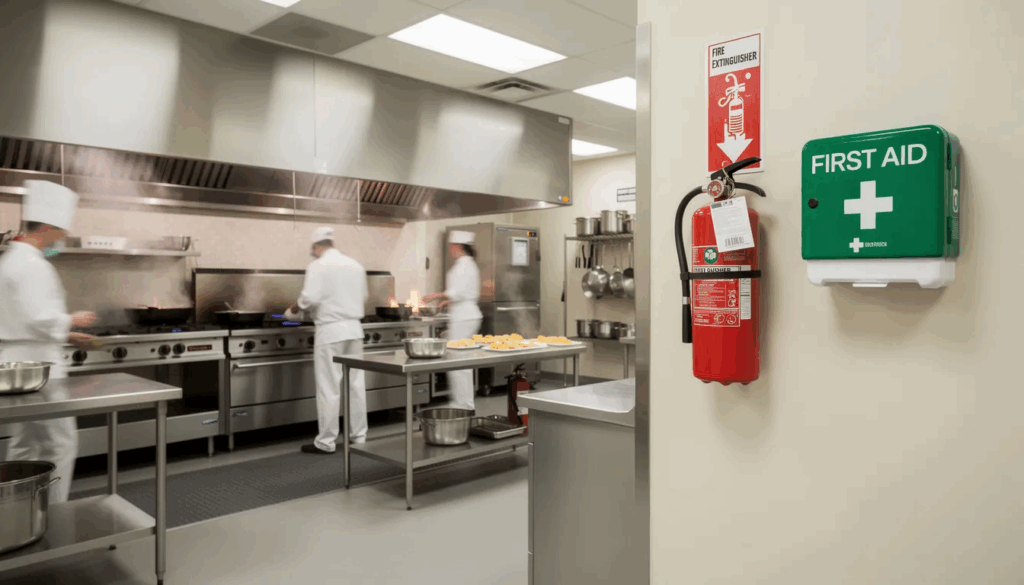
  • Know where fire extinguishers and first aid kits are located
  • Understand evacuation routes and assembly points (posted near the time clock and in the kitchen)
  • Participate in fire drills and emergency training during onboarding

Medical emergencies:

If a guest has a severe allergic reaction or choking incident:

  1. Call emergency services immediately (911)
  2. Notify the manager on duty
  3. If trained, administer first aid or the Heimlich maneuver
  4. Clear the area to give responders access
  5. Document the incident after the situation stabilizes

Violence or threats:

When facing violence, threats, or severely intoxicated individuals:

  • Prioritize your safety and the safety of guests
  • Do not attempt to physically restrain anyone
  • Call authorities when needed
  • Move other guests away from the situation if possible

This section refers to the separate, detailed emergency plan posted in staff areas. Review it during onboarding and again annually.

Use of Restaurant Property, Technology, and Social Media

Restaurant property—from POS systems to branded uniforms—must be used responsibly and only for business purposes. Misuse puts the company’s interests at risk and can result in discipline.

Assigned equipment:

Cash drawers, POS logins, keys, and access cards are assigned to individuals. You are responsible for their proper use and security. Never share your login credentials or leave cash drawers unlocked.

Theft and misuse:

The following are grounds for disciplinary action up to termination:

  • Theft of cash, food, equipment, or guest property
  • Intentional damage to restaurant property
  • Taking food home without manager approval
  • Giving free drinks or food to friends without authorization
  • Manipulating sales or tip records

Technology rules:

  • Do not install unauthorized software on POS terminals
  • Never share passwords with coworkers
  • Do not use guest Wi‑Fi for downloading illegal content or streaming during shifts
  • Report any suspicious activity or system errors immediately

Social media guidelines:

What you post online reflects on the restaurant. Follow these rules:

AcceptableUnacceptable
Sharing public menu photos with permissionPosting photos of guest checks or credit card receipts
Positive posts about team eventsInsulting guests by name or appearance
Linking to the restaurant’s websiteCriticizing coworkers or managers publicly
Posting behind-the-scenes images showing health or safety concerns

Never post confidential information, negative comments about the business, or anything that could embarrass the restaurant. When in doubt, ask a manager before posting anything that references the restaurant by name, logo, or location.

Confidentiality and Data Protection

Protecting sensitive business information and guest privacy is part of your job. Breaches can result in disciplinary action and potential legal consequences.

What counts as confidential:

  • Recipes and proprietary preparation methods
  • Supplier pricing and vendor contracts
  • Wage information and financial data
  • Customer contact lists and reservation databases
  • Unpublished promotions or menu changes

Guest data handling:

  • Payment details must be processed according to PCI compliance standards
  • Reservation notes and complaint records stay internal
  • Never discuss guest information with anyone outside the restaurant

Employee information:

Staff must not discuss other employees’ schedules, pay rates (except as permitted by labor laws), overtime pay arrangements, or disciplinary actions with guests or unauthorized coworkers.

Violations of confidentiality can range from a written warning to immediate termination, depending on severity. Local laws may also impose penalties for data breaches.

New Employee Onboarding

Welcoming new hires with a structured onboarding process is crucial for setting them up for success in the restaurant industry. Effective onboarding begins with a thorough review of the restaurant employee handbook, ensuring that new employees understand the restaurant’s policies, procedures, and core values from day one. Training should also cover essential food safety practices, customer service standards, and workplace safety protocols.

By providing clear expectations and comprehensive training, new hires can quickly adapt to the restaurant’s environment and start delivering great service to customers. This approach not only supports food safety and workplace safety but also helps new employees feel confident and valued. A well-designed onboarding program reduces confusion, boosts job satisfaction, and increases employee retention, creating a stronger, more reliable team dedicated to excellent food and service.

Complete Guide to Restaurant Operations

A complete guide to restaurant operations is vital for ensuring that every aspect of the business runs efficiently and in compliance with all relevant laws and regulations. This guide should address business operations, the restaurant code, and local regulations, as well as outline safety measures and the handling of confidential information. It’s also important to include guidance on labor laws to protect both the restaurant owners and employees.

By maintaining a comprehensive operations guide, restaurant owners and managers can foster a positive work environment, uphold service quality, and enhance customer satisfaction. Clear documentation of procedures and safety measures helps prevent issues before they arise, while compliance with local regulations and labor laws reduces the risk of costly fines or legal challenges. Ultimately, a well-structured guide supports the restaurant’s mission and ensures that every team member understands their role in delivering safe, high-quality service.

Clear Communication and Expectations

Clear communication and well-defined expectations are the backbone of a successful restaurant. Establishing a restaurant code of conduct is essential for promoting ethical behavior, respect, and inclusivity among all employees. The code should address important topics such as harassment, discrimination, and retaliation, ensuring that every team member feels safe, valued, and empowered to speak up.

By setting clear expectations and encouraging open communication, restaurant owners and managers create a positive work environment where employees can thrive. This not only improves morale and teamwork but also leads to higher customer satisfaction and a stronger reputation for the business. A thoughtfully crafted code of conduct protects the company’s interests, reduces the risk of legal issues, and fosters a culture of respect and integrity that benefits everyone—employees, customers, and the restaurant as a whole.

Reporting Violations, Discipline, and Continuous Training

Speaking up about violations maintains a safe and ethical restaurant. Every employee plays a role in upholding the standards in this document outlines.

Reporting channels:

You have multiple options for reporting concerns:

  1. Direct report: Tell your shift supervisor or manager immediately
  2. Owner or HR contact: If the concern involves your direct supervisor, escalate to the owner or designated HR contact
  3. Anonymous reporting: Some restaurants offer an ethics hotline or anonymous submission form—ask about availability during onboarding

Retaliation against anyone who reports a concern in good faith is strictly prohibited. Retaliation is itself a serious violation that can result in termination of the retaliating party.

Discipline process:

Typical progression for violations:

  1. Verbal warning (documented)
  2. Written warning
  3. Suspension
  4. Termination

Severe misconduct—theft, violence, harassment, or gross safety violations—may result in immediate dismissal without progressive steps.

All disciplinary steps should be documented with dates, times, and a brief description of the incident. This protects both the restaurant and the employee by ensuring consistency and fairness.

In some companies, an audit committee may oversee workplace practices, review risks, and ensure regular discussion with management as part of the company’s governance framework.

Ongoing training:

A code of conduct only works if employees understand and remember it. Schedule regular training refreshers:

  • Food safety and hand washing procedures (quarterly)
  • Anti harassment and respectful workplace (annually)
  • Responsible alcohol service (as required by local regulations)
  • Emergency response procedures (semi-annually)

New hires should complete training during their first week, with a signed acknowledgment form kept in their employment records.

Final note:

Review this code yearly. If you’re unsure about any policy, ask your manager before acting. Your questions help us improve our workplace policies and keep everyone on the same page.

Key Takeaways

  • A restaurant code of conduct sets clear expectations for behavior, safety, and customer satisfaction
  • Core principles like respect, integrity, safety, and accountability guide daily decisions
  • Professional appearance and punctuality directly impact guest trust and service quality
  • Anti harassment rules protect everyone and require immediate reporting
  • Food safety and emergency response protocols are non-negotiable legal requirements
  • Social media and confidentiality rules protect the restaurant’s reputation and guest privacy
  • Consistent discipline and ongoing training make the code effective

A strong code of conduct keeps your team aligned, your guests safe, and your restaurant protected from legal and reputational risks. For example, Burger King faced significant fines in 2024 due to franchise violations of wage and child labor laws, illustrating the importance of strict compliance. Restaurant owners who invest in clear documentation and regular training see fewer incidents, better reviews, and lower turnover.

Start by reviewing your current restaurant employee handbook template against the sections outlined here. Identify gaps, update outdated policies to reflect current local laws, and share the final document with every team member. Schedule a yearly review and require signed acknowledgment forms to ensure everyone understands the rules.

Your code of conduct isn’t just a document—it’s the foundation of your restaurant’s culture.

5 Signs Your Hiring Workflow Is Slowing You Down 

Hiring is a competitive business, and dozens of restaurant and hospitality operators want the same candidates you do. But the truth is, most hiring slowdowns don’t come from a lack of applicants. They come from workflows that haven’t kept up with how job seekers move, communicate, and make decisions.

If your hiring feels sluggish, here are the five biggest signs your workflow is slowing you down, along with solutions to fix issues before they cost you a great hire.

1 . You Lose Candidates Before You Make Contact

If you’re posting jobs and receiving a decent number of applications, but very few candidates ever make it to the first conversation, that’s a workflow issue and not a talent shortage. Applicants, especially in hourly and service-based roles, move quickly. They apply to several jobs at once, and the employer who communicates first usually wins.

A slow initial response tells candidates the job may not be urgent, the team may be disorganized, or the hiring experience may be frustrating. That alone is enough for them to shift their attention to a more responsive employer.

The solution: 

Automate early touchpoints by setting up instant acknowledgments, triggering next steps as soon as someone applies, and giving candidates an immediate way to move forward. This is where StaffedUp’s one-way video interviews shine. Instead of waiting for a coordinator to call, text, or email, candidates can complete the first interview minutes after applying. You can then move qualified applicants forward the same day instead of losing them within hours.

2. Scheduling Interviews Takes More Time Than the Interviews Themselves

Few workflow problems cause more delay than scheduling. When every interview requires multiple emails, proposed times, calendar checks, and last-minute changes, the process slows to a crawl. Every round of back-and-forth increases the likelihood they will give up or accept another offer.

Slow scheduling also hurts employers as much as applicants, as managers lose blocks of time coordinating availability, interviews are spread across multiple days, and open roles remain unfilled far longer than necessary.

The solution: 

Use easy-to-access online booking software that lets candidates schedule appointments instantly. Instead of manually coordinating every meeting, job seekers simply choose an available time on your calendar, receive automatic confirmations, and manage changes themselves. This eliminates scheduling back-and-forth, reduces no-shows, and frees your team to focus on serving customers rather than chasing down appointments.

3. No-Shows Are Wasting Time and Killing Momentum

No-shows are one of the most frustrating hiring problems for employers, especially in hospitality, retail, entertainment, and service-based roles. When a candidate doesn’t arrive for a scheduled interview, you lose time you could have spent on business operations. Multiply that by several candidates a week, and the impact is enormous.

But no-shows are also a sign of a slow or inefficient process. People are far more likely to skip an interview if they applied days ago and heard nothing, if the scheduling process was confusing, or if too much time passed between steps.

The solution: 

You can reduce no-shows by speeding up your process and strengthening communication. If you confirm interviews right away, send a brief overview of what to expect, and follow up with a reminder the day before, candidates will feel informed and be far more likely to follow through.

You should also keep the timeline tight, as long gaps between steps create a drop-off. Clear directions for virtual or in-person interviews and a streamlined, predictable process also help ensure candidates arrive prepared and on time.

4. You’re Interviewing Too Many People (and the Wrong Candidates)

If you’re interviewing ten or more applicants for one role, your pre-screening stage isn’t doing its job. A strong workflow effectively filters candidates so that, by the time someone reaches a live interview, they’re already highly suitable for the role. 

Without a good filtering system, you waste hours speaking with candidates who lack experience, have no availability, or have no real interest in the role.

Over-interviewing also slows every part of the hiring process as managers burn time on preliminary conversations that should have been handled earlier. Candidates then wait longer for decisions, and positions stay open because too much energy is spent on applicants who should have been screened out.

The solution: 

Use tools that identify top-tier candidates earlier. One-way video interviews give you a realistic first impression without committing valuable time, and you can quickly spot strong communicators, reliable personalities, and people who genuinely fit your business long before anyone schedules a live interview. 

You can also use an applicant tracking system (ATS) to tag, sort, and prioritize applicants based on key criteria. When screening criteria are clear and applied consistently, only strong matches reach the interview stage. This reduces interview volume, accelerates decision-making, and ensures managers spend their time on candidates with real potential.

5. Your Team Reviews Applications Too Slowly

Even in well-run businesses, hiring often falls to the bottom of a manager’s to-do list, especially when they’re short-staffed. When applications sit for days without review, candidates assume the employer isn’t interested. By the time someone actually looks at the application, the candidate has typically moved on.

This delay creates a vicious cycle: the longer your team waits, the more likely good applicants disappear, forcing you to restart the search again and again. 

The solution:

Make screening easier and faster. Assign a specific person or rotate responsibility among managers to check new applicants at set times daily.  You can also simplify what your team looks for in the first round with a “must-haves” for the role, such as:

  • Availability
  • Experience level
  • Certifications
  • Soft skills 

Hiring platforms with built-in AI can accelerate this step by automatically sorting applicants based on your priority criteria. AI tools can highlight candidates who meet your minimum requirements, flag missing information, and organize applications so your team reviews the strongest fits first. Instead of sifting through stacks of unqualified applicants, managers spend their time on the people who actually align with the job.

Speeding Up For Successful Hires

If you recognize any of the five signs above, your hiring workflow is costing you time, energy, and great talent. Small delays compound quickly, and the businesses that hire fastest almost always hire better.

Streamlining your early-stage workflow with tools like StaffedUp’s one-way video interviews helps you reduce friction, boost candidate engagement, and hire with confidence, while giving your team back hours every week.

Restaurant Onboarding Checklist: Step-by-Step Guide for New Hires

You hire a new team member, and by the end of the first week, they’re already struggling to keep up. Sound familiar?

It’s not just you. Every week, restaurant managers across the country are spending more time repeating training than actually running their teams. You prepare a schedule, explain the basics, but the new hire still feels lost — and sometimes quits before they really get started.

Most “solutions” out there are generic onboarding guides that work for offices, not restaurants. They’re heavy on paperwork, light on practical support, and slow to help your team get productive.

You need a system that moves at the pace of restaurant life, helps new hires learn quickly, and keeps them confident from day one.

That’s where a restaurant onboarding checklist comes in. A clear, step-by-step guide ensures new employees know what to do, when to do it, and who to ask for help — while keeping managers organized.

Let’s walk through what an effective checklist should include, where most onboarding processes fall short, and how StaffedUp can help you onboard new hires faster and smarter.

Image

Why Onboarding Matters in Restaurants

Onboarding isn’t just about handing a new hire a uniform and a schedule. In restaurants, where the pace is fast and the stakes are high, proper onboarding can make the difference between a smooth operation and a chaotic shift.

Poor onboarding costs restaurants more than time — it drives turnover, increases mistakes, and hurts team morale. According to QSR Magazine, high turnover in hospitality can cost up to 150% of an employee’s salary, considering hiring, training, and lost productivity.

The benefits of a structured onboarding process are clear:

  • Faster productivity: Employees learn their duties quickly and confidently.
  • Higher retention: New hires feel supported and are more likely to stay.
  • Better service: Well-trained staff serve customers efficiently and accurately.
  • Team morale: A confident employee reduces stress on managers and teammates.

The solution isn’t endless paperwork or training sessions — it’s a clear, actionable restaurant onboarding checklist that ensures every new hire knows exactly what to do, when to do it, and who to ask if they have questions.

StaffedUp Tip: With StaffedUp, you can centralize your onboarding checklist, track tasks, and ensure every new hire completes all required steps — no paperwork lost, no tasks forgotten.

Key Components of a Restaurant Onboarding Checklist

A great onboarding checklist isn’t just a list of forms. It’s a step-by-step guide that helps new hires feel prepared, confident, and part of the team. Here’s what a complete restaurant onboarding checklist should include:

1. Pre-First Day Tasks

Before a new hire even steps into the restaurant, make sure they are ready:

  • Job offer confirmation and paperwork: Send W-4, I-9, and other employment forms.
  • Schedule and expectations: Share their first-day schedule and basic role responsibilities.
  • Pre-onboarding materials: Include employee handbook, training videos, or guides.
  • StaffedUp Tip: Send all pre-onboarding documents digitally and track completion with StaffedUp so nothing gets missed.

2. First Day Essentials

The first day sets the tone for the entire employment experience:

  • Orientation and restaurant tour
  • Introductions to the team and key managers
  • Safety, compliance, and basic health training
  • Role-specific basics (POS system, kitchen stations, or front-of-house procedures)
  • Assign a mentor or buddy for guidance

StaffedUp Tip: Check off first-day tasks in StaffedUp to ensure every new hire completes them without extra emails or reminders.

3. First Week Checklist

The first week is critical for learning and adjustment:

  • Shadow experienced staff on shifts
  • Practice key duties with supervision
  • Daily check-ins and feedback
  • Begin small responsibilities independently

StaffedUp Tip: Use StaffedUp to track progress for each task and identify areas where employees may need more guidance.

Image

4. Ongoing Onboarding / First Month

Onboarding doesn’t end after the first week:

  • Review performance and provide constructive feedback
  • Cross-train for other roles to build flexibility
  • Introduce company culture, policies, and procedures in depth
  • Recognize achievements to boost morale

StaffedUp Tip: Automate reminders and follow-ups in StaffedUp to ensure ongoing onboarding tasks are completed on time.

Common Onboarding Mistakes to Avoid

Even with the best intentions, many restaurants stumble during onboarding. Avoiding these mistakes can make your checklist far more effective and keep new hires engaged from day one.

1. Overloading New Hires

Giving too much information at once can overwhelm employees. Focus on essentials first, then gradually introduce advanced tasks. Most roles in hospitality end up working together amongst the same number of roles – start with the high level stuff that will be utilized most often.

2. Lack of Role Clarity

If employees aren’t sure what’s expected of them, mistakes happen — and frustration rises. Make responsibilities clear from day one. Nothing worse than added turnover when it could have been avoided from a solid onboarding process.

3. Ignoring Engagement and Culture

Onboarding isn’t just training. New hires need to feel like part of the team. Include introductions, team-building moments, and recognition.

4. Failing to Track Completion

Without a clear system, tasks get forgotten. Paper checklists or scattered emails make it easy to miss steps, leading to confusion and turnover.

StaffedUp Tip: StaffedUp tracks onboarding tasks in one place. You can see what’s completed, what’s pending, and ensure nothing slips through the cracks.

Sample Restaurant Onboarding Checklist Table

A visual checklist makes onboarding tasks easy to track and ensures consistency for every new hire. Here’s an example of how your restaurant onboarding checklist could look:

TaskResponsible PartyDeadlineCompleted
Send job offer & paperwork (W-4, I-9)HR / ManagerBefore first day
Share first-day schedule & expectationsManagerBefore first day
Pre-onboarding materials (handbook, training video)HRBefore first day
Orientation & restaurant tourManagerDay 1
Introductions to team & mentor assignmentManagerDay 1
Safety & compliance trainingManagerDay 1
Role-specific training (POS, kitchen stations, front-of-house)TrainerWeek 1
Shadow experienced staffMentor / TrainerWeek 1
Daily check-ins & feedbackManagerWeek 1
Cross-training on other rolesManager / TrainerMonth 1
Review performance & provide feedbackManagerMonth 1
Recognize achievementsManagerMonth 1

StaffedUp Tip: With StaffedUp, you can digitize this checklist, assign tasks to managers or trainers, and track completion for every new hire — all in one dashboard.

Image

How StaffedUp Streamlines Onboarding

Onboarding new restaurant employees doesn’t have to be chaotic. StaffedUp centralizes every task, keeps managers on the same page, and helps new hires start confidently. Here’s how it works:

1. Centralized Checklists

All onboarding tasks live in one dashboard. Managers and trainers can assign tasks, track completion, and ensure nothing is overlooked. Moving away from paper checklists means no checklist goes missing and they actually get completed. Think about how much more efficient your team can be if every shift is aligned with the last. 

2. Automated Reminders

New hires get reminders for training sessions, documents, and check-ins. Managers are notified if anything is incomplete. A solid ATS should be prioritizing completion of onboarding documents. The downtime between being hired and being onboarded needs to be as minimal as possible of you’re at risk of losing a good candidate for the role. 

3. Digital Document Storage

W-4s, I-9s, employee handbooks, and training materials are stored securely online. No lost forms, no cluttered filing cabinets. An ATS that customizes these documents is a game changer – when doing your research, make sure to ask the question. 

4. Track Progress in Real-Time

See exactly where each new hire is in the onboarding process. Identify gaps and provide support immediately, before they turn into bigger issues. The mirrored checklist for the applicant shows accountability and pushes the applicant to get you the things your HR team (or you) need to start payroll. 

5. Support for Returning Seasonal Staff

StaffedUp makes it simple to bring back top seasonal employees. You can track prior onboarding progress and skip redundant steps, keeping them productive from day one.

Start streamlining your restaurant onboarding checklist today. Post your first job and manage all onboarding tasks with StaffedUp for just $1.

Case Study: How StaffedUp Helped a Restaurant Streamline Onboarding

Real-world examples show how a structured onboarding checklist combined with StaffedUp can save time, reduce turnover, and keep new hires confident.

Company Background

Company: Midwest based hospitality group
Industry: Restaurant / Seasonal & Full-Time Staff
Size: 1,500+ employees

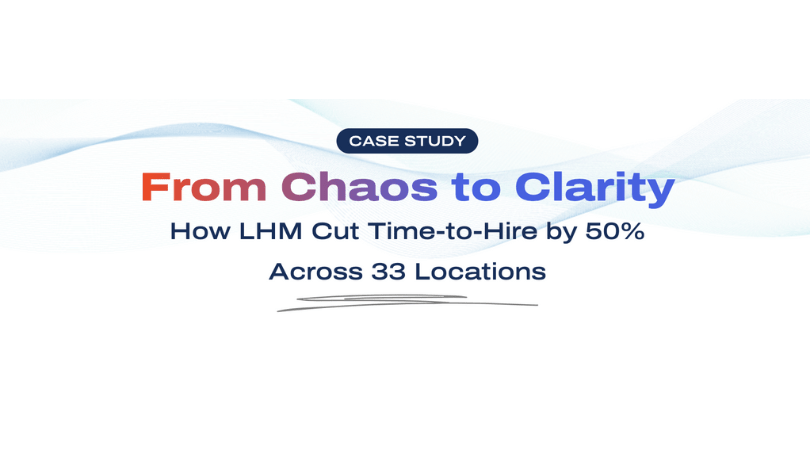
This hospitality group (with 33 units) struggled with inconsistent onboarding. New employees often felt unprepared, leading to early mistakes and high turnover. Managers spent hours repeating training sessions, and tracking progress across spreadsheets became overwhelming.

Challenges

  • High first-month turnover for new hires
  • Disorganized onboarding documentation
  • Managers spent excessive time on repetitive training
  • Returning seasonal staff were hard to track and rehire efficiently

Solutions Implemented With StaffedUp

  1. Centralized Onboarding Checklists
    • Digitized all tasks in one platform
    • Assigned responsibilities to managers and mentors
  2. Automated Reminders and Progress Tracking
  3. Document Management
  4. Returning Staff Tracking
    • Tagged returning seasonal employees
    • Reduced redundant onboarding steps for experienced staff
Image

Results

  • Turnover reduced by 40% during the first 90 days
  • Onboarding time reduced by 50%, freeing managers for operations
  • Employee satisfaction improved, with faster ramp-up on duties
  • Returning seasonal staff increased by 35%, making summer operations smoother

Key Takeaway: StaffedUp doesn’t just make onboarding easier — it ensures your team is confident, competent, and ready from day one.

Streamline your restaurant onboarding checklist with StaffedUp. Post your first job for $1 and manage onboarding tasks in one place today.

FAQs: Restaurant Onboarding Checklist

Here are answers to the most common questions restaurant owners and managers have about onboarding new hires:

1. What is a restaurant onboarding checklist?

A restaurant onboarding checklist is a step-by-step guide that ensures new hires complete all required tasks, training, and paperwork. It helps managers keep track of progress and ensures employees start productive and confident.

StaffedUp Tip: Use StaffedUp to digitize your checklist and track every task in one place.

2. How long should restaurant onboarding take?

Onboarding typically spans the first day, first week, and first month. Pre-day tasks, orientation, training, and feedback should be planned to help employees ramp up efficiently without feeling overwhelmed.

For the most efficient onboarding, you want no more than 3 days of waiting for a new hire to get their completed onboarding packet to you. Leverage an ATS to take care of this process for you. 

3. What tasks should be included?

  • Paperwork (W-4, I-9, contracts)
  • Orientation and restaurant tour
  • Role-specific training (POS, kitchen stations, front-of-house)
  • Shadowing experienced staff
  • Check-ins and feedback
  • Cross-training and culture introduction

StaffedUp Tip: Automate reminders and track completion for every task in your onboarding checklist. Let’s face it: the hospitality industry is fast moving and no one wants to sit down for hours filling out an I9. Make it easy, accessible and urgent for immediate completion of the onboarding packet. 

4. How does onboarding improve retention?

Clear, structured onboarding gives employees confidence and a sense of belonging. They understand expectations, know who to ask for help, and feel supported — which reduces early turnover.

5. Can StaffedUp help with onboarding for seasonal employees?

Yes! StaffedUp tracks past seasonal hires, stores onboarding progress, and ensures returning employees are productive immediately — making every busy season smoother.

Make Onboarding Simple With StaffedUp

Onboarding sets the stage for success in any restaurant. A clear restaurant onboarding checklist ensures new hires are confident, productive, and ready to deliver great service. As we pushed in this “how-to”, prioritize a fast, efficient onboarding for new hires to actually make it through the door for their first shift. 

StaffedUp makes onboarding easy by:

  • Centralizing tasks and checklists in one dashboard
  • Automating reminders and tracking completion
  • Digitizing documents and training materials
  • Supporting returning seasonal staff

Don’t waste time juggling spreadsheets and emails. Post your first job on StaffedUp for just $1 and get your onboarding process running smoothly from day one.

How to Retain Seasonal Employees: A Full Guide for Keeping Your Best Staff Every Year

Seasonal work moves fast. When business ramps up, you need people who can jump in, learn quickly, handle busy hours, and serve guests with care. But getting those people is only half the battle. The real test is simple:

Can you keep your best seasonal employees long enough to make a real impact?

Many employers lose good seasonal workers after just a few weeks. Some leave because of poor schedules. Others leave for better pay. Many leave because they never felt connected to the team. Losing trained workers during your busiest months slows service, hurts guest experience, and pushes your full-time staff to the limit.

The good news is this: You can keep strong seasonal talent. You can even bring them back year after year. And when you do, you cut hiring costs, improve service, and build a dependable seasonal workforce.

Throughout this guide, you’ll learn how to retain seasonal employees, build loyalty, reduce turnover, and create a smoother seasonal cycle for your team.

If you want an easier way to manage seasonal hiring, training, and scheduling, StaffedUp helps you stay organized and keep workers engaged from day one. With automated messaging, hiring tools, onboarding support, and engagement features, StaffedUp helps you hold onto great seasonal talent instead of watching them walk away.

Image

Understanding Why Seasonal Employees Leave

If you want to keep seasonal workers, you first need to know why they leave in the middle of the season or never return the next year. Seasonal work comes with challenges full-time roles don’t always face, and ignoring them leads to quick turnover, stress, and extra hiring costs.

Below are the most common reasons seasonal employees move on, along with simple notes on how each one affects your team.

1. Poor Scheduling or Unstable Hours

Seasonal workers rely on predictable hours. When shifts swing up and down each week, they often leave for a job with a steadier schedule. This is one of the biggest reasons people walk out early.

What you can do:

  • Post schedules early
  • Keep hours steady
  • Avoid last-minute changes
  • Ask about preferred shifts during onboarding

2. Training That Feels Rushed or Confusing

Seasonal roles move quickly, but if training is rushed, people feel lost. When they can’t find answers or feel embarrassed asking questions, they simply quit.

What you can do:

  • Break training into short steps
  • Give simple checklists
  • Pair new workers with friendly staff
  • Keep training materials easy to access

StaffedUp Tip: You can store training steps, checklists, and reminders inside StaffedUp, giving seasonal workers quick access to what they need without slowing down your managers.

3. Pay That Doesn’t Match the Market

Seasonal workers often compare pay rates between nearby businesses. If your offers fall short, they leave mid-season for a slightly better wage.

What you can do:

  • Review local pay rates
  • Offer simple bonuses or incentives
  • Add small perks like free meals or shift rewards

4. Lack of Recognition or Appreciation

Seasonal workers want to feel valued just like full-time staff. When they don’t receive support or positive feedback, they disconnect from the job and start looking for other work.

What you can do:

  • Give public shoutouts
  • Celebrate strong shifts
  • Say “thank you” often
  • Set small, fun goals for the team

Inside StaffedUp, teams can send quick messages, shoutouts, and updates that help seasonal workers stay motivated and connected during busy weeks.

5. Poor Management or Lack of Support

Managers who are rushed, stressed, or unavailable create environments where seasonal workers feel lost. This is one of the fastest ways to lose people during peak season.

What you can do:

  • Teach leads how to support new team members
  • Give and receive feedback often
  • Create a simple communication channel for quick questions
  • Keep managers visible and reachable during shifts

6. No Clear Path to Return Next Year

Seasonal workers often want to come back, but many leave thinking the job is temporary with no future. When there’s no message about next season, they find other long-term options.

What you can do:

  • Let strong workers know they will be invited back
  • Collect contact details for next season
  • Offer early sign-up for returning workers

StaffedUp helps you tag and track strong seasonal workers so you can contact them next season with one click instead of starting from scratch.

Image

What Retaining Seasonal Employees Really Takes (And Why It Matters)

Keeping seasonal workers isn’t just about reducing turnover. It’s about building a team that can stay productive during your busiest months, support your full-time staff, and return year after year so you don’t have to rebuild from scratch.

Seasonal roles move fast. People jump in quickly, learn quickly, and leave quickly — unless you build a system that keeps them engaged, supported, and excited to stay.

Here’s what that system should help you do:

  • Set expectations early so no one feels blindsided
  • Train seasonal workers in a way that actually sticks
  • Keep communication simple, fast, and consistent
  • Make scheduling predictable so people don’t bail
  • Offer incentives that matter (and are easy to manage)
  • Make seasonal workers feel like part of the team, not temporary help
  • Track performance so you know who to invite back next year
  • Give managers tools that reduce stress instead of adding work

Retention is not a single program — it’s the result of a smooth, predictable experience for both workers and managers.

And that’s exactly where StaffedUp gives operators an advantage.

With StaffedUp, you can:

  • Store onboarding checklists
  • Send reminders and updates
  • Track returning workers
  • Communicate instantly
  • Keep managers aligned
  • Maintain clean, organized worker records

It’s more than a hiring tool. It’s a system that helps you keep seasonal workers longer, bring back the best ones next year, and reduce the constant cycle of training people who won’t stay.

Why Most Businesses Struggle to Keep Seasonal Employees

Most companies don’t lose seasonal workers because of pay alone. They lose them because the experience feels messy, rushed, and disorganized.

Here’s what usually goes wrong:

1. Training is rushed or unclear

Seasonal workers often get tossed onto the floor with minimal training. When people feel lost or unsupported, they quit fast — sometimes in days. 

Good seasonal staff stick around when they feel confident and prepared.

2. Communication is scattered

Important updates get lost in texts, group chats, or old email threads. That leads to:

Seasonal employees won’t stay if they feel like they’re always playing catch-up.

3. Schedules feel unpredictable

Seasonal workers expect clear shifts and fair scheduling. 

If the schedule changes daily or managers forget to share updates, people look for jobs with more stability — even if the pay is the same.

4. They don’t feel connected to the team

Seasonal workers are often left out of:

  • team communication
  • recognition
  • feedback
  • small perks that full-time staff get

If they feel replaceable, they leave. If they feel included, they stay.

5. Managers are overwhelmed

When teams are short-staffed, managers spend their time:

  • chasing down new hires
  • answering the same questions
  • solving scheduling mix-ups
  • trying to onboard people during peak hours

This creates an environment where seasonal staff feel like an afterthought — not part of the operation.

Where StaffedUp Helps Fix These Problems Fast

Most retention issues come from disorganization, not disinterest.

StaffedUp helps you fix that by giving you:

  • A clean onboarding hub for seasonal workers
  • Messaging tools so updates never get lost
  • A place to track documents and forms
  • Simple training workflows
  • Scheduling communication that makes expectations clear
  • A record of past seasonal workers so you can bring back the best ones

When communication is smooth and the process feels steady, seasonal employees stay longer — and many return the next year.

5 Tools to Help Retain Seasonal Employees in 2025

Keeping seasonal employees isn’t just about paychecks or perks — it’s about having the right tools to keep them engaged, organized, and returning year after year. Here’s a breakdown of five tools that actually make a difference, starting with the one built specifically for high-turnover, seasonal hiring:

1. StaffedUp

Why it works for seasonal retention: StaffedUp is designed for fast-moving hospitality teams. It helps you hire, onboard, and communicate with seasonal workers efficiently, so you can keep them longer and encourage repeat seasons.

Key features:

  • One-click job posting to multiple boards
  • Custom application forms for seasonal roles
  • Bulk messaging to keep everyone in the loop
  • Mobile-friendly dashboard for on-the-go management
  • Document collection for W-4s, I-9s, and onboarding
  • Team access for managers across multiple locations
  • Hiring analytics to see who returns each season

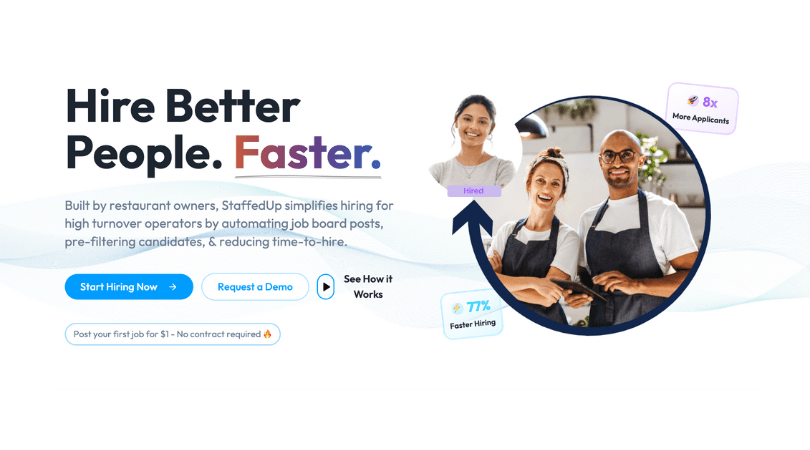
Results: Users report up to 8x more applicants, 45% lower turnover, and faster onboarding, so you spend less time chasing seasonal hires and more time running your business.

Post your first seasonal job with StaffedUp for $1 today and start keeping the workers you want.

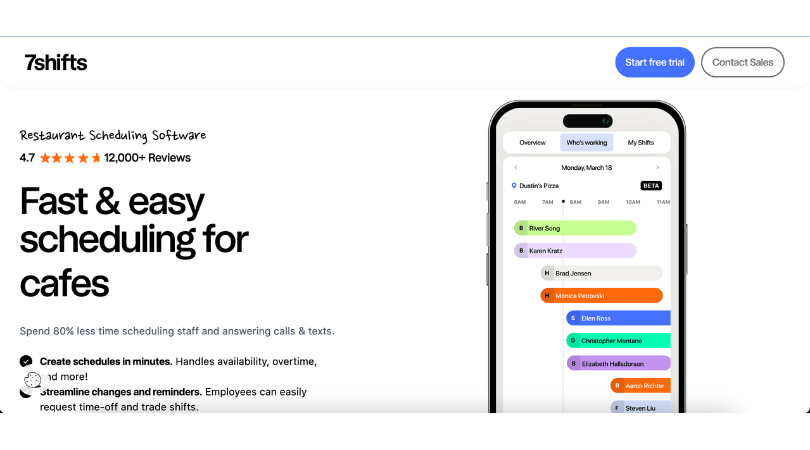
2. 7shifts

Why it works: 7shifts focuses on scheduling but includes hiring features that make seasonal onboarding and retention smoother. Posting jobs, moving new hires to shifts, and communicating with seasonal staff happens in one place.

Key features:

  • Job posting and applicant tracking
  • Integrated scheduling
  • Team messaging
  • Digital document upload

Downside: If you aren’t already using 7shifts for scheduling, hiring tools alone may not offer as much flexibility.

Image

3. Homebase

Why it works: Homebase handles hiring, scheduling, messaging, and time tracking for hourly teams. Seasonal workers can complete forms, view schedules, and communicate before their first shift, which helps them stick around.

Key features:

  • Quick job posting
  • Applicant tracking dashboard
  • Digital onboarding
  • Built-in messaging

Downside: The system is broader than just hiring, which can feel heavy if you only want seasonal retention support.

Image

4. Connecteam

Why it works: Connecteam is mobile-first, so seasonal employees can access schedules, forms, and training anywhere. Managers can assign shifts and track progress, keeping seasonal staff organized and engaged.

Key features:

  • Mobile onboarding and training
  • Scheduling with availability and time-off tracking
  • Team communication and updates
  • Task tracking for onboarding steps

Downside: Hiring features are simpler compared to StaffedUp’s full seasonal retention workflow.

5. Culinary Agents

Why it works: Culinary Agents is a hospitality-specific job board. While it focuses more on recruitment than retention, it connects you to seasonal staff who already have industry experience — meaning you start with a better candidate pool, improving chances they’ll stick around.

Key features:

  • Industry-specific job board
  • Candidate profiles for direct connection
  • Applicant messaging inside the platform
  • Employer branding to attract stronger applicants

Downside: Best for experienced seasonal staff, less effective for entry-level or quick-turn roles.

StaffedUp Tip: When you combine smart hiring, structured onboarding, and easy communication, you don’t just hire seasonal employees — you retain them for years, reducing scramble time and training costs every busy season.

How Seasonal Retention Tools Improve Your Bottom Line

Seasonal turnover isn’t just a scheduling headache — it’s a cost issue. Hiring, training, and onboarding new workers takes time, money, and energy. Losing seasonal employees mid-season means:

  • More recruiting and advertising costs
  • Extra hours spent training replacements
  • Reduced team efficiency
  • Frustrated full-time staff covering gaps
  • Lower customer satisfaction

Using the right tools can reduce these costs significantly.

1. Save Time With Faster Hiring

Platforms like StaffedUp let you post jobs quickly, filter applicants, and schedule interviews without bouncing between apps. Faster hiring means you fill shifts sooner and avoid scramble situations that drive workers away.

2. Reduce Training Costs

Structured onboarding for seasonal employees keeps them confident and reduces early departures. Tools that store training materials, checklists, and guides ensure workers are productive from day one.

With StaffedUp, you can store onboarding workflows and step-by-step guides so seasonal employees start strong — and stay longer.

3. Keep Your Best Employees Returning

Tracking performance and engagement helps you identify top seasonal staff. Retaining returning workers saves recruiting, onboarding, and training costs every season.

  • Workers familiar with the operation perform faster
  • Teams require less oversight
  • Less time spent rebuilding culture each season

StaffedUp Tip: StaffedUp allows you to tag returning seasonal employees and contact them with a single click when the next season rolls around.

4. Improve Team Morale and Productivity

When seasonal employees feel supported, recognized, and included, they contribute more effectively. This reduces burnout for full-time staff and keeps service consistent during peak periods.

5. Boost Revenue Through Consistency

Reliable seasonal employees mean:

  • More consistent service
  • Higher customer satisfaction
  • Fewer errors or shift gaps
  • Smoother operations during busy months

All of this directly impacts revenue by keeping operations running efficiently, even during peak demand.

Bottom Line: Investing in seasonal retention tools isn’t a luxury — it’s a money-saving strategy. Platforms like StaffedUp help you hire, train, communicate, and retain seasonal workers, reducing costs and keeping your business running smoothly.

FAQs: How to Retain Seasonal Employees

Here are answers to the most common questions employers have about keeping seasonal workers:

1. How can I keep seasonal employees coming back?

  • Offer clear schedules and predictable hours
  • Provide proper onboarding and training
  • Recognize achievements and give feedback
  • Track top performers and invite them back each season

StaffedUp Tip: Tag returning seasonal employees in StaffedUp and contact them with one click to secure top talent for next season.

2. Does good onboarding really reduce seasonal turnover?

Yes. Seasonal workers who feel prepared are more confident and engaged. Onboarding that’s structured and easy to follow keeps new hires productive and less likely to leave early.

StaffedUp Tip: Use StaffedUp to store onboarding workflows, checklists, and training guides that seasonal employees can access anytime.

3. How can I motivate seasonal staff without high costs?

  • Give public recognition or shoutouts
  • Offer small perks like free meals, gift cards, or shift bonuses
  • Provide consistent communication and support

StaffedUp Tip: With StaffedUp, you can send bulk messages, updates, and recognition alerts to seasonal staff, keeping them motivated throughout the season.

4. What tools help make seasonal retention easier?

  • Scheduling software that posts shifts early
  • Communication platforms to send reminders and updates
  • Onboarding tools to streamline paperwork
  • Tracking tools to identify top performers for return offers

StaffedUp combines all these tools in one platform, making it easier to hire, train, manage, and retain seasonal employees without juggling multiple apps.

The Recipe for a Perfect Pastry Chef Resume

For careers like pastry chef, which are rooted in creativity and practical skills, writing a resume and going through the formal process of applying for jobs can feel daunting. You might feel at home in the kitchen, honing new recipes and producing high-quality dishes for paying customers, but writing a professional document that summarizes those skills and experiences can feel a million miles outside your comfort zone.

Thankfully, we’re here to show you, step-by-step, how to write a pastry chef resume that showcases your craft and impresses employers. Let’s get started with this guide to the perfect pastry chef resume.

The best format for a pastry chef resume

There are typically two main resume formats to choose from, depending on your experience level. For entry-level and junior pastry chef roles where you haven’t got much relevant work experience, a functional resume format tends to work best. This is sometimes called a ‘skills-based’ resume and emphasizes your skills and qualifications ahead of your work experience. However, once you’ve built up some work experience, that’s what most employers will be most interested to read about. In this case, a reverse-chronological resume format makes the most sense, as it leads with your work experience.

Creative CV formats for pastry chef applications

Working in a profession with an emphasis on creativity and practical skills means a creative resume format or structure could be the best way to show off your skills. You might wish to include images that show your best work or present your resume in a different structure that shows your ability to think outside the box and develop creative ideas.

If you decide to adopt a creative resume layout, it’s usually best to start with either a functional or reverse-chronological resume format and add creative elements to complement or replace the traditional resume sections. If you choose a creative approach, keep these key tips in mind:

  • Start by writing a traditional resume with all the necessary information, and then think about how you can present it more creatively.
  • Be sure that any images, graphics or creative elements adequately replace or complement the written content of your resume—and don’t detract from the message or distract the reader.
  • Be mindful that less is often more when it comes to creative elements on a resume. Don’t overfill the page with graphics or design elements that draw the eye away from your key messages.
  • Think carefully about the employer you’re applying to, and what type of resume they would expect to receive. A highly creative resume might not go down well with established, traditional or highly professional organizations.

Key sections for a pastry chef resume

Below you’ll find a summary of the key sections to include in a pastry chef resume. The order you present these sections depends on the resume format you choose, and what will best showcase your skills and experience. To understand how these sections would look in a final document, check out Jobseeker’s pastry chef resume example. The key sections to include in your resume are as follows:

  • Resume header: This includes your name and contact details, including your email address and phone number. You might also want to mention your location, and other details, such as your LinkedIn profile. Avoid adding too much personal information or a personal photo to this section.
  • Resume summary: This is a short paragraph that concisely summarizes your key skills and experience and encourages the employer to read your resume in more detail.
  • Work experience: Add your relevant previous (and current roles) in reverse order, starting with the most recent. List your job title, the employer, its location and your dates of employment. Under each entry, list bullet points that showcase key skills and experience that show you match the requirements of the role.
  • Education: List any formal qualifications in this section, including any that are relevant to chef positions. You can also list certifications and training in this section if they’re essential to the role, or you can place them in their own section further down the resume.
  • Skills: Mention a few key skills that match the job description as a quick reference for the reader, including both hard and soft skills, to show you’re a good fit for the role.
  • Optional sections: Depending on the role and your experience, you could also add optional sections such as volunteer work, hobbies and interests and certifications.

Most in-demand pastry chef skills

To make a strong impression with your pastry chef resume, you’ll want to make sure you mention key skills that reflect the qualities and abilities the employer is looking for. Pay close attention to the job description, because that will give you the biggest indication of what you should be mentioning in your resume. Some of the key skills that might feature in job descriptions for pastry chef roles include:

Hard skills

  • Advanced baking techniques
  • Kitchen equipment operation
  • Recipe and menu development
  • Plating techniques
  • Ingredient knowledge
  • Kitchen health and safety

Transferable skills

  • Quality control
  • Budgeting
  • Manual dexterity
  • Time management
  • Organizational skills

Soft skills

  • Teamwork
  • Communication
  • Working under pressure
  • Creativity
  • Problem-solving

Keywords for a pastry chef resume

Similar to the skills you mention, adding keywords to your resume can help make your application a better match for the role. Pastry chef resume keywords can include some of the key skills mentioned above, but they also include certain phrases, industry terms and action verbs that signpost your knowledge and expertise as a professional chef.

Keywords will show the reader you know your stuff, but they’ll also help your resume to pass an automated resume screening stage. Employers often use applicant tracking systems (ATS) to scan and screen resumes for certain keywords, and rank them according to their likely match to the role. Using the right keywords in your resume can help you rank highly in this stage of the process.

As always, check the job description to confirm the best keywords for your pastry chef resume. However, some relevant keywords might include:

Industry terms and phrases

  • Cake decorating
  • Chocolate tempering
  • Piping work
  • Sugar work/spun sugar
  • Fondant modeling
  • Pastry arts
  • Dough proving
  • Menu costing
  • Waste reduction
  • Cost control
  • Food safety (for example, HACCP, cross-contamination prevention)

Action words

  • Developed
  • Innovated
  • Created
  • Designed
  • Supervised
  • Collaborated
  • Produced
  • Assembled
  • Enhanced
  • Increased

5 tips to maximize the impact of your pastry chef resume

Writing an effective pastry chef resume is all about showcasing your skills in a clear, concise way and showing the reader you’ve got the necessary experience, while also offering something that other candidates lack. Follow these five key tips to help your resume stand out in a crowded field of applicants:

  1. Redraft, tailor and personalize

The key to an impactful resume is to tailor it specifically to the job description. Doing this requires a bespoke approach to each job application. You might start with a base resume, but you’ll need to redraft it, tailor it to the requirements of the role and add personalization that helps you stand out as a unique candidate. 

  1. Use creative elements with care

While a traditional reverse-chronological or functional resume typically includes all the necessary information an employer is looking for, adding visual elements can help you showcase your credentials for creative roles like pastry chef. Subtle use of graphics, design flourishes, color accents and even photography of your culinary creations can enhance the aesthetic appeal of your resume, while also showing off your natural creative instincts.

  1. Focus on achievements, not responsibilities

It’s tempting to fill your resume with details about your responsibilities in previous roles, but this can actually be harmful to your chances of success. Most candidates applying for the position will share a similar employment history to you, so a list of key duties won’t set you apart. Instead, focus on your achievements in each previous role, and how you used your key hard and soft skills to achieve them. These could be awards you won (either individually, or as a collective), positive reviews you achieved, financial targets you exceeded or any other quantifiable metrics related to the role.

  1. Utilize the power of AI

Using AI to write your resume from scratch is a terrible idea, and is highly unlikely to help your chances of success, but there are various AI tools that can help you maximize the impact of a well-written resume. AI assistants or bespoke AI resume tools can check a job description for relevant keywords, review your resume’s suitability for the job or enhance your content to make it more impactful and readable. In this way, considerate use of AI can be a key factor in improving your job prospects.

  1. Use a professional resume template

Structuring, designing and formatting a resume can be one of the toughest parts of the job application process. It’s hard to strike a balance between a simple, readable document and something that’s visually engaging and helps your application stand out. That’s where resume builders can help.

Using a resume builder app means you can choose from professionally designed, customizable resume templates that make the process of producing an eye-catching pastry chef resume quick and easy. Picking a design that suits you and matches the role you’re applying for is one big step in the right direction towards success in your pastry chef applications.

How to Reduce Employee Turnover Rate: Strategies to Keep Your Workforce Engaged

Introduction

High employee turnover can cost businesses thousands of dollars each year in recruiting, training, and lost productivity. Beyond financial costs, constant turnover disrupts team dynamics, lowers morale, and can affect customer experience.

The good news is that turnover is often preventable with the right strategies and tools. By understanding why employees leave and implementing structured retention programs, companies can reduce employee turnover rate and maintain a stable, engaged workforce.

One way to simplify this process is by leveraging an ATS (Applicant Tracking System), a platform that helps employers manage applications, track employee performance, and streamline communication. With StaffedUp, you can identify top talent, improve retention, and reduce turnover-related costs efficiently.

In this guide, we’ll explore the main causes of turnover, measurement techniques, proven strategies, and real-world examples to help your business retain employees effectively.

Image

Why Reducing Employee Turnover Rate Matters

Employee turnover isn’t just a numbers problem—it affects every part of your business. Understanding the consequences of high turnover highlights why investing in retention strategies is essential.

Financial Costs

Replacing an employee can be expensive. Costs include:

  • Recruiting and advertising new job openings
  • Time spent interviewing and onboarding new hires
  • Training and mentoring costs
  • Lost productivity as new hires ramp up

Example: For a mid-level role, total replacement costs can reach 50–60% of the employee’s annual salary.

With StaffedUp, you can streamline hiring and quickly identify candidates who are more likely to stay long-term, reducing costly turnover.

Impact on Team Morale and Culture

Frequent departures can demotivate remaining employees. Teams constantly training new staff may experience frustration, lower engagement, and burnout. Retaining employees ensures continuity, stronger team dynamics, and a positive workplace culture.

Customer Experience and Productivity

Turnover can also affect your bottom line through inconsistent service or production. Experienced employees work faster, provide better service, and require less supervision. Maintaining a stable workforce improves overall performance and customer satisfaction.

StaffedUp helps you track performance and identify top performers, so you can retain your most productive employees and reduce turnover-related disruptions.

Common Causes of Employee Turnover

To effectively reduce employee turnover rate, it’s essential to understand why employees leave. Several recurring factors contribute to turnover, and addressing them can significantly improve retention.

1. Poor Management

Employees often leave managers, not companies. Lack of support, feedback, or clear expectations can push even loyal employees to resign. Strong leadership, consistent communication, and supportive management are crucial for retention.

StaffedUp allows managers to track performance, provide feedback, and monitor engagement, helping reduce turnover caused by poor management.

2. Limited Growth and Development Opportunities

Employees want to see a future within your organization. When career progression or training opportunities are limited, staff are more likely to seek roles elsewhere. Offering clear career paths and skill development programs increases retention.

Keeping growth as part of the onboarding process can help to keep this top of mind allowing new employees to see a lengthy future with your company. 

3. Inadequate Recognition

Recognition and appreciation are key motivators. Employees who feel overlooked or undervalued are more likely to leave. Simple acknowledgment, awards, or peer recognition programs can boost morale and retention.

With StaffedUp, employees can use their applicant dashboard (just like your employer dashboard) to see how they stack up against their peers. 

4. Poor Work-Life Balance

Excessive workloads, unpredictable schedules, or lack of flexibility lead to burnout. Ensuring manageable workloads and offering flexibility are critical to reducing turnover.

5. Compensation and Benefits

While money isn’t the only factor, competitive pay and benefits remain important. Employees who feel underpaid or unsupported in their needs are more likely to leave.

StaffedUp helps you track employee compensation and identify retention risks, making it easier to offer fair pay and benefits that reduce turnover.

How to Measure Employee Turnover Rate

Measuring employee turnover rate is the first step to understanding the health of your workforce and identifying areas for improvement. Accurate measurement allows you to track trends, set benchmarks, and evaluate retention strategies.

Turnover Rate Formula

The standard formula for calculating employee turnover rate is:

Employee Turnover Rate = (Number of Employees Who Left During the Period ÷ Average Number of Employees During the Period) × 100

Example: If 10 employees leave a team of 100 over a year, the turnover rate is 10%.

Types of Turnover to Track

  • Voluntary Turnover: When employees choose to leave, often due to dissatisfaction or better opportunities.
  • Involuntary Turnover: When the company terminates employees due to performance or other reasons.
  • Seasonal or Temporary Turnover: Common in industries with seasonal demand.

Tracking different types of turnover provides insight into the causes and helps target interventions effectively.

Image

Benefits of Tracking Turnover

  • Identifies high-risk departments or roles
  • Highlights patterns in employee departures
  • Evaluates the impact of retention programs
  • Supports data-driven decisions to reduce turnover

StaffedUp makes it easy to track turnover rates, monitor trends, and generate reports so you can proactively address retention issues before they escalate.

Proven Strategies to Reduce Employee Turnover Rate

Reducing employee turnover rate requires a combination of proactive management, engagement, and tools that help maintain a stable workforce. Implementing the right strategies ensures employees feel valued, supported, and motivated to stay.

1. Hire the Right Employees from the Start

A strong retention strategy begins with recruiting candidates who fit your company culture and have the skills to succeed. Hiring the right people reduces turnover caused by poor fit or mismatch of expectations.

StaffedUp helps you screen candidates efficiently, post jobs to multiple platforms, and track top talent, ensuring you hire employees who are more likely to stay long-term.

2. Provide Effective Onboarding and Training

New hires need a smooth introduction to the company and their roles. Proper onboarding improves confidence, reduces early turnover, and accelerates productivity. Best practices include:

  • Clear orientation sessions
  • Step-by-step role manuals or checklists
  • Mentoring or buddy programs

Use StaffedUp to manage onboarding checklists, track training progress, and ensure every employee gets the support they need from day one. This becomes increasingly more important for multi-unit groups or franchises.

Image

3. Offer Competitive Compensation and Benefits

Fair pay and meaningful benefits are key to retention. Ensure your compensation packages are competitive within your industry and consider perks that improve work-life balance.

4. Recognize and Reward Employees

Recognition boosts morale and loyalty. Employees who feel valued are less likely to leave. Consider:

  • Public acknowledgment in meetings or newsletters
  • Peer recognition programs
  • Bonuses or awards for top performers

StaffedUp enables you to track achievements and create recognition programs, helping employees feel appreciated and motivated to stay.

5. Improve Work-Life Balance and Flexibility

Offering flexible schedules, remote options, or manageable workloads reduces burnout and increases retention. Employees are more likely to stay when they feel their personal needs are respected.

Utilizing these flexible schedules can also be a great way to save on labor costs which can be the highest expense item for majority of restaurants. 

6. Promote Career Development Opportunities

Employees want to grow professionally. Providing training, mentorship, or clear career paths encourages staff to stay rather than seek opportunities elsewhere.

With StaffedUp, you can track employee skills, manage training programs, and identify growth opportunities, supporting long-term retention.

7. Foster a Positive Workplace Culture

A supportive, inclusive, and engaging environment keeps employees invested in the company. Encourage team collaboration, open communication, and feedback.

Image

Case Study: Reducing Employee Turnover in Action

Real-world examples show how targeted strategies and technology can dramatically reduce employee turnover rate.

Company Background and Challenges

Company: Midwest hospitality group
Industry: Hospitality + food service
Size: 180 employees

This group experienced high turnover among front-of-house staff, with around 40% leaving each year. The group faced high recruiting and training costs, disrupted team dynamics, and inconsistent customer service.

Strategies Implemented

The company took several steps to reduce turnover:

  1. Improved Hiring Process
    • Used clear job descriptions and structured interviews
    • Focused on cultural fit and role suitability
    • Tracked top-performing candidates using StaffedUp
  2. Enhanced Onboarding and Training
    • Created an orientation program with hands-on shadowing
    • Provided role-specific manuals and training videos
    • Used StaffedUp to manage onboarding checklists and track completion
  3. Recognition and Rewards
    • Introduced weekly shout-outs and monthly awards
    • Provided small bonuses for exceptional performance
  4. Career Development
    • Offered training sessions and clear advancement opportunities
    • Encouraged employees to pursue long-term roles

Results

  • Turnover rate decreased by 30% in one year
  • Returning employees increased by 50%, saving on recruiting and training costs
  • Improved team morale and customer satisfaction
  • Faster onboarding and smoother daily operations

Key Takeaway: By combining structured hiring, onboarding, recognition, and StaffedUp’s tools, this Midwest group successfully reduced employee turnover rate, improved retention, and built a more stable workforce.

FAQs: Reducing Employee Turnover Rate

Employers often have questions about turnover and how to reduce it effectively. Here are clear answers to the most common concerns.

1. What is a healthy employee turnover rate?

Turnover rates vary by industry, but generally:

Tracking turnover regularly helps identify problem areas before they escalate.

2. How can I identify why employees are leaving?

  • Conduct exit interviews and surveys
  • Analyze trends by department, role, or tenure
  • Track voluntary vs. involuntary departures

StaffedUp allows you to gather feedback, monitor trends, and identify high-risk roles, helping you implement targeted retention strategies.

3. Can better onboarding really reduce turnover?

Yes. Employees who feel prepared and confident in their roles are more likely to stay. Structured onboarding reduces early-stage departures and sets employees up for long-term success.

Use StaffedUp to manage onboarding checklists, track training completion, and ensure new hires feel supported from day one.

4. How important is recognition in retention?

Recognition is highly effective. Employees who feel valued are motivated to stay longer. Recognition can be as simple as:

  • Public praise
  • Peer-to-peer recognition programs
  • Performance-based bonuses

StaffedUp helps you track achievements and create recognition programs to reward and motivate employees.

5. How can technology help reduce turnover?

Technology simplifies retention efforts by:

  • Tracking employee performance
  • Monitoring engagement
  • Automating communication and onboarding
  • Identifying top performers for retention or promotion

StaffedUp combines these features in one platform, making it easier to reduce turnover and retain your best employees.

Conclusion: Start Reducing Employee Turnover Today

Reducing employee turnover rate is essential for maintaining a stable, productive, and engaged workforce. High turnover affects finances, morale, and customer experience, but with the right strategies, recognition, and tools, businesses can retain top talent and build a strong team.

Key steps to reduce turnover include:

  • Hiring employees who fit your culture and role
  • Providing thorough onboarding and training
  • Offering competitive pay, benefits, and flexible schedules
  • Recognizing and rewarding employee contributions
  • Supporting career growth and development
  • Creating a positive, supportive workplace environment

StaffedUp makes it easy to implement these strategies. From hiring top talent and managing onboarding to tracking performance and rewarding achievements, StaffedUp helps you retain employees, reduce turnover, and streamline workforce management.

What’s next? Start reducing turnover today by using StaffedUp to track employee performance, manage onboarding, and identify top performers. Build a loyal, engaged workforce that stays longer and contributes more to your business success.

URL Slug: reduce-employee-turnover-rate

Meta Description (under 160 characters): Learn how to reduce employee turnover rate with proven strategies, effective onboarding, recognition, and StaffedUp tools to retain top talent.

How to Post a Job on LinkedIn (Step-by-Step Guide for Employers)

LinkedIn is one of the most powerful platforms for hiring—even for hospitality roles. While it’s often associated with professional and corporate jobs, LinkedIn works well for hourly and skilled roles, especially when you need candidates with relevant experience or certifications.

The platform gives you visibility to a local and professional audience, credibility through company pages, and tools for targeting the right candidates. The challenge is that LinkedIn’s application system can sometimes spread applicants across emails, messages, and dashboards, making it hard to track who applied.

Solution: StaffedUp provides a single job link that works across LinkedIn, Google Jobs, Facebook, and other channels. All applicants funnel into one dashboard, allowing you to screen, track, and schedule interviews quickly. Pair this with Hireflix one-way video interviews, and you can move candidates from application to interview without endless phone calls.

Image

Can You Post a Job on LinkedIn for Free?

Yes—but there are limits. LinkedIn offers both free and paid options for job postings, and understanding each can help you decide which works best for your hiring needs.

Free LinkedIn Job Posts

  • No cost to post
  • Limited visibility compared to sponsored listings
  • Works best for small, local, or entry-level roles

Paid LinkedIn Job Posts

  • Boosts visibility and targeting
  • Reaches both active and passive candidates
  • Paid posts appear in search results, inbox notifications, and recommended jobs
  • Cost varies based on role, location, and campaign duration

By using StaffedUp, you can manage both free and paid LinkedIn applicants in one unified dashboard, ensuring no candidate gets lost while giving you flexibility to post across multiple channels.

The Benefits of Posting on LinkedIn

  • Professional credibility for your brand
  • Access to candidates with verified work history
  • Ability to screen applicants quickly with structured questions
  • Integration with StaffedUp allows one-click applicant tracking

How to Post a Job on LinkedIn (Step-by-Step)

LinkedIn makes it easy to post jobs, but following a structured process ensures you get high-quality applicants fast. Below is a step-by-step approach for hospitality employers.

Step 1 — Set Up a Company Page (If You Don’t Already Have One)

Before posting, ensure your restaurant or hospitality business has a LinkedIn Company Page. Benefits include:

Tips:

  • Add a logo and banner photo
  • Fill out “About” section with your restaurant’s values, mission, and culture
  • Showcase team photos or video clips

StaffedUp helps keep your job postings linked to your Company Page while funneling applicants into your dashboard for easy tracking.

Step 2 — Create a Job Post

When creating a post:

Tip: Include a StaffedUp job link to ensure all applicants are captured in one system. This prevents candidates from applying through multiple channels and keeps your hiring organized.

Step 3 — Add Skills and Job Requirements

LinkedIn allows you to specify required skills, certifications, or licenses. For hospitality roles:

  • Skills: customer service, food handling, bartending
  • Certifications: food safety, alcohol service, CPR (if applicable)
  • Optional screening questions

StaffedUp automatically tags skills from your job post and applicant responses, so you can filter the best candidates quickly.

Step 4 — Select Applicant Options

You have two options for application submission:

  1. LinkedIn Easy Apply: candidates apply directly through LinkedIn
  2. External Apply Page: candidates are redirected to your StaffedUp job link

Why use StaffedUp? Even if you post through LinkedIn Easy Apply, redirecting candidates to StaffedUp ensures:

  • Unified applicant tracking. All job boards lead to StaffedUp for a streamlined, clean hiring process. With a solid ATS, you can see where each applicant came from and filter based on where applicants were sourced from.
  • Screening questions and one-way video interviews via Hireflix. Save hours per applicant on scheduling the interviews, sitting through the interview and following up with the applicant. One-way interviewing allows you to watch interviews on your time speeding up time to hire.
  • Notes and tagging within your dashboard. Think of an ATS as an intuitive whiteboards but built to save time spent on hiring in total. Tagging specific applicants as a good fit can allow you to easily pull from the applicant pool when you’re down a server one weekend. 

Step 5 — Review and Post

Before publishing:

StaffedUp automatically formats your job post for LinkedIn, ensures your link works across channels, and centralizes all applicant data for easy management.

Image

Tips for Getting More Applicants on LinkedIn

Posting a job on LinkedIn is just the first step. To attract the best candidates, you need to optimize your post, timing, and reach. Here are key strategies for hospitality employers:

1. Use Targeted Keywords

Keywords in your job title and description improve visibility. Include:

  • Role: server, bartender, cook, host
  • Location: city, neighborhood
  • Skill: food handling, customer service, cocktail prep

Example: “Full-Time Bartender – Downtown Austin | Food Safety Certified”

StaffedUp can generate a single job link with optimized keywords to boost visibility across LinkedIn and other platforms.

2. Optimize for Easy Apply

Reducing friction helps candidates complete applications quickly.

  • Keep application forms short
  • Ask only necessary screening questions
  • Allow resume uploads

Tip: Pair LinkedIn posting with StaffedUp to centralize responses and simplify review.

3. Include Clear Pay or Benefits

Transparency increases clicks and applications. List:

4. Post at Optimal Times

LinkedIn engagement peaks during weekdays:

  • Tuesday to Thursday mornings
  • Early afternoons for busy service professionals

5. Encourage Employee Sharing

Employees can extend your reach to professional networks.

  • Ask team members to share the job post
  • Include their location-based network
  • Creates trust for applicants

StaffedUp allows sharing your single job link across LinkedIn, Facebook, and Google Jobs, making employee sharing seamless.

Image

How StaffedUp Helps With LinkedIn Hiring

Hiring through LinkedIn is effective, but managing multiple applicants can quickly become overwhelming—especially in hospitality where roles often need fast turnaround. StaffedUp simplifies the entire LinkedIn hiring workflow, from posting to screening to onboarding.

One Job Link for All Platforms

Instead of managing applicants from LinkedIn, Facebook, or Google Jobs separately, StaffedUp provides a single job link. This link:

Benefit: Eliminates lost applications and keeps hiring organized. A ton of StaffedUp employers heavily leverage their social media, including LinkedIn. Being able to include their company hiring page link in the LinkedIn post has been a great source of additional applicants to fill the top of funnel. 

Candidate Screening Tools

StaffedUp allows you to add short screening questions to filter candidates before interviews:

  • Availability and preferred shifts
  • Relevant experience or certifications
  • Skills and role-specific questions

You can sort applicants by responses to quickly identify top candidates.

Hireflix One-Way Video Interviews

Scheduling phone or in-person interviews can slow hiring. With Hireflix integration, you can:

  • Send candidates a few short video questions
  • Review responses on your schedule
  • Shortlist qualified candidates without back-and-forth calls

This is ideal for hospitality where speed matters and many applicants apply at once.

Centralized Dashboard & Notes

StaffedUp centralizes all applicant data:

Everything is visible in one dashboard, which reduces confusion and ensures fast, organized hiring.

Automated Onboarding

Once a candidate is hired, StaffedUp can:

  • Send onboarding documents digitally
  • Collect completed forms before day one
  • Prepare team members to start work immediately

With StaffedUp, LinkedIn hiring becomes streamlined and efficient. Post once, track every applicant, screen with one-way video, and move top candidates into onboarding—all without juggling multiple tools.

LinkedIn vs Other Job Boards

When hiring for hospitality roles, LinkedIn is just one of several platforms you can use. Understanding how it compares to other options helps employers choose the right mix for fast, quality hires.

Here’s a clear comparison:

PlatformSpeed to ApplicantsReachCostBest ForNotes
LinkedInModerateProfessionalPaid / FreeSkilled + hourlyStrong for credibility and targeted roles; slower for local hourly hires
Google JobsHighBroadFreeAll rolesGreat for visibility; fast applicant inflow; requires optimized job link
IndeedHighNationalPaid / FreeFull teamsLarge traffic pool; effective for multiple roles; slower for local hires
StaffedUp DistributionVery FastMultiple ChannelsFree / PaidFull pipeline controlPost once to multiple platforms; track, screen, and schedule in one dashboard; integrates with Hireflix

Key Takeaways:

  • LinkedIn excels at professional and targeted hires, including hospitality roles needing experience.
  • Google Jobs and Indeed are broader but may be slower for local, urgent hires.
  • StaffedUp allows cross-platform posting with one link, centralized tracking, and built-in screening tools to streamline your hiring process.

Using StaffedUp, you can post once and distribute your job to LinkedIn, Facebook, Google Jobs, and more, capturing all applicants in a single dashboard and moving them through Hireflix video interviews efficiently.

Image

LinkedIn Hiring FAQs for Employers

Q1: Can I post both full-time and hourly hospitality roles on LinkedIn?

Yes. LinkedIn supports full-time, part-time, and hourly positions. Pair your post with StaffedUp to manage applicants efficiently, no matter the role type.

Q2: Is LinkedIn worth paying for sponsored job posts?

Sponsored posts increase visibility and reach, especially for competitive roles or niche skill sets. Using StaffedUp, even paid applicants funnel into one dashboard for simplified tracking.

Q3: How can I track all applicants from LinkedIn?

Applicants can come through LinkedIn Easy Apply or external links. StaffedUp centralizes all applicants from LinkedIn and other platforms, reducing confusion and lost applications. Critically important if managing multiple locations or part of a franchise.

Q4: Can I screen candidates faster than phone interviews?

Yes. With Hireflix integration, StaffedUp allows one-way video interviews. Ask short questions, review responses on your schedule, and shortlist top candidates without scheduling calls.

Q5: How do I get more applicants on LinkedIn?

Q6: Can StaffedUp help with multi-channel hiring?

Absolutely. Post once on LinkedIn, then share the same link across Facebook, Google Jobs, and other channels. All applicants are tracked in one dashboard, keeping your hiring organized and efficient.

LinkedIn Hiring Made Simple with StaffedUp

LinkedIn remains a powerful platform for hospitality hiring, especially when you want to attract professional and experienced candidates. By posting strategically, using targeted keywords, and sharing your job in the right way, employers can reach qualified candidates efficiently.

The real advantage comes from centralizing your hiring process:

  • Use a single StaffedUp job link across LinkedIn and other platforms
  • Track applicants in one dashboard
  • Screen efficiently with Hireflix one-way video interviews
  • Schedule interviews and onboard candidates seamlessly

With StaffedUp, LinkedIn hiring becomes fast, organized, and effective, allowing you to fill shifts and roles without juggling multiple tools or missing out on top talent. The tech stack really doesn’t need to be a whole stack – opt in for just StaffedUp to handle all things hiring

Hiring managers are busy enough. What is that time worth to you? Using an ATS can be the key to having your time back

Start posting smarter today. Use StaffedUp to post once, track all applicants, and move candidates from application to interview with ease—all while leveraging LinkedIn’s professional reach.

Slug: how-to-post-a-job-on-linkedin
Meta Description: Learn how to post a job on LinkedIn for free or paid, attract qualified applicants, and track candidates efficiently. Streamline hiring with StaffedUp and Hireflix.

How to Post a Job on Facebook (Step-by-Step Guide for Employers)

Hiring on Facebook changed in a big way. The Facebook Jobs feature is gone, but many restaurants still get strong results by using Facebook for local hiring. It works best for front-of-house, back-of-house, and hourly roles, where local reach matters more than a national audience.

Facebook is not a job board anymore. It is a local traffic channel, made up of neighborhood groups, service industry pages, and your own restaurant’s page. When used the right way, it can be faster than job boards for urgent roles, like servers, bartenders, hosts, etc.

The key is to use one clean job link for all posts instead of sending people to DMs or comments. This keeps you from losing names and speeds up the full hiring flow.

Tip: If you want to post once and track all applicants in one spot, StaffedUp gives you a shareable job link. Your link can be added to your Facebook post, shared in local groups, and pinned at the top of your business page. All names land in your hiring dashboard.

Image

Can You Still Post a Job on Facebook?

Yes, but not the same way you could before. In early 2023, Meta removed:

  • Facebook Jobs listings
  • Job tabs on pages
  • Direct job applications
  • ATS job posting tools

This means you can no longer publish a “job listing” inside Facebook. But you can still use Facebook as a hiring tool, and many restaurants see strong results because:

  • service roles are local
  • group members are active daily
  • shares work like free ads
  • quick replies turn into fast hires

This shift is why restaurants now treat Facebook like a top-of-funnel source, not a full job board. Someone sees your post → taps the link → completes the apply process outside Facebook.

With StaffedUp, the link sends each name into your hiring dashboard, with skills, job notes, and shift needs already added. You do not need to track DMs or comments.

What Posting Jobs on Facebook Looks Like Today

Today, the three working paths are:

  1. Business Page Post: You publish the job as a normal post on your page.
  2. Local Facebook Groups: You share the same post in local hiring groups.
  3. Boosted Post / Paid Reach: You boost the job post to reach local members. It works well in busy hiring seasons or for roles with more skill needs.

In each case, the job post is no longer a “job listing.” It is a normal social post. The link is what makes the post work.

StaffedUp gives you a single job link so your team does not need to manage 20 conversations at once. All interest moves into one flow where you can sort, screen, and invite to interviews fast. And if you want to save time on calls, StaffedUp links with Hireflix, so you can send one-way video invites with one click.

How to Post a Job on Facebook (Step-by-Step)

Facebook hiring works well when you use one clear path for all applicants and make the post easy to read. Below is a simple step plan that restaurants use every day to fill shifts fast.

It keeps the text short and pushes all interest to one job link, so you do not need to manage many private messages.

Step 1 — Write a Short Job Post

People scroll fast on Facebook, so your job post should be short and direct. Focus on what matters most to a worker:

Good post layout:

  • Job title
  • Pay (range or starting base)
  • Shift needs
  • Location
  • Short role info
  • Link to apply

Leave long job text for the real posting on your job link. The Facebook post is only meant to start interest, not explain the full job.

Example of a short post format:

We are hiring full-time servers at Rosewood Grill.
Pay: $7.25 + tips (average $26–$32/hr total)
Shifts: nights + weekends
Near Hyde Park
Apply here → [StaffedUp link]

When you post with a StaffedUp link, all clicks move into the same job page. You do not need to answer “Is this still open?” messages all day. The link shows job info and lets the person apply on the spot.

Step 2 — Post the Job on Your Facebook Page

Your Business Page is your main post spot. It helps you:

Here is a simple flow:

  1. Upload a team photo or location photo
  2. Paste your short job text
  3. Add your job link
  4. Hit “Post”
  5. Then click the three dots → “Pin to Top”

This keeps the job at the top so new visitors see it right away.

Tip: Ask your team to share the post. Team shares bring more reach than your page alone.

When you use StaffedUp, you share one link, and all apply data lands in your hiring dashboard. No lost leads, no sorting inbox messages.

Image

Step 3 — Share the Post in Local Facebook Groups

This is where most real hiring volume comes from. Many cities have local groups built for:

  • restaurant jobs
  • bar jobs
  • “jobs near me”
  • service industry
  • neighborhood hiring

Groups work well because:

  • they are local
  • active every day
  • workers scroll them on lunch breaks
  • people tag friends

How to share in groups:

  1. Open the group
  2. Paste your job post text
  3. Add the same job link
  4. Add a clear local tag

Example:

Now hiring servers in Lakeview, Chicago
Full-time nights + weekends
Pay: base + strong tips
Apply here → [link]

Local tags help:

  • “Chicago”
  • “Pilsen”
  • “Loop”
  • “Wrigleyville”

Facebook Groups drive many names. StaffedUp keeps all names in one list. You can mark notes, shift match, and invite the best options to one-way video. If you want to move fast, StaffedUp links with Hireflix, so you screen 10 people in the time it used to take for one phone call.

Step 4 — Reply to Comments Fast

When people comment “interested” or “is this still open,” reply with one short message and the job link. Do not start long text chats. It will waste time and hurt your flow.

Short reply format: “Thanks for the comment. Here’s the link to apply → [link]”

This shows the group that the job is real and active, which helps others click too.

Tip: You can reply once and then like other comments. People scroll and click the link without more work from you.

Step 5 — Use One-Way Video for Screening

This step is where Facebook hiring becomes strong. If you try to schedule phone calls with everyone who comments, the process moves slow. Slow hiring means you lose names to other jobs.

One-way video lets you:

  • ask 3–5 short questions
  • send invites in one click
  • watch replies on your time
  • sort good fits fast

This is helpful during peak season or when you need to fill many roles at once.

StaffedUp links with Hireflix, so you can open the candidate and send a one-way video invite without leaving your dashboard. No extra logins. You get clear replies and skip long phone calls.

Why a Clear Flow Matters

The old Facebook Jobs tool made it easy to see names. Now, things are spread out. If you use comments, inbox, and text, you will:

  • lose names
  • get duplicates
  • forget who is who
  • spend days on reply work

One link solves this. You post once → all interest goes to the same page → each person enters the same apply flow.

This is what makes Facebook work like a job board, even if the built-in tool is gone.

If you want to try the full flow with less work, StaffedUp gives you a single job link, a clean dashboard, notes, filters, and fast interview tools. You can post to groups and make hires without tracking messages on your phone.

Image

How StaffedUp Helps With Facebook Hiring

Hiring through Facebook can be fast, but only if you have a clear process for managing applicants. Without a central system, comments, messages, and emails can create chaos—especially in hospitality where multiple roles may open at once. StaffedUp simplifies every step of the Facebook hiring workflow, from posting to onboarding.

One Job Link for All Posts

Instead of tracking dozens of comments or inbox messages, StaffedUp provides a single job link. You can:

  • Post on your Facebook Page
  • Share in local groups
  • Include in boosted posts

All applicants flow automatically into your dashboard. You see who applied, when, and for which role—without losing a single name.

Benefit: Saves time, reduces errors, and gives you a clear pipeline for every position.

Candidate Screening Tools

StaffedUp lets you filter and sort applicants quickly:

  • Short screening questions (availability, experience, shift preference)
  • Skill and role tags
  • Automated sorting for best-fit candidates

This reduces the need for long phone calls and keeps your hiring process organized.

Hireflix One-Way Video Interviews

Phone or in-person interviews can take hours. StaffedUp integrates with Hireflix, a one-way video tool, so you can:

  • Send 3–5 short screening questions to candidates
  • Review video responses on your schedule
  • Shortlist top applicants without scheduling multiple calls

This is particularly effective in hospitality, where speed matters to capture talent before they move to another job.

Centralized Dashboard

All applicants, screening data, and video responses appear in one dashboard. You can:

  • Add notes and tags
  • Track application status
  • Schedule interviews or onboarding
  • Avoid lost candidates

Everything is visible in one place, which reduces confusion and allows teams to hire faster and more efficiently.

Automated Onboarding

Once a candidate is hired, StaffedUp allows you to send onboarding forms and documents digitally. This means:

  • First-day paperwork is done ahead of time
  • Team members arrive ready to work
  • No paperwork bottlenecks

StaffedUp turns Facebook hiring into a full end-to-end solution, from posting to onboarding, while integrating Hireflix for fast screening. This saves hospitality employers hours of work each week.

Facebook Posting vs Other Job Boards (Comparison Table)

When hiring for hospitality roles, Facebook is just one channel. Understanding how it compares to other platforms helps employers choose the right mix for fast, quality hires.

Here’s a comparison of Facebook, Google Jobs, Indeed, and StaffedUp distribution:

PlatformSpeed to ApplicantsReachCostBest ForNotes
Facebook Groups & PageVery FastLocalFreeHourly / front-of-houseBest for urgent, local roles; relies on good post strategy
Google JobsHighBroadFreeAll rolesGreat for visibility; needs optimized job link
IndeedHighNationalPaid / freeFull teamsHigh traffic, good for larger pools; can be slower for local hourly roles
StaffedUp DistributionVery FastMultiple ChannelsFree / PaidFull pipeline controlPost once; link works for FB, Google, and more; includes screening + one-way video

Key Takeaways:

  • Facebook excels for local and hourly roles, especially for immediate hires.
  • Google Jobs and Indeed provide broader visibility, but slower for urgent hires.
  • StaffedUp lets you combine all channels, post once, and manage all applicants in one dashboard.

With StaffedUp, your Facebook post links directly to your hiring pipeline. Combined with Hireflix, you can screen candidates quickly and move the best ones to interviews, saving hours of manual tracking.

Image

Facebook Hiring FAQs for Employers

Q1: Can I still post jobs directly on Facebook?

No, Facebook removed the native Facebook Jobs feature. However, you can still hire using:

  • Your business page posts
  • Local and niche Facebook groups
  • Boosted or paid posts

Tip: Always include a direct StaffedUp job link in your post to collect applicants in one place instead of relying on DMs or comments.

Q2: How do I reach the right candidates on Facebook?

Use local keywords and post in industry-specific groups. Examples:

  • “Now hiring servers in Denver”
  • “Bartender jobs – Austin”

Sharing posts at peak engagement times (Monday mornings, Wednesday afternoons, Sunday evenings) helps maximize reach. StaffedUp can automatically generate links with location tags, saving you research time.

Q3: How can I screen applicants quickly from Facebook?

Comments and DMs are slow. The fastest way is:

  1. Direct all applicants to one StaffedUp link
  2. Add short screening questions in the apply form
  3. Use Hireflix one-way video interviews to view answers at your convenience

This approach reduces scheduling delays and ensures top candidates move forward quickly.

Q4: Can I track all applicants from multiple Facebook groups?

Yes. If you post manually, applicants can be scattered across comments, inbox, and email. With StaffedUp, every applicant from your page, groups, and boosted posts flows into a single dashboard, making tracking and follow-ups easy.

Q5: Is posting on Facebook free?

Yes, posting on your page or in local groups is free. Paid options (boosted posts) exist but are optional. StaffedUp’s job link works with both free posts and boosted posts, so every applicant is captured in the same system, regardless of how they find the role.

Q6: Can I use Facebook for full-time and part-time hospitality roles?

Absolutely. Facebook is ideal for hourly, part-time, and full-time positions, especially local roles. Pairing your posts with StaffedUp and Hireflix ensures you capture candidates efficiently, screen them quickly, and move them to interviews or onboarding without losing momentum.

Facebook Hiring Still Works — When You Use the Right Tools

Even though the Facebook Jobs feature no longer exists, Facebook remains a powerful channel for hospitality hiring. Restaurants and hospitality employers who post strategically—using business pages, local groups, and boosted posts—can still attract qualified candidates quickly.

The key to success is centralizing your hiring process:

  • Use a single StaffedUp job link for all posts
  • Collect and organize applicants automatically
  • Screen quickly with short questions and Hireflix one-way video interviews
  • Keep notes, tags, and interview scheduling in one dashboard

By combining Facebook reach with a structured pipeline, you can:

  • Reduce lost applicants
  • Fill shifts faster
  • Maintain a professional process for candidates

Start posting smarter today. With StaffedUp + Hireflix, you can post once, reach multiple Facebook groups, screen candidates efficiently, and move top talent into interviews and onboarding—all without juggling messages and comments.

How to Post a Job on Indeed (Step-by-Step Guide for Employers)

What Is Indeed and How It Works

Indeed is one of the world’s largest job boards, connecting millions of job seekers with employers every day. For hospitality businesses, including restaurants, hotels, and bars, Indeed is a key platform to reach candidates for high-turnover roles like servers, cooks, housekeepers, and front desk staff.

How Indeed Works

Why Hospitality Employers Use Indeed

  • High traffic means more potential candidates for every open role.
  • Quickly reaches local and seasonal workers.
  • Easy to post multiple roles for restaurants or hotels with frequent openings.
  • Supports both desktop and mobile job seekers.

How StaffedUp Supports Indeed Posting

StaffedUp integrates directly with Indeed, allowing hospitality teams to post jobs automatically. This means managers don’t need to log in separately to Indeed, format listings, or worry about updates. Every job posted through StaffedUp appears on Indeed with the correct details.

Post your hospitality jobs to Indeed in seconds with StaffedUp, saving time and reaching more qualified candidates.

Image

Why Posting Jobs on Indeed Benefits Hospitality Teams

Indeed is a powerful tool for hospitality employers because it connects businesses with job seekers actively looking for roles. Restaurants, hotels, bars, and catering services often face high turnover, seasonal demands, and urgent staffing needs. Posting on Indeed ensures open positions get visibility and attract more qualified applicants.

Key Benefits for Hospitality Teams

  1. High Visibility
    Indeed is one of the most visited job boards, making it easier for candidates to find your roles.
  2. Faster Applicant Flow
    Roles for servers, bartenders, cooks, and housekeepers get more attention quickly, helping managers fill shifts faster.
  3. Free and Paid Options
    You can post jobs for free or use sponsored listings to appear at the top of search results, increasing reach without a big budget.
  4. Supports Seasonal and Urgent Hiring
    During holidays, weekends, or busy seasons, Indeed helps attract temporary or seasonal workers.
  5. Local Candidate Targeting
    Indeed allows filtering by location, so your job reaches candidates nearby, which is especially important for restaurants and hotels.

How StaffedUp Makes Posting Easier

With StaffedUp, your hospitality job is automatically sent to Indeed without any manual steps. This saves time, avoids formatting errors, and ensures your listing reaches the right candidates immediately.

Use StaffedUp to post your hospitality jobs on Indeed instantly and start receiving applications faster.

How to Post a Job on Indeed (Manual Method)

Posting a job manually on Indeed is straightforward but can be time-consuming for busy hospitality managers. Here’s a simple step-by-step guide to help you understand the process.

Step 1: Create an Employer Account

  • Go to Indeed.com/hire and create an account for your business.
  • Include your company name, location, and basic contact information.

Step 2: Start a New Job Posting

  • Click “Post a Job” on your dashboard.
  • Fill in the job title, location, and type (full-time, part-time, seasonal).
  • Add the salary or pay range. Including this increases applicant trust and visibility.

Step 3: Write the Job Description

  • List duties, requirements, and any preferred experience.
  • Use bullet points for easy scanning.
  • Highlight benefits, shift details, and any hospitality-specific information.

Step 4: Choose How You Want Applicants to Apply

  • Directly on Indeed: Candidates submit applications through Indeed’s platform.
  • External Website: Applicants are redirected to your site or ATS to apply.

Step 5: Decide on Posting Type

Step 6: Review and Publish

  • Double-check all information for accuracy.
  • Click “Post Job” to make it live on Indeed.

Challenges for Hospitality Managers

  • Time-consuming, especially for multiple roles.
  • May need to manage updates or edits manually.
  • Sponsored postings require budgeting and ongoing monitoring.

How StaffedUp Simplifies This

With StaffedUp, you don’t need to log in or fill in every detail on Indeed. One job post in StaffedUp automatically publishes to Indeed with correct formatting, location, pay, and role details. This saves time and ensures your hospitality roles reach applicants faster.

Post your jobs to Indeed automatically with StaffedUp and skip all the manual steps.

Image

How to Post a Job on Indeed Using an ATS (Easy Method)

Using an ATS (Applicant Tracking System) like StaffedUp makes posting jobs on Indeed fast and simple. Instead of manually entering every detail, an ATS handles the process automatically, saving hospitality managers hours of work.

Step-by-Step ATS Posting Process

1. Create Your Job in the ATS

2. One-Click Publishing to Indeed

  • After saving the job, StaffedUp automatically sends the listing to Indeed.
  • No separate login or manual entry is needed.

3. Track Applicants in One Dashboard

  • Applicants from Indeed feed directly into StaffedUp. Multi-unit group? The ATS clearly organized applicants based on the location.
  • Filter, tag, and rank candidates.
  • Schedule interviews or message applicants without leaving the platform.

4. Update or Refresh Listings

Why ATS Posting Works Best for Hospitality

How StaffedUp Makes This Effortless

StaffedUp’s integration with Indeed ensures that every job is posted correctly and reaches applicants immediately. Your hospitality team can focus on interviewing and hiring, not formatting or troubleshooting.

Use StaffedUp to post all your hospitality jobs to Indeed in seconds and start receiving applications faster.

Common Mistakes That Prevent Your Job From Showing

Even when using Indeed, jobs can fail to appear or get limited visibility if certain issues occur. Hospitality managers should be aware of these common mistakes to avoid delays in attracting applicants.

1. Missing Key Information

2. Vague Job Titles

  • Titles like “Team Member Needed” are too general.
  • Use specific titles such as “Full-Time Restaurant Server – Evening Shifts” for better matching.

3. Weak Job Descriptions

  • Long paragraphs or unclear duties can deter applicants.
  • Bullet points and clear responsibilities improve readability.

4. Duplicate Job Listings

  • Posting the same job multiple times without unique details can confuse Indeed and reduce visibility.

5. Using Non-Integrated Platforms

How StaffedUp Prevents These Mistakes

With StaffedUp, your hospitality jobs are automatically formatted, include all necessary details, and are submitted to Indeed correctly. This ensures posts appear quickly and consistently without manual intervention.

Avoid posting errors and get more applicants by using StaffedUp to publish your hospitality jobs to Indeed automatically.

Image

How StaffedUp Helps You Post Jobs on Indeed Automatically

StaffedUp streamlines hospitality hiring by managing Indeed postings automatically. Instead of manually creating and updating each job, your team can post, edit, and track applicants all in one place.

Key Benefits of Using StaffedUp for Indeed

1. One-Click Publishing

2. Correct Formatting

3. Real-Time Updates

  • Any changes made in StaffedUp sync immediately to Indeed.
  • Your listings stay fresh and accurate without extra work.
4. Saves Time and Money

  • Manual posting can take hours for multiple positions.
  • StaffedUp eliminates that workload and avoids the need for technical support.

5. Track Applicants in One Place

  • All applications from Indeed feed directly into StaffedUp.
  • Filter, tag, communicate, and schedule interviews without switching platforms.

Why Hospitality Teams Choose StaffedUp

Restaurants, hotels, and bars face high turnover and urgent hiring needs. StaffedUp removes the manual workload, helping teams hire faster while keeping all candidate information organized.

Post your hospitality jobs to Indeed automatically with StaffedUp and start receiving applications without delay.

Best Practices for Posting a Job on Indeed

Following best practices ensures your hospitality job listings attract the right candidates and appear prominently in search results. Even with StaffedUp handling automatic posting, understanding these tips helps maximize results.

1. Use Clear, Specific Job Titles

  • Avoid vague titles like “Team Member.”
  • Include role, location, and type (e.g., “Full-Time Hotel Housekeeper – Downtown Chicago”).

2. Include Pay Information

3. Include Shift and Schedule Details

4. Keep Job Duties Concise and Scannable

  • Use bullet points for responsibilities.
  • Focus on the most important tasks to help applicants quickly understand the role.

5. Highlight Location and Environment

  • Clearly indicate where the position is based.
  • Include restaurant, hotel, or bar details so candidates know exactly where they’ll work.
6. Write for Applicants

  • Use clear, simple language suited for hospitality candidates.
  • Avoid overly technical terms or internal jargon.

How StaffedUp Supports These Practices

StaffedUp’s templates automatically follow these best practices. Every hospitality job posted through StaffedUp is optimized for Indeed, saving managers time while improving visibility and applicant quality.

Post your next hospitality job through StaffedUp to ensure it’s optimized for Indeed in seconds.

How Often You Should Refresh or Repost Jobs on Indeed

Keeping job listings current is essential to maintain visibility on Indeed. Google and Indeed prioritize fresh postings, so hospitality teams should monitor and refresh listings regularly.

1. Post New Listings for Each Opening

  • Every new role should have its own posting.
  • Avoid relying on old or recycled listings, which may appear lower in search results.

2. Update Existing Listings When Details Change

3. Close Filled Positions Promptly

  • Mark jobs as filled or remove them to prevent confusion and maintain a professional appearance.

4. Refresh Seasonal Roles

How StaffedUp Simplifies Refreshing

StaffedUp automatically updates job listings on Indeed when you make changes. Your postings remain fresh without manual effort, ensuring visibility and consistent applicant flow.

Use StaffedUp to manage posting updates and keep your hospitality jobs visible on Indeed automatically.

Image

FAQ About Posting Jobs on Indeed

Here are answers to common questions hospitality managers have when posting jobs on Indeed. Understanding these points can save time and improve hiring results.

1. How long does it take for a job to appear on Indeed?

Jobs posted via StaffedUp usually appear within a few hours. Manual postings may take longer depending on account setup and review processes.

2. Does posting on Indeed cost money?

  • Free posts: Your job appears in search results without any cost.
  • Sponsored posts: Paid option to boost visibility and appear at the top of search results.

3. Can I edit a job after posting?

Yes. StaffedUp allows edits to titles, pay, schedule, and job duties. Changes sync automatically to Indeed, ensuring your listing stays current.

4. How many jobs can I post at once?

There is no strict limit. StaffedUp supports multiple concurrent postings, making it easy to manage multiple locations or roles.

5. Why isn’t my job showing?

Common issues include missing information, vague job titles, duplicate posts, or formatting errors. StaffedUp automatically prevents these problems.

6. Do I need an ATS to post on Indeed?

While manual posting is possible, using an ATS like StaffedUp saves time, reduces errors, and organizes applicants in one dashboard, which is especially helpful for hospitality teams with high turnover.

Post, edit, and track all your hospitality jobs on Indeed effortlessly with StaffedUp.

Conclusion and Next Steps for Employers

Posting jobs on Indeed is one of the most effective ways for hospitality teams to reach active job seekers. Restaurants, hotels, bars, and catering services can attract more applicants and fill roles faster when listings are clear, up-to-date, and optimized.

Key Takeaways

Next Steps for Hospitality Employers

  1. Sign up with StaffedUp: Get access to Indeed integration immediately.
  2. Create your job listing: Enter role, pay, location, and shift details.
  3. Publish with one click: StaffedUp automatically posts your job to Indeed.
  4. Track applicants: Manage applications, schedule interviews, and communicate from one dashboard.
  5. Refresh listings automatically: StaffedUp keeps your job posts current and visible.

Simplify hiring and reach more candidates by posting your hospitality jobs to Indeed through StaffedUp today. Save time, avoid errors, and start receiving applications immediately.

How to Post a Job on Google (Step-by-Step Guide for Employers)

What Is Google for Jobs?

Google for Jobs is a feature that gathers job listings from across the internet and displays them directly in Google search results. When someone searches for phrases like “server jobs near me,” “hotel front desk jobs,” or “line cook jobs,” Google shows a blue job box at the top of the page with roles from multiple hiring sites.

This helps job seekers find open roles faster, and it helps employers reach more people without needing paid ads. For restaurants, bars, hotels, and other hospitality businesses, this is a helpful way to get more eyes on open positions.

How Google Collects Job Posts

Google does not allow employers to log in and post jobs directly. Instead, Google pulls job posts from hiring platforms that follow specific technical rules. When the platform is integrated, Google can “read” the job post and show it to job seekers.

This is where many hospitality managers run into problems. Posting manually requires steps like formatting, coding, and adding special tags that most teams do not have time for.

Why Hospitality Employers Benefit From Google for Jobs

  • Jobs appear at the top of Google search
  • People searching for work find your openings faster
  • It helps fill high-turnover roles like servers, bartenders, hosts, and dishwashers
  • It supports local hiring by showing jobs based on location
  • It brings in applicants without needing paid job boards

How StaffedUp Helps

Because StaffedUp is fully integrated with Google, every job you post on StaffedUp is automatically sent to Google for Jobs. This removes all the manual technical steps and saves managers hours of work.

When you post through StaffedUp, your job reaches job seekers on Google without needing to do anything extra.

Image

Why Posting a Job on Google Helps Hospitality Teams

Posting a job on Google brings in more applicants without adding extra work, which is especially helpful for restaurants, bars, and hotels that often hire fast and deal with frequent staffing changes (i.e. high turnover).

Google is one of the first places people go when they start looking for work. When someone searches “server jobs,” “hotel jobs,” or “restaurant hiring near me,” Google shows job listings right at the top of the page. This makes your open role easier to find compared to relying only on job boards or social media.


How Google Helps Attract Hospitality Talent

  • Stronger visibility: Your job appears where people are already searching.
  • More applicants: The listing reaches job seekers across many areas with no extra cost.
  • Better reach for frontline roles: Servers, cooks, bartenders, hosts, and housekeepers search Google first.
  • Good for seasonal hiring: When applicant flow needs a boost during holidays or busy months, Google helps increase reach.
  • Helpful for urgent hiring: Many teams use Google during sudden staffing gaps.

Why This Matters for Busy Managers

Most managers do not have time to juggle multiple job boards. Google gathers the job listings in one place, which helps bring applicants to you faster. This leads to faster interviews and quicker shifts filled.

How StaffedUp Supports Google Posting

Since StaffedUp sends all job posts straight to Google, hospitality teams get all the benefits without doing extra work. You get more visibility while saving time and avoiding additional job board fees.

If your team wants more applicants without juggling multiple posting steps, StaffedUp makes it easy by connecting your job to Google instantly.

How to Post a Job on Google (Manual Method)

Posting a job on Google by yourself is possible, but it takes time and requires steps that many hospitality teams do not have the bandwidth to manage. Google does not let you upload a job directly. Instead, you must publish the job on your company website in a special format so Google can read it and display it in search results.

Here is a simple breakdown of how the manual method works.

Step-by-Step Manual Posting Process

1. Create a Job Page on Your Website

You need a dedicated job posting page that lists:

  • Job title
  • Pay information
  • Location
  • Full job details
  • Job type
  • Business name

This must be a page on your actual website, not a PDF or image.

2. Add Structured Data (Code Snippet)

Google requires a special code called structured data. It tells Google what each part of the job post means. Without this code, Google cannot read the post.

This step requires someone who understands website editing or coding. Many restaurants and hotels skip this because it takes extra time and technical skills.

3. Submit the Page to Google

After adding structured data, you need to submit the job page in Google Search Console so Google can “crawl” the page.

If the code is wrong, Google will ignore the job post.

4. Fix Errors if Google Flags Issues

Google often rejects posts that include:

  • Missing pay
  • Missing city
  • Duplicate posts
  • Long, unclear job titles
  • Bad formatting
  • Broken structured data

Since many hospitality teams do not have someone dedicated to website updates, these errors take time to fix.

Why Most Hospitality Employers Avoid This Method

  • Time-consuming
  • Requires coding
  • Errors are common
  • Slow to publish
  • Extra work for managers already short on time

How StaffedUp Removes All of These Steps

With StaffedUp, you do not need to edit your website or deal with any code. When you publish a job on StaffedUp, it is sent to Google for Jobs automatically. The platform handles formatting, structured data, and syncing with Google, saving hours of work.

Instead of dealing with coding and setup, StaffedUp lets you post to Google with a simple click.

Image

How to Post a Job on Google Using an ATS (Easy Method)

Using an ATS (Applicant Tracking System) is the easiest way to post a job on Google, especially for busy hospitality teams. An ATS handles all the technical details automatically, so managers can focus on finding the right candidates instead of formatting and coding.

Step-by-Step ATS Posting Process

1. Create Your Job in the ATS

Enter the job title, location, pay range, schedule, and job duties in the ATS. Some platforms also let you select pre-built templates for common hospitality roles like servers, cooks, or housekeepers.

2. Publish to Google Automatically

Once the job is saved, the ATS sends it directly to Google for Jobs. No website edits or coding are needed. The posting is formatted correctly so Google can read it immediately.

3. Track Applicants in One Place

The ATS keeps every applicant organized. You can:

  • Filter by experience or availability
  • Tag candidates as “interview,” “maybe,” or “not a fit”
  • Send messages or schedule interviews directly from the platform

4. Update or Refresh Listings

If the job changes, you can update it in the ATS, and the system automatically updates Google. This keeps your post fresh and visible without extra effort.

Why This Method Works Best for Hospitality

How StaffedUp Simplifies the Process

StaffedUp is built for hospitality teams. Every job you post is sent to Google automatically. You do not need technical skills, and your listings stay up to date. The ATS also helps you track applicants and communicate quickly, which speeds up hiring.

Use StaffedUp to post your hospitality jobs to Google with one click, saving time and reaching more applicants effortlessly.

Image

Common Reasons Your Job Isn’t Showing on Google

Even if you follow the steps, sometimes a job doesn’t appear on Google. For hospitality teams, understanding these common issues helps avoid delays and ensures roles get visibility.

1. Missing Required Information

Google requires basic details like:

  • Job title
  • Location
  • Pay range
  • Job type (full-time, part-time)

Missing any of these can prevent your listing from appearing.

2. Duplicate Job Posts

If the same job appears in multiple places without proper setup, Google may filter it out. This often happens when a manual post exists on your website and another post goes through a job board.

3. Weak or Unclear Job Titles

Titles like “Team Member Needed” are too vague. Google prefers clear titles like “Restaurant Server – Full-Time.”

4. Incorrect Formatting or Structured Data

Manual posts need structured data (code) so Google can read them. If formatting is wrong, your job won’t show.

5. Using Non-Integrated Platforms

Some job boards are not recognized by Google for Jobs. If your ATS or posting platform isn’t integrated, the job may never appear.

How StaffedUp Prevents These Issues

With StaffedUp, every job is automatically formatted, tagged, and sent to Google correctly. The platform ensures:

This helps hospitality teams avoid delays and keeps roles visible to applicants.

Post your jobs through StaffedUp to make sure every listing reaches Google quickly and correctly.

How StaffedUp Helps You Post Jobs on Google Automatically

StaffedUp makes posting jobs on Google fast, simple, and stress-free for hospitality teams. Instead of handling technical requirements or worrying about formatting errors, StaffedUp manages everything for you.

Key Benefits of Using StaffedUp for Google Jobs

1. One-Click Publishing

Post a job once on StaffedUp, and it automatically goes to Google for Jobs. No coding, no website edits, no technical setup.

2. Automatic Formatting

StaffedUp ensures job titles, descriptions, pay ranges, and locations meet Google’s requirements. This avoids errors that can prevent a post from appearing.

3. Real-Time Updates

If you update a job in StaffedUp, the changes sync automatically to Google. Your listing stays fresh and visible without extra work.

4. Saves Time and Money

Manual posting can take hours and often requires a developer. StaffedUp eliminates that need, freeing your team to focus on running the restaurant, bar, or hotel.

5. Track Applicants in One Place

Applicants from Google feed directly into StaffedUp. Managers can filter, tag, message, and schedule interviews from the same dashboard.

Why Hospitality Teams Choose StaffedUp

Restaurants, hotels, and bars often deal with high turnover and seasonal hiring spikes. StaffedUp handles the Google posting automatically, reduces manual work, and helps teams hire faster.

Start using StaffedUp today to post your jobs to Google with one click and attract more applicants without extra effort.

Best Practices for Posting a Job on Google

Even with an ATS like StaffedUp, following best practices ensures your job post performs well on Google and attracts the right applicants. Hospitality teams benefit when posts are clear, concise, and easy to find.

1. Use Clear Job Titles

  • Avoid vague titles like “Team Member.”
  • Include the role, location, and type (e.g., “Full Time Chef – Downtown Austin”).
  • This helps Google match the post with relevant searches.

2. Include Pay Information

  • Google prefers listings with a pay range.
  • It improves transparency and increases applicant trust.

3. Add Shift and Schedule Details

4. Keep Duties Simple and Scannable

  • Break responsibilities into bullet points.
  • Focus on the most important tasks.
  • Avoid long paragraphs that may be skipped.

5. Include Location and Work Environment

6. Write for Job Seekers

  • Avoid jargon or overly technical terms.
  • Use language that aligns with hospitality candidates’ expectations.

How StaffedUp Helps

StaffedUp’s templates automatically include these best practices. Jobs posted through StaffedUp are optimized for Google (+ all other major job boards), saving managers time while improving applicant quality.

Post your next hospitality job with StaffedUp and ensure it’s Google-ready in seconds.

Image

How Often You Should Repost Jobs on Google

Keeping job listings fresh is important to remain visible on Google. Google favors active, recently updated posts, and outdated listings may drop in search results. Hospitality teams benefit from regularly refreshing postings to maintain applicant flow.

1. Post New Jobs for Each Opening

  • Every time a position opens, create a new job listing.
  • Avoid relying on old postings, which Google may not rank well.

2. Update Existing Listings When Needed

3. Close Filled Positions Promptly

  • Remove or mark jobs as filled to avoid confusing applicants.
  • This keeps your hiring process professional and efficient.

4. Refresh Seasonal Roles

How StaffedUp Simplifies Reposting and Updates

StaffedUp automatically refreshes your job posts on Google when you update details. There’s no need to manually delete or repost jobs, saving hospitality managers time and ensuring your roles remain visible.

Let StaffedUp handle reposting and updates automatically so your hospitality jobs stay visible and attract the best candidates.

FAQ About Posting a Job on Google

Here are answers to common questions hospitality managers have about posting jobs on Google. Understanding these can save time and reduce frustration.

1. How long does it take for a job to appear on Google?

After posting through an ATS like StaffedUp, jobs usually appear within a few hours. Manual posting may take longer depending on website indexing.

2. Does it cost money to post a job on Google?

No. Google for Jobs is free for employers. Costs only arise if you use paid job boards or advertise the listing.

3. Can you edit a job after posting?

Yes. With StaffedUp, you can update titles, pay, schedule, or descriptions anytime, and changes sync automatically to Google.

4. How many jobs can you post at once?

There is no strict limit. StaffedUp allows hospitality teams to post multiple jobs simultaneously, making it easy to handle high-volume hiring.

5. What if my job isn’t showing?

Common reasons include missing required information, duplicate postings, or formatting issues. StaffedUp prevents these errors automatically.

6. Is an ATS necessary to post on Google?

While manual posting is possible, an ATS saves hours of work, avoids errors, and keeps applicants organized—all essential for fast-paced hospitality hiring.

Using StaffedUp, hospitality teams can post jobs, make updates, and track applicants all in one place, ensuring their listings appear correctly on Google.

Image

Conclusion and Next Steps for Employers

Posting a job on Google is one of the easiest ways to attract more applicants for hospitality roles. From servers and bartenders to housekeepers and front desk staff, Google ensures your openings are visible where job seekers are actively searching.

However, manual posting is time-consuming, requires technical knowledge, and can lead to errors. Using an ATS like StaffedUp simplifies the process by:

  • Sending your job automatically to Google
  • Formatting listings correctly
  • Updating posts in real-time
  • Tracking applicants in one dashboard

Next Steps for Hospitality Employers:

  1. Sign up with StaffedUp: Get instant access to Google posting integration.
  2. Create your job post: Enter job title, pay, location, and shift details.
  3. Publish with one click: StaffedUp handles Google posting, updates, and formatting.
  4. Track applicants: Filter, tag, and schedule interviews without leaving the platform.
  5. Refresh and repost as needed: StaffedUp keeps listings visible for continuous hiring.

Save time, reach more candidates, and hire faster by posting your hospitality jobs on Google through StaffedUp today.

Frequently Asked Questions

  • How does StaffedUp find applicants for me?

    StaffedUp leverages our extensive talent networks, optimized SEO, external automated job board posting such as Indeed and Google Jobs, social media integrations, QR code scan to apply marketing, and by leveraging your website and brand to drive genuinely motivated applicants for hire.

  • Can I customize StaffedUp to hire the way I need to?

    100% your can. We offer complete customization to fit your exact needs. Create custom company recruitment pages, company culture, jobs, application questions, and customized automated or one click messaging to expedite engagement.

  • How long does it take to get set up?

    How's a few minutes sound? Our quick startup tools are the easiest thing you'll use all year! We provide pre-drafted job descriptions & application questions, & even wrote your application responses for you! Need a hand? We'll teach you everything you need to know in 10 minutes. Did we mention it's easy?

  • Can I cancel anytime?

    Yep! For paid accounts we simply ask for 15 day notice before you next bill. Need to chat with us? Use the help desk in your account or email us at support@staffedup.com.

  • What is the WOTC (Work Opportunity Tax Credit)?

    WOTC (Work Opportunity Tax Credit) is a federal tax credit available to business employers, both large and small. The credits are designed to offset Federal income tax liabilities. When the WOTC program is executed the right way, employers can capture enough tax credits to significantly reduce, or even eliminate, their Federal income tax liabilities. (And if your business was formed using a flow-through-entity, like a S-corp or LLC, then the credits could flow-through to the owner’s K-1).

  • How can WOTC impact my business?

    Executing the WOTC program is simple and easy with the right provider. We’ll screen your applicants to determine if they satisfy one of nine qualifying criteria. If so, our team of tax credit experts work with specific government agencies, behind the scenes, to capture the tax credits for you. Once captured, tax credits can be used to eliminate Federal income tax liabilities and thus improve cash flow for stakeholders and the business.

  • DID WE JUST BECOME BEST FRIENDS?

    Duh! We built this for you, because we are you! Your success in hiring is the only thing we care about. Anything you need, any time, we're always here, we'll always listen!