LinkedIn is one of the most powerful platforms for hiring—even for hospitality roles. While it’s often associated with professional and corporate jobs, LinkedIn works well for hourly and skilled roles, especially when you need candidates with relevant experience or certifications.
The platform gives you visibility to a local and professional audience, credibility through company pages, and tools for targeting the right candidates. The challenge is that LinkedIn’s application system can sometimes spread applicants across emails, messages, and dashboards, making it hard to track who applied.
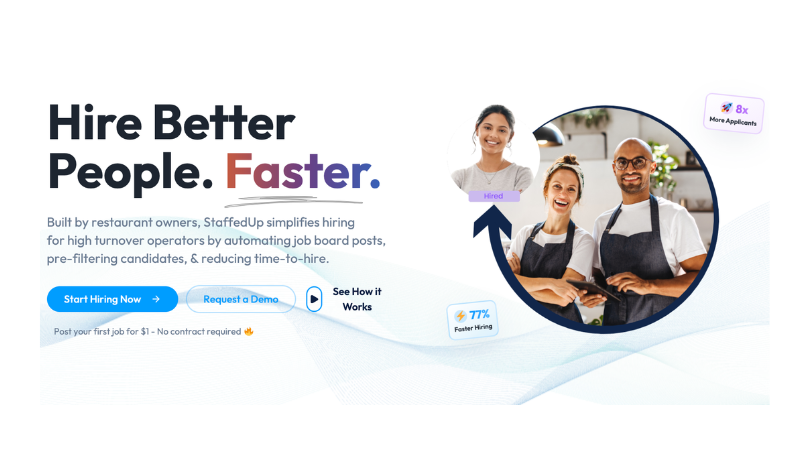
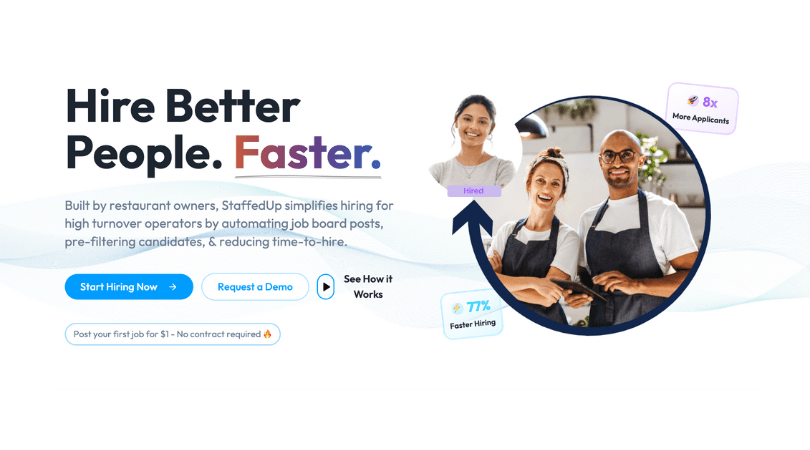
Solution: StaffedUp provides a single job link that works across LinkedIn, Google Jobs, Facebook, and other channels. All applicants funnel into one dashboard, allowing you to screen, track, and schedule interviews quickly. Pair this with Hireflix one-way video interviews, and you can move candidates from application to interview without endless phone calls.

Can You Post a Job on LinkedIn for Free?
Yes—but there are limits. LinkedIn offers both free and paid options for job postings, and understanding each can help you decide which works best for your hiring needs.
Free LinkedIn Job Posts
- No cost to post
- Limited visibility compared to sponsored listings
- Works best for small, local, or entry-level roles
Paid LinkedIn Job Posts
- Boosts visibility and targeting
- Reaches both active and passive candidates
- Paid posts appear in search results, inbox notifications, and recommended jobs
- Cost varies based on role, location, and campaign duration
By using StaffedUp, you can manage both free and paid LinkedIn applicants in one unified dashboard, ensuring no candidate gets lost while giving you flexibility to post across multiple channels.
The Benefits of Posting on LinkedIn
- Professional credibility for your brand
- Access to candidates with verified work history
- Ability to screen applicants quickly with structured questions
- Integration with StaffedUp allows one-click applicant tracking
How to Post a Job on LinkedIn (Step-by-Step)
LinkedIn makes it easy to post jobs, but following a structured process ensures you get high-quality applicants fast. Below is a step-by-step approach for hospitality employers.
Step 1 — Set Up a Company Page (If You Don’t Already Have One)
Before posting, ensure your restaurant or hospitality business has a LinkedIn Company Page. Benefits include:
- Credibility with candidates
- Branding opportunities
- Ability to post jobs, updates, and company photos
Tips:
- Add a logo and banner photo
- Fill out “About” section with your restaurant’s values, mission, and culture
- Showcase team photos or video clips
StaffedUp helps keep your job postings linked to your Company Page while funneling applicants into your dashboard for easy tracking.
Step 2 — Create a Job Post
When creating a post:
- Add the job title and location
- Specify full-time, part-time, or hourly
- Include a short summary of the role
- Add clear pay or shift details if possible
Tip: Include a StaffedUp job link to ensure all applicants are captured in one system. This prevents candidates from applying through multiple channels and keeps your hiring organized.
Step 3 — Add Skills and Job Requirements
LinkedIn allows you to specify required skills, certifications, or licenses. For hospitality roles:
- Skills: customer service, food handling, bartending
- Certifications: food safety, alcohol service, CPR (if applicable)
- Optional screening questions
StaffedUp automatically tags skills from your job post and applicant responses, so you can filter the best candidates quickly.
Step 4 — Select Applicant Options
You have two options for application submission:
- LinkedIn Easy Apply: candidates apply directly through LinkedIn
- External Apply Page: candidates are redirected to your StaffedUp job link
Why use StaffedUp? Even if you post through LinkedIn Easy Apply, redirecting candidates to StaffedUp ensures:
- Unified applicant tracking. All job boards lead to StaffedUp for a streamlined, clean hiring process. With a solid ATS, you can see where each applicant came from and filter based on where applicants were sourced from.
- Screening questions and one-way video interviews via Hireflix. Save hours per applicant on scheduling the interviews, sitting through the interview and following up with the applicant. One-way interviewing allows you to watch interviews on your time speeding up time to hire.
- Notes and tagging within your dashboard. Think of an ATS as an intuitive whiteboards but built to save time spent on hiring in total. Tagging specific applicants as a good fit can allow you to easily pull from the applicant pool when you’re down a server one weekend.
Step 5 — Review and Post
Before publishing:
- Check formatting and spelling
- Ensure job description is concise and scannable
- Include your StaffedUp apply link
- Add visuals (restaurant photos, team shots)
StaffedUp automatically formats your job post for LinkedIn, ensures your link works across channels, and centralizes all applicant data for easy management.

Tips for Getting More Applicants on LinkedIn
Posting a job on LinkedIn is just the first step. To attract the best candidates, you need to optimize your post, timing, and reach. Here are key strategies for hospitality employers:
1. Use Targeted Keywords
Keywords in your job title and description improve visibility. Include:
- Role: server, bartender, cook, host
- Location: city, neighborhood
- Skill: food handling, customer service, cocktail prep
Example: “Full-Time Bartender – Downtown Austin | Food Safety Certified”
StaffedUp can generate a single job link with optimized keywords to boost visibility across LinkedIn and other platforms.
2. Optimize for Easy Apply
Reducing friction helps candidates complete applications quickly.
- Keep application forms short
- Ask only necessary screening questions
- Allow resume uploads
Tip: Pair LinkedIn posting with StaffedUp to centralize responses and simplify review.
3. Include Clear Pay or Benefits
Transparency increases clicks and applications. List:
- Hourly wage or salary
- Tips, bonuses, or incentives
- Perks like meals, flexible shifts, or training
4. Post at Optimal Times
LinkedIn engagement peaks during weekdays:
- Tuesday to Thursday mornings
- Early afternoons for busy service professionals
5. Encourage Employee Sharing
Employees can extend your reach to professional networks.
- Ask team members to share the job post
- Include their location-based network
- Creates trust for applicants
StaffedUp allows sharing your single job link across LinkedIn, Facebook, and Google Jobs, making employee sharing seamless.

How StaffedUp Helps With LinkedIn Hiring
Hiring through LinkedIn is effective, but managing multiple applicants can quickly become overwhelming—especially in hospitality where roles often need fast turnaround. StaffedUp simplifies the entire LinkedIn hiring workflow, from posting to screening to onboarding.
One Job Link for All Platforms
Instead of managing applicants from LinkedIn, Facebook, or Google Jobs separately, StaffedUp provides a single job link. This link:
- Can be posted on your LinkedIn Company Page, groups, or boosted posts
- Funnels all applicants into one dashboard
- Tracks who applied, when, and for which role
Benefit: Eliminates lost applications and keeps hiring organized. A ton of StaffedUp employers heavily leverage their social media, including LinkedIn. Being able to include their company hiring page link in the LinkedIn post has been a great source of additional applicants to fill the top of funnel.
Candidate Screening Tools
StaffedUp allows you to add short screening questions to filter candidates before interviews:
- Availability and preferred shifts
- Relevant experience or certifications
- Skills and role-specific questions
You can sort applicants by responses to quickly identify top candidates.
Hireflix One-Way Video Interviews
Scheduling phone or in-person interviews can slow hiring. With Hireflix integration, you can:
- Send candidates a few short video questions
- Review responses on your schedule
- Shortlist qualified candidates without back-and-forth calls
This is ideal for hospitality where speed matters and many applicants apply at once.
Centralized Dashboard & Notes
StaffedUp centralizes all applicant data:
- Notes, tags, and application status
- Interview scheduling
- Skill tracking
Everything is visible in one dashboard, which reduces confusion and ensures fast, organized hiring.
Automated Onboarding
Once a candidate is hired, StaffedUp can:
- Send onboarding documents digitally
- Collect completed forms before day one
- Prepare team members to start work immediately
With StaffedUp, LinkedIn hiring becomes streamlined and efficient. Post once, track every applicant, screen with one-way video, and move top candidates into onboarding—all without juggling multiple tools.
LinkedIn vs Other Job Boards
When hiring for hospitality roles, LinkedIn is just one of several platforms you can use. Understanding how it compares to other options helps employers choose the right mix for fast, quality hires.
Here’s a clear comparison:
| Platform | Speed to Applicants | Reach | Cost | Best For | Notes |
| Moderate | Professional | Paid / Free | Skilled + hourly | Strong for credibility and targeted roles; slower for local hourly hires | |
| Google Jobs | High | Broad | Free | All roles | Great for visibility; fast applicant inflow; requires optimized job link |
| Indeed | High | National | Paid / Free | Full teams | Large traffic pool; effective for multiple roles; slower for local hires |
| StaffedUp Distribution | Very Fast | Multiple Channels | Free / Paid | Full pipeline control | Post once to multiple platforms; track, screen, and schedule in one dashboard; integrates with Hireflix |
Key Takeaways:
- LinkedIn excels at professional and targeted hires, including hospitality roles needing experience.
- Google Jobs and Indeed are broader but may be slower for local, urgent hires.
- StaffedUp allows cross-platform posting with one link, centralized tracking, and built-in screening tools to streamline your hiring process.
Using StaffedUp, you can post once and distribute your job to LinkedIn, Facebook, Google Jobs, and more, capturing all applicants in a single dashboard and moving them through Hireflix video interviews efficiently.
LinkedIn Hiring FAQs for Employers
Q1: Can I post both full-time and hourly hospitality roles on LinkedIn?
Yes. LinkedIn supports full-time, part-time, and hourly positions. Pair your post with StaffedUp to manage applicants efficiently, no matter the role type.
Q2: Is LinkedIn worth paying for sponsored job posts?
Sponsored posts increase visibility and reach, especially for competitive roles or niche skill sets. Using StaffedUp, even paid applicants funnel into one dashboard for simplified tracking.
Q3: How can I track all applicants from LinkedIn?
Applicants can come through LinkedIn Easy Apply or external links. StaffedUp centralizes all applicants from LinkedIn and other platforms, reducing confusion and lost applications. Critically important if managing multiple locations or part of a franchise.
Q4: Can I screen candidates faster than phone interviews?
Yes. With Hireflix integration, StaffedUp allows one-way video interviews. Ask short questions, review responses on your schedule, and shortlist top candidates without scheduling calls.
Q5: How do I get more applicants on LinkedIn?
- Use targeted role, location, and skill keywords
- Post at peak engagement times
- Include pay and benefits for transparency
- Encourage employee sharing
- Use StaffedUp to create a single apply link for all posts
Q6: Can StaffedUp help with multi-channel hiring?
Absolutely. Post once on LinkedIn, then share the same link across Facebook, Google Jobs, and other channels. All applicants are tracked in one dashboard, keeping your hiring organized and efficient.
LinkedIn Hiring Made Simple with StaffedUp
LinkedIn remains a powerful platform for hospitality hiring, especially when you want to attract professional and experienced candidates. By posting strategically, using targeted keywords, and sharing your job in the right way, employers can reach qualified candidates efficiently.
The real advantage comes from centralizing your hiring process:
- Use a single StaffedUp job link across LinkedIn and other platforms
- Track applicants in one dashboard
- Screen efficiently with Hireflix one-way video interviews
- Schedule interviews and onboard candidates seamlessly
With StaffedUp, LinkedIn hiring becomes fast, organized, and effective, allowing you to fill shifts and roles without juggling multiple tools or missing out on top talent. The tech stack really doesn’t need to be a whole stack – opt in for just StaffedUp to handle all things hiring.
Hiring managers are busy enough. What is that time worth to you? Using an ATS can be the key to having your time back.
Start posting smarter today. Use StaffedUp to post once, track all applicants, and move candidates from application to interview with ease—all while leveraging LinkedIn’s professional reach.
Slug: how-to-post-a-job-on-linkedin
Meta Description: Learn how to post a job on LinkedIn for free or paid, attract qualified applicants, and track candidates efficiently. Streamline hiring with StaffedUp and Hireflix.