Hiring on Facebook changed in a big way. The Facebook Jobs feature is gone, but many restaurants still get strong results by using Facebook for local hiring. It works best for front-of-house, back-of-house, and hourly roles, where local reach matters more than a national audience.
Facebook is not a job board anymore. It is a local traffic channel, made up of neighborhood groups, service industry pages, and your own restaurant’s page. When used the right way, it can be faster than job boards for urgent roles, like servers, bartenders, hosts, etc.
The key is to use one clean job link for all posts instead of sending people to DMs or comments. This keeps you from losing names and speeds up the full hiring flow.
Tip: If you want to post once and track all applicants in one spot, StaffedUp gives you a shareable job link. Your link can be added to your Facebook post, shared in local groups, and pinned at the top of your business page. All names land in your hiring dashboard.

Can You Still Post a Job on Facebook?
Yes, but not the same way you could before. In early 2023, Meta removed:
- Facebook Jobs listings
- Job tabs on pages
- Direct job applications
- ATS job posting tools
This means you can no longer publish a “job listing” inside Facebook. But you can still use Facebook as a hiring tool, and many restaurants see strong results because:
- service roles are local
- group members are active daily
- shares work like free ads
- quick replies turn into fast hires
This shift is why restaurants now treat Facebook like a top-of-funnel source, not a full job board. Someone sees your post → taps the link → completes the apply process outside Facebook.
With StaffedUp, the link sends each name into your hiring dashboard, with skills, job notes, and shift needs already added. You do not need to track DMs or comments.
What Posting Jobs on Facebook Looks Like Today
Today, the three working paths are:
- Business Page Post: You publish the job as a normal post on your page.
- Local Facebook Groups: You share the same post in local hiring groups.
- Boosted Post / Paid Reach: You boost the job post to reach local members. It works well in busy hiring seasons or for roles with more skill needs.
In each case, the job post is no longer a “job listing.” It is a normal social post. The link is what makes the post work.
StaffedUp gives you a single job link so your team does not need to manage 20 conversations at once. All interest moves into one flow where you can sort, screen, and invite to interviews fast. And if you want to save time on calls, StaffedUp links with Hireflix, so you can send one-way video invites with one click.
How to Post a Job on Facebook (Step-by-Step)
Facebook hiring works well when you use one clear path for all applicants and make the post easy to read. Below is a simple step plan that restaurants use every day to fill shifts fast.
It keeps the text short and pushes all interest to one job link, so you do not need to manage many private messages.
Step 1 — Write a Short Job Post
People scroll fast on Facebook, so your job post should be short and direct. Focus on what matters most to a worker:
Good post layout:
- Job title
- Pay (range or starting base)
- Shift needs
- Location
- Short role info
- Link to apply
Leave long job text for the real posting on your job link. The Facebook post is only meant to start interest, not explain the full job.
Example of a short post format:
We are hiring full-time servers at Rosewood Grill.
Pay: $7.25 + tips (average $26–$32/hr total)
Shifts: nights + weekends
Near Hyde Park
Apply here → [StaffedUp link]
When you post with a StaffedUp link, all clicks move into the same job page. You do not need to answer “Is this still open?” messages all day. The link shows job info and lets the person apply on the spot.
Step 2 — Post the Job on Your Facebook Page
Your Business Page is your main post spot. It helps you:
- tag your location
- show team photos
- share to your story
- pin the job at the top
Here is a simple flow:
- Upload a team photo or location photo
- Paste your short job text
- Add your job link
- Hit “Post”
- Then click the three dots → “Pin to Top”
This keeps the job at the top so new visitors see it right away.
Tip: Ask your team to share the post. Team shares bring more reach than your page alone.
When you use StaffedUp, you share one link, and all apply data lands in your hiring dashboard. No lost leads, no sorting inbox messages.

Step 3 — Share the Post in Local Facebook Groups
This is where most real hiring volume comes from. Many cities have local groups built for:
- restaurant jobs
- bar jobs
- “jobs near me”
- service industry
- neighborhood hiring
Groups work well because:
- they are local
- active every day
- workers scroll them on lunch breaks
- people tag friends
How to share in groups:
- Open the group
- Paste your job post text
- Add the same job link
- Add a clear local tag
Example:
Now hiring servers in Lakeview, Chicago
Full-time nights + weekends
Pay: base + strong tips
Apply here → [link]
Local tags help:
- “Chicago”
- “Pilsen”
- “Loop”
- “Wrigleyville”
Facebook Groups drive many names. StaffedUp keeps all names in one list. You can mark notes, shift match, and invite the best options to one-way video. If you want to move fast, StaffedUp links with Hireflix, so you screen 10 people in the time it used to take for one phone call.
Step 4 — Reply to Comments Fast
When people comment “interested” or “is this still open,” reply with one short message and the job link. Do not start long text chats. It will waste time and hurt your flow.
Short reply format: “Thanks for the comment. Here’s the link to apply → [link]”
This shows the group that the job is real and active, which helps others click too.
Tip: You can reply once and then like other comments. People scroll and click the link without more work from you.
Step 5 — Use One-Way Video for Screening
This step is where Facebook hiring becomes strong. If you try to schedule phone calls with everyone who comments, the process moves slow. Slow hiring means you lose names to other jobs.
One-way video lets you:
- ask 3–5 short questions
- send invites in one click
- watch replies on your time
- sort good fits fast
This is helpful during peak season or when you need to fill many roles at once.
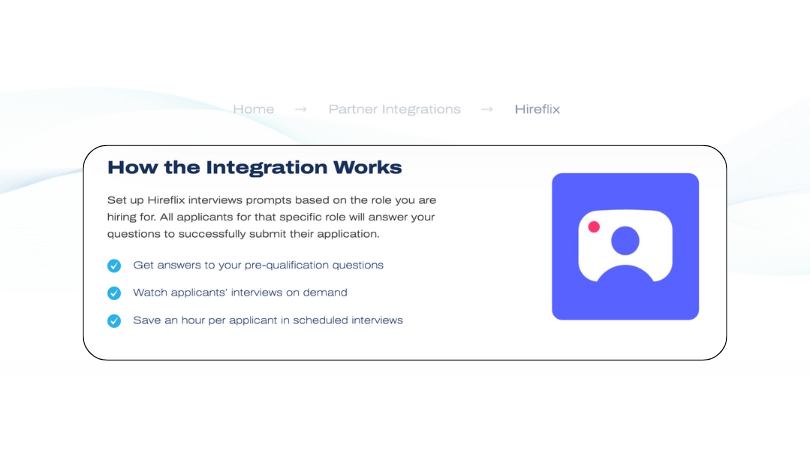
StaffedUp links with Hireflix, so you can open the candidate and send a one-way video invite without leaving your dashboard. No extra logins. You get clear replies and skip long phone calls.
Why a Clear Flow Matters
The old Facebook Jobs tool made it easy to see names. Now, things are spread out. If you use comments, inbox, and text, you will:
- lose names
- get duplicates
- forget who is who
- spend days on reply work
One link solves this. You post once → all interest goes to the same page → each person enters the same apply flow.
This is what makes Facebook work like a job board, even if the built-in tool is gone.
If you want to try the full flow with less work, StaffedUp gives you a single job link, a clean dashboard, notes, filters, and fast interview tools. You can post to groups and make hires without tracking messages on your phone.

How StaffedUp Helps With Facebook Hiring
Hiring through Facebook can be fast, but only if you have a clear process for managing applicants. Without a central system, comments, messages, and emails can create chaos—especially in hospitality where multiple roles may open at once. StaffedUp simplifies every step of the Facebook hiring workflow, from posting to onboarding.
One Job Link for All Posts
Instead of tracking dozens of comments or inbox messages, StaffedUp provides a single job link. You can:
- Post on your Facebook Page
- Share in local groups
- Include in boosted posts
All applicants flow automatically into your dashboard. You see who applied, when, and for which role—without losing a single name.
Benefit: Saves time, reduces errors, and gives you a clear pipeline for every position.
Candidate Screening Tools
StaffedUp lets you filter and sort applicants quickly:
- Short screening questions (availability, experience, shift preference)
- Skill and role tags
- Automated sorting for best-fit candidates
This reduces the need for long phone calls and keeps your hiring process organized.
Hireflix One-Way Video Interviews
Phone or in-person interviews can take hours. StaffedUp integrates with Hireflix, a one-way video tool, so you can:
- Send 3–5 short screening questions to candidates
- Review video responses on your schedule
- Shortlist top applicants without scheduling multiple calls
This is particularly effective in hospitality, where speed matters to capture talent before they move to another job.
Centralized Dashboard
All applicants, screening data, and video responses appear in one dashboard. You can:
- Add notes and tags
- Track application status
- Schedule interviews or onboarding
- Avoid lost candidates
Everything is visible in one place, which reduces confusion and allows teams to hire faster and more efficiently.
Automated Onboarding
Once a candidate is hired, StaffedUp allows you to send onboarding forms and documents digitally. This means:
- First-day paperwork is done ahead of time
- Team members arrive ready to work
- No paperwork bottlenecks
StaffedUp turns Facebook hiring into a full end-to-end solution, from posting to onboarding, while integrating Hireflix for fast screening. This saves hospitality employers hours of work each week.
Facebook Posting vs Other Job Boards (Comparison Table)
When hiring for hospitality roles, Facebook is just one channel. Understanding how it compares to other platforms helps employers choose the right mix for fast, quality hires.
Here’s a comparison of Facebook, Google Jobs, Indeed, and StaffedUp distribution:
| Platform | Speed to Applicants | Reach | Cost | Best For | Notes |
| Facebook Groups & Page | Very Fast | Local | Free | Hourly / front-of-house | Best for urgent, local roles; relies on good post strategy |
| Google Jobs | High | Broad | Free | All roles | Great for visibility; needs optimized job link |
| Indeed | High | National | Paid / free | Full teams | High traffic, good for larger pools; can be slower for local hourly roles |
| StaffedUp Distribution | Very Fast | Multiple Channels | Free / Paid | Full pipeline control | Post once; link works for FB, Google, and more; includes screening + one-way video |
Key Takeaways:
- Facebook excels for local and hourly roles, especially for immediate hires.
- Google Jobs and Indeed provide broader visibility, but slower for urgent hires.
- StaffedUp lets you combine all channels, post once, and manage all applicants in one dashboard.
With StaffedUp, your Facebook post links directly to your hiring pipeline. Combined with Hireflix, you can screen candidates quickly and move the best ones to interviews, saving hours of manual tracking.
Facebook Hiring FAQs for Employers
Q1: Can I still post jobs directly on Facebook?
No, Facebook removed the native Facebook Jobs feature. However, you can still hire using:
- Your business page posts
- Local and niche Facebook groups
- Boosted or paid posts
Tip: Always include a direct StaffedUp job link in your post to collect applicants in one place instead of relying on DMs or comments.
Q2: How do I reach the right candidates on Facebook?
Use local keywords and post in industry-specific groups. Examples:
- “Now hiring servers in Denver”
- “Bartender jobs – Austin”
Sharing posts at peak engagement times (Monday mornings, Wednesday afternoons, Sunday evenings) helps maximize reach. StaffedUp can automatically generate links with location tags, saving you research time.
Q3: How can I screen applicants quickly from Facebook?
Comments and DMs are slow. The fastest way is:
- Direct all applicants to one StaffedUp link
- Add short screening questions in the apply form
- Use Hireflix one-way video interviews to view answers at your convenience
This approach reduces scheduling delays and ensures top candidates move forward quickly.
Q4: Can I track all applicants from multiple Facebook groups?
Yes. If you post manually, applicants can be scattered across comments, inbox, and email. With StaffedUp, every applicant from your page, groups, and boosted posts flows into a single dashboard, making tracking and follow-ups easy.
Q5: Is posting on Facebook free?
Yes, posting on your page or in local groups is free. Paid options (boosted posts) exist but are optional. StaffedUp’s job link works with both free posts and boosted posts, so every applicant is captured in the same system, regardless of how they find the role.
Q6: Can I use Facebook for full-time and part-time hospitality roles?
Absolutely. Facebook is ideal for hourly, part-time, and full-time positions, especially local roles. Pairing your posts with StaffedUp and Hireflix ensures you capture candidates efficiently, screen them quickly, and move them to interviews or onboarding without losing momentum.
Facebook Hiring Still Works — When You Use the Right Tools
Even though the Facebook Jobs feature no longer exists, Facebook remains a powerful channel for hospitality hiring. Restaurants and hospitality employers who post strategically—using business pages, local groups, and boosted posts—can still attract qualified candidates quickly.
The key to success is centralizing your hiring process:
- Use a single StaffedUp job link for all posts
- Collect and organize applicants automatically
- Screen quickly with short questions and Hireflix one-way video interviews
- Keep notes, tags, and interview scheduling in one dashboard
By combining Facebook reach with a structured pipeline, you can:
- Reduce lost applicants
- Fill shifts faster
- Maintain a professional process for candidates
Start posting smarter today. With StaffedUp + Hireflix, you can post once, reach multiple Facebook groups, screen candidates efficiently, and move top talent into interviews and onboarding—all without juggling messages and comments.