Key Takeaways
- Modern restaurant inventory management software connects purchasing, recipe costing, and real-time counts in one platform, replacing error-prone spreadsheets and paper logs.
- Operators regularly cut 3–5% from food costs and save 5–10 hours per week on inventory counts and ordering when they adopt automated inventory management.
- Accurate inventory tracking keeps food costs within a healthy 25–35% range and gives restaurant owners visibility into waste, variance, and vendor pricing.
- Inventory management software streamlines administrative tasks, reducing manual paperwork and improving efficiency.
- Cloud-based systems launch in days, work on phones and tablets, and integrate with your existing POS system for seamless data flow.
- Automated systems improve order accuracy, reducing errors and enhancing customer satisfaction.
- Tools like StaffedUp can complement inventory software by helping you build and maintain the right BOH team to execute new processes consistently.
Restaurant Inventory Management Software for Cost Control & Efficiency
Every restaurant operator knows the frustration of finding a gap between what the numbers say you should have used and what actually went out the door. That gap—the difference between theoretical and actual food cost—is where profit disappears.
Restaurant inventory management software closes that gap by bringing inventory counts, purchasing, invoicing, recipe costing, and COGS reporting into a single platform that updates in real time. Instead of reconciling spreadsheets at month-end and hoping the numbers make sense, you get live visibility into what’s happening in your kitchen right now. These platforms are often part of comprehensive restaurant management solutions that integrate inventory, POS, and staff scheduling.
Accurate inventory helps operators keep food costs in the 25–35% range that most concepts target. When you know exactly what ingredients cost and how much of each goes into every menu item, you can price menus profitably and respond quickly to the ingredient price fluctuations that have become a regular challenge in 2025.
Centralizing recipe costing in your inventory software makes it easier to identify which menu items protect margins and which ones quietly drain profit. You can re-engineer dishes, adjust portion sizes, or reprice items before they become a problem.
Replacing manual processes with software also eliminates the common headaches: missing vendor invoices, surprise stockouts, and the manual errors that come from paper-based systems. Most operators who make the switch wonder how they managed without it. This also streamlines administrative tasks for restaurant managers, freeing up time for more strategic work.
As you modernize your back-of-house technology, it’s worth considering whether your staffing workflows—scheduling, hiring, onboarding—are keeping pace. Platforms like StaffedUp can help ensure you have the right people in place to execute your new processes.
Save Time with Automated Restaurant Inventory Tracking
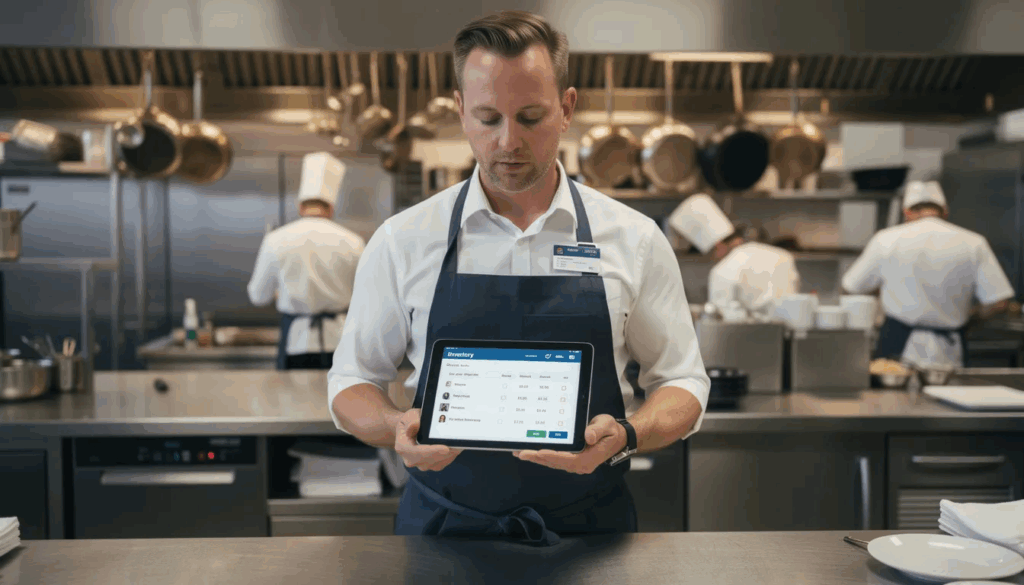
Manual inventory counts used to mean hours of work with clipboards and calculators. With automated inventory management, those multi-hour count sessions become accurate 30–45 minute tasks using the phone or tablet you already own.
Modern inventory software uses rules-based automation and, increasingly, AI-driven tools to auto-update stock levels after each POS sale. When you sell a burger, the system knows exactly which ingredients and how much of each should have been used. It suggests when to reorder common items like proteins, dairy, and produce based on actual usage patterns.
Automated systems also provide easy access to inventory data and order features from any device, making the process more convenient for staff.
Here are daily tasks that inventory software can handle automatically:
| Task | Manual Method | Automated Method |
| Invoice capture | Hand-enter every line item | Snap a photo, auto-populate |
| Vendor price updates | Track in spreadsheets | Sync from purchase orders |
| Purchase order creation | Call or email vendors | One-click based on par levels |
| Low stock alerts | Visual inspection | Real-time mobile notifications |
Real-time visibility means managers at a two-location concept can check on-hand counts for both kitchens from home or another store. No more phone calls asking, “How much salmon do we have?”
This creates fewer disruptions for the kitchen team. Counts, orders, and deliveries are streamlined and logged in one place, so cooks can focus on cooking instead of paperwork.
Boost Restaurant Profit Margins with Smarter Inventory Control
Tighter inventory control consistently delivers 2–6% improvements in restaurant profit margins when implemented correctly. For a restaurant doing $1.5 million in annual sales, that’s $30,000–$90,000 back in your pocket.
The best inventory software includes predictive features that look at the past 30–90 days of sales history to forecast demand for weekends, holidays, and events like Valentine’s Day or the Super Bowl. Instead of guessing how many lobster tails to order for a busy Saturday, you get data-driven recommendations.
Better forecasting cuts over-ordering of perishables like seafood and fresh herbs. The industry average for food waste from poor inventory sits at 4–10% of purchases. Platforms with demand forecasting regularly help operators reduce waste by 20–40%.
Par levels and automatic reorder suggestions keep key items—wings, fries, burger patties—in stock without tying up excess cash in inventory. You order what you need when you need it.
Precise cost-per-plate calculations also help you identify low-margin menu items. When you can see that a particular dish costs more to make than it should relative to its selling price, you can either re-engineer the recipe, adjust portions, or reprice it on the menu.
Proven Results for Restaurant Inventory Optimization
Restaurants that adopt inventory management software see measurable improvements across multiple areas:
- 3–5% reduction in food cost within the first 90 days
- 20–40% less food waste through better forecasting and portion control
- 5–15 hours of admin time recovered per month, per location
Consider a 3-unit taco group in Austin that was spending 6 hours per week on inventory counts across all locations. After implementing restaurant inventory software with mobile device counting and real-time food cost tracking, they cut that time to 2 hours while improving accuracy. Their food cost dropped from 34% to 31% in the first quarter. Improved inventory accuracy and fewer stockouts also meant menu items were always available and orders were fulfilled correctly, directly enhancing the customer experience.
Or picture a single-location bistro in Chicago struggling with inconsistent vendor invoices and unclear COGS. After three months with inventory software that tracked recipe costing and highlighted inventory variance, their margin improved by 4 percentage points.
These improvements come from consistent use of features that work together: real-time counts, invoice digitization, and recipe-level costing.
Once systems and processes are running smoothly, owners can shift focus to hiring and retaining the people who make everything work. Platforms like StaffedUp can support BOH and FOH staffing so your team actually executes these improved routines.
Unlock Your Profit Potential With Just a Few Clicks
Cloud-based inventory software removes back-office friction and surfaces clear financial insights that used to require days of manual work. The best software puts actionable data in front of you without requiring a finance degree to interpret it.
Modern dashboards show up-to-date COGS, food cost percentage, and inventory turns by category—meat, dairy, bar, dry goods. You can see at a glance which categories are running efficiently and which need attention.
Automated reports—daily, weekly, or by accounting period—help owners compare theoretical vs. actual food cost and quickly investigate variances. When the steak category shows a 15% variance, you know exactly where to start asking questions.
Many platforms launch in days, not months. There are no custom servers or on-premise installs required—just logins for managers and staff. Most restaurants can be up and running within a week or two for basic single-location setups.
As you modernize your back office with inventory tools, consider modernizing hiring and onboarding flows as well. StaffedUp offers an additional lever to unlock operational efficiency across your entire restaurant.
Streamline Operations, Control Costs, and Eliminate Paperwork
Analytics and reporting replace clipboards and manual spreadsheets for tasks like waste logs, transfers between locations, and prep lists. Everything lives in one system instead of scattered across binders and filing cabinets.
The analytics most useful to restaurant operators in 2025 include:
- Item-level margin tracking to see profit contribution by dish
- Vendor price trends to identify when suppliers raise prices
- Top waste culprits by prep item to target training or portioning
- Inventory cost by period to track spending over time
- Goods sold analysis to connect sales with actual usage
Suggested order quantities based on sales data plus par levels help kitchen managers place accurate orders in minutes instead of hours. The system looks at how much inventory you have, how fast you’re selling items, and recommends order quantities accordingly.
These tools work across restaurant formats—coffee shops, QSR, fast casual, full-service, and catering—by tailoring categories, units, and recipes to each concept.
Automated Inventory and Order Management with Web & Mobile Convenience
Modern systems are browser-based with companion iOS and Android apps for counting, ordering, and receiving deliveries. You don’t need special hardware to get started.
Managers can approve purchase orders from a phone while waiting at the dentist. They can capture delivery discrepancies at the dock and photograph invoices for automatic entry—no more handwriting vendor invoices and transcribing later.
Operators can manage and update item catalogs (units, pack sizes, preferred vendors) from anywhere with internet connectivity. If you need to add a new ingredient or change a vendor relationship, you can do it without being on-site.
Some platforms offer easy tracking features with user friendly interfaces so staff adoption happens quickly, even for team members who aren’t particularly tech savvy.
Web & Mobile Restaurant Inventory Management Software
Cloud-native inventory tools require no new on-site hardware or servers for most restaurants. You can access your inventory data from virtually any device with a web browser.
Common access patterns include:
- Owners logging in from laptops at home to review COGS
- Chefs using tablets on the line to check recipes and yields
- Managers using phones during counts to enter data in real time
For multi-location groups, cloud hosting allows you to standardize inventory items, recipes, and prep lists across all stores. When you update a recipe at headquarters, it updates everywhere. These platforms make it easy to manage multiple locations from a single dashboard, providing centralized oversight and control over all your restaurant outlets.
Cloud hosting also ensures that updates, new features, and security patches roll out automatically—often monthly or quarterly. You always have access to the latest version without scheduling downtime or manual upgrades.
Reputable platforms build with strong data security and role-based permissions for staff. Managers can count inventory but can’t change vendor pricing. Owners can access financials that line cooks don’t need to see.
Choosing the Right Restaurant Inventory Management Software
Finding the best inventory software for your restaurant starts with understanding your specific needs: budget, concept type, and growth plans all factor into the decision. It’s crucial to select the right software that matches your restaurant’s size and operational needs to ensure efficient management and scalability.
A practical approach is to compare 3–5 vendors and request demos that show real workflows. Watch how the system handles receiving a truck, counting inventory, and updating a recipe. If the demo looks nothing like your actual operations, keep looking.
POS integration often matters more than finding the lowest price. If your inventory software doesn’t talk to your Toast, Lightspeed, or Square system, you’ll spend hours on manual data entry that automation should handle. Some inventory management platforms also integrate directly with major food distributors like US Foods, allowing for seamless import of product lists, prices, and invoices.
Involve key stakeholders early in the selection process. Your chef cares about recipe management and order management. Your bookkeeper cares about how data flows to accounting software. Your GM cares about reporting and vendor management. Getting input from each prevents missed requirements.
Think about the people using the tool every day. Staffing, training, and adoption are as important as features. Having the right team in place—something StaffedUp can help with—ensures your investment in technology actually pays off.
Assess Your Current POS and Tech Stack
Start by checking whether your POS already has basic inventory functionality or supports integrations with best-in-class inventory platforms. Some POS systems offer decent built-in tools; others are better paired with specialized software.
List your current systems and map how inventory software should connect to each:
| System | Integration Need |
| POS system | Real-time sales data to deplete inventory |
| Accounting software | COGS and invoice data for financials |
| Payroll | Labor costs alongside food costs |
| Online ordering | Sales from delivery apps flow to inventory |
Some operators outgrow basic POS inventory features and move to dedicated platforms for deeper analytics and multi-unit control. This is especially common for restaurants managing multiple locations or concepts.
Common integration models include direct integrations built by the vendors, API-based connections for custom setups, and scheduled file imports that run daily.
Match Features to the Size and Style of Your Restaurant
Small single-unit restaurants may prioritize ease of use and simple vendor ordering over complex forecasting tools. Getting started shouldn’t require a week of training.
Multi-unit groups and franchises often need centralized recipe libraries, HQ-level controls, and location-level permissions. The ability to manage multiple restaurant locations from one dashboard becomes essential.
Consider how different concepts have different needs:
| Restaurant Type | Priority Features |
| 40-seat bistro | Easy counts, basic recipe costing, vendor invoices |
| 33-unit hospitality group | Commissary support, transfers, centralized recipes |
| High-volume bar | Liquor tracking, barcode scans, pour cost analysis |
| Ghost kitchen | Integration with online ordering, detailed analytics |
Prioritize must-have features: recipe costing, waste tracking, mobile counts, and live COGS visibility. It’s better to adopt a right-sized tool now than to pay for enterprise functionality your team won’t use.
Consider Implementation, Training, and Ongoing Support
Setup typically includes building item catalogs, mapping vendors, and entering recipes with precise units and yields. This front-end work determines how accurate your system will be going forward.
Ask vendors about typical implementation timelines. Simple setups might go live in 1–2 weeks. Complex multi-unit rollouts can take 4–8 weeks to do properly.
Training matters as much as the software itself. Line cooks, sous chefs, and managers all need to understand how to do counts and waste logs accurately. A system is only as good as the data that goes into it.
Check support hours, response times, and whether the vendor offers knowledge bases, videos, and live training. A responsive support team can make the difference between success and frustration.
Onboarding new staff into the system is ongoing work. When hiring and onboarding are well-organized—something platforms like StaffedUp can support—adding team members to your inventory process becomes routine rather than chaotic.
Best Practices for Inventory Management
Effective inventory management is the backbone of any profitable restaurant operation. By following proven best practices, restaurant owners and managers can control costs, reduce food waste, and streamline operations for maximum profitability.
Essential strategies to elevate your inventory management:
- Set Consistent Inventory Schedules: Perform inventory counts at the same time and frequency each week—ideally at the end of service or before deliveries arrive. This consistency helps you spot trends, catch discrepancies early, and maintain accurate records.
- Standardize Inventory Procedures: Use clear, step-by-step processes for counting, receiving, and storing inventory. Train your team to follow the same methods every time, which reduces errors and ensures reliable data for decision-making.
- Track Inventory in Real Time: Leverage inventory management software to monitor stock levels as ingredients are used and menu items are sold. Real-time tracking allows you to respond quickly to low stock alerts, avoid over-ordering, and minimize the risk of running out of key items.
- Monitor Inventory Variance: Regularly compare theoretical usage (based on sales and recipes) with actual inventory counts. Investigate and address any significant variances to prevent food waste, theft, or over-portioning from eroding your profit margins.
- Implement First-In, First-Out (FIFO): Always use older stock before newer deliveries to reduce food waste and ensure ingredients stay fresh. Label and organize storage areas so that FIFO is easy for staff to follow.
- Optimize Order Quantities: Use historical sales data and par levels to place accurate orders with vendors. This helps control costs by preventing excess inventory and reducing spoilage.
- Analyze Waste and Take Action: Track food waste by category and identify the main culprits—whether it’s over-prepping, spoilage, or mistakes on the line. Use this data to adjust prep lists, retrain staff, or tweak menu items to reduce waste.
- Review Vendor Performance: Regularly assess vendor pricing, delivery accuracy, and product quality. Building strong relationships and negotiating better terms can further help control costs and improve your bottom line.
- Leverage Detailed Analytics: Use the reporting features in your inventory software to spot trends, monitor food cost percentages, and make data-driven decisions that maximize profitability.
By embedding these best practices into your daily routines, you’ll not only streamline operations but also protect your margins and create a more sustainable, efficient restaurant. Consistent, disciplined inventory management is the key to reducing food waste, controlling costs, and achieving long-term success.
Connecting Inventory Management with Your Broader Restaurant Operations
Inventory software is most powerful when aligned with scheduling, labor, and hiring strategies. These systems shouldn’t operate in silos.
Accurate inventory and recipe costing inform better scheduling decisions. If you know exactly how much prep work a projected busy Saturday requires, you can schedule the right labor costs without overstaffing or scrambling.
Clean COGS and menu performance data help owners decide where to invest in staffing. Is adding a prep cook more valuable than another line cook? The numbers can guide that decision.
Menu management becomes easier when you can see which items sell well, which items have healthy margins, and which ones might need to be retired.
A stable, well-staffed kitchen is necessary to fully realize the benefits of new inventory processes. The best software in the world can’t compensate for constant turnover or understaffing.
StaffedUp offers a modern way for employers to attract, organize, and hire qualified restaurant talent. When your team is solid, they can actually execute the improved inventory routines that protect margins and reduce waste.
FAQs: Restaurant Inventory Management Software
These questions address the practical concerns operators have when researching inventory tools—pricing, implementation, hardware, and staffing.
How much does restaurant inventory management software typically cost?
Standalone inventory platforms usually range from $150–$500 per month per location in 2025, depending on features and scale. Single-unit tools for small restaurants sit at the lower end, while multi-unit, enterprise-grade options reach the higher end or use custom pricing.
Common additional costs include onboarding fees (often $500–$2,000), premium support tiers, or added modules like advanced forecasting or API access. Some platforms like Zitlin offer free entry-level options for restaurants just getting started.
Compare total cost of ownership with expected savings in food cost and labor hours. Most operators see payback within 3–6 months through lower food costs and recovered admin time.
How long does it take to implement inventory software in a restaurant?
Realistic timelines vary by complexity:
- Single-location setup: 1–2 weeks to go live
- Multi-unit groups: 4–8 weeks for full rollout
- Enterprise with commissary: 8–12 weeks with proper planning
The most time-consuming part is often building accurate recipes and mapping every ingredient to vendor items. Rushing this step leads to inaccurate data that undermines the whole system.
Plan implementation during a relatively quieter period—not the week before a major holiday—to avoid overloading your team.
Do I need new hardware to use inventory management software?
Most modern platforms are cloud-based and run on existing devices: office computers, iPads, and smartphones. If your staff has phones, you probably have the hardware you need.
Some operators buy a few dedicated tablets for inventory counts and receiving. This avoids sharing personal devices and keeps hardware where it’s needed.
Barcode scanners or scales can be added for high-volume concepts like distributors or commissary kitchens, but they’re optional for many restaurants. Verify minimum device and browser requirements with your chosen vendor before rollout.
Who should own inventory management inside the restaurant?
Effective programs usually have a clear owner—often the chef, kitchen manager, or GM—with at least one backup person trained on all processes.
A common structure:
- Line cooks or supervisors: Do physical counts
- Chef or kitchen manager: Reviews variances and approves orders
- GM or owner: Monitors COGS trends and financial reports
Accountability and consistent training matter more than the specific job title. Make sure someone is responsible for keeping the system accurate.
Keeping the right people in these roles depends on disciplined hiring and retention. Platforms like StaffedUp help employers stay better staffed so inventory ownership doesn’t fall through the cracks during turnover.
Can inventory management software help reduce theft and shrinkage?
Yes. Inventory software makes it easier to compare actual usage against expected usage from recipes and sales data. Large unexplained variances in high-value categories—liquor, steaks, seafood—often highlight theft, over-portioning, or comp issues.
Frequent, accurate counts combined with user permissions and audit logs create a culture of transparency and accountability. When staff knows that inventory variance is being tracked, behavior often improves.
Pair software visibility with clear policies and training so the entire restaurant understands expectations around inventory control. Technology is a tool; culture makes it work.