What Is Indeed and How It Works
Indeed is one of the world’s largest job boards, connecting millions of job seekers with employers every day. For hospitality businesses, including restaurants, hotels, and bars, Indeed is a key platform to reach candidates for high-turnover roles like servers, cooks, housekeepers, and front desk staff.
How Indeed Works
- Job Listings: Employers create job postings with titles, descriptions, pay, and location.
- Search Visibility: Candidates search for roles using keywords, location, and job type.
- Applicant Flow: Interested applicants apply directly through Indeed, sending resumes or application forms to the employer.
- Free vs Sponsored Jobs: Free postings appear in search results but may have lower visibility. Sponsored jobs pay to boost reach and appear at the top of search results.
Why Hospitality Employers Use Indeed
- High traffic means more potential candidates for every open role.
- Quickly reaches local and seasonal workers.
- Easy to post multiple roles for restaurants or hotels with frequent openings.
- Supports both desktop and mobile job seekers.
How StaffedUp Supports Indeed Posting
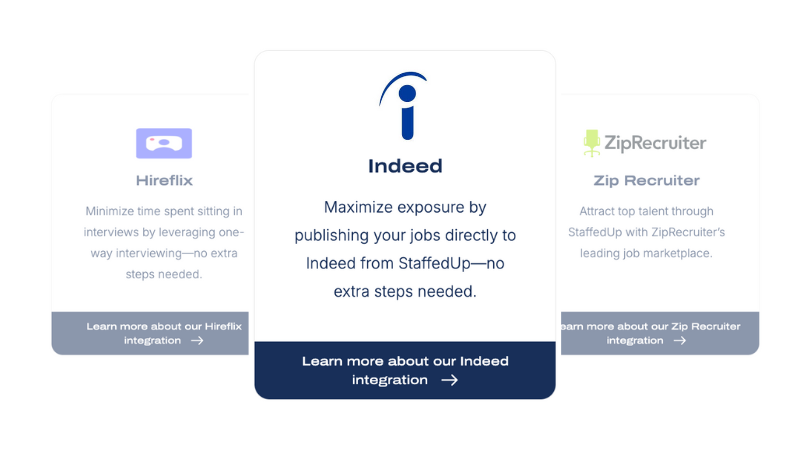
StaffedUp integrates directly with Indeed, allowing hospitality teams to post jobs automatically. This means managers don’t need to log in separately to Indeed, format listings, or worry about updates. Every job posted through StaffedUp appears on Indeed with the correct details.
Post your hospitality jobs to Indeed in seconds with StaffedUp, saving time and reaching more qualified candidates.

Why Posting Jobs on Indeed Benefits Hospitality Teams
Indeed is a powerful tool for hospitality employers because it connects businesses with job seekers actively looking for roles. Restaurants, hotels, bars, and catering services often face high turnover, seasonal demands, and urgent staffing needs. Posting on Indeed ensures open positions get visibility and attract more qualified applicants.
Key Benefits for Hospitality Teams
- High Visibility
Indeed is one of the most visited job boards, making it easier for candidates to find your roles. - Faster Applicant Flow
Roles for servers, bartenders, cooks, and housekeepers get more attention quickly, helping managers fill shifts faster. - Free and Paid Options
You can post jobs for free or use sponsored listings to appear at the top of search results, increasing reach without a big budget. - Supports Seasonal and Urgent Hiring
During holidays, weekends, or busy seasons, Indeed helps attract temporary or seasonal workers. - Local Candidate Targeting
Indeed allows filtering by location, so your job reaches candidates nearby, which is especially important for restaurants and hotels.
How StaffedUp Makes Posting Easier
With StaffedUp, your hospitality job is automatically sent to Indeed without any manual steps. This saves time, avoids formatting errors, and ensures your listing reaches the right candidates immediately.
Use StaffedUp to post your hospitality jobs on Indeed instantly and start receiving applications faster.
How to Post a Job on Indeed (Manual Method)
Posting a job manually on Indeed is straightforward but can be time-consuming for busy hospitality managers. Here’s a simple step-by-step guide to help you understand the process.
Step 1: Create an Employer Account
- Go to Indeed.com/hire and create an account for your business.
- Include your company name, location, and basic contact information.
Step 2: Start a New Job Posting
- Click “Post a Job” on your dashboard.
- Fill in the job title, location, and type (full-time, part-time, seasonal).
- Add the salary or pay range. Including this increases applicant trust and visibility.
Step 3: Write the Job Description
- List duties, requirements, and any preferred experience.
- Use bullet points for easy scanning.
- Highlight benefits, shift details, and any hospitality-specific information.
Step 4: Choose How You Want Applicants to Apply
- Directly on Indeed: Candidates submit applications through Indeed’s platform.
- External Website: Applicants are redirected to your site or ATS to apply.
Step 5: Decide on Posting Type
- Free Posting: Appears in search results, but may have limited reach.
- Sponsored Posting: Paid option to boost visibility and appear at the top of search results.
Step 6: Review and Publish
- Double-check all information for accuracy.
- Click “Post Job” to make it live on Indeed.
Challenges for Hospitality Managers
- Time-consuming, especially for multiple roles.
- May need to manage updates or edits manually.
- Sponsored postings require budgeting and ongoing monitoring.
How StaffedUp Simplifies This
With StaffedUp, you don’t need to log in or fill in every detail on Indeed. One job post in StaffedUp automatically publishes to Indeed with correct formatting, location, pay, and role details. This saves time and ensures your hospitality roles reach applicants faster.
Post your jobs to Indeed automatically with StaffedUp and skip all the manual steps.

How to Post a Job on Indeed Using an ATS (Easy Method)
Using an ATS (Applicant Tracking System) like StaffedUp makes posting jobs on Indeed fast and simple. Instead of manually entering every detail, an ATS handles the process automatically, saving hospitality managers hours of work.
Step-by-Step ATS Posting Process
1. Create Your Job in the ATS
- Enter the job title, location, pay, schedule, and job duties.
- StaffedUp provides templates for common hospitality roles like servers, cooks, bartenders, hosts, and housekeepers.
2. One-Click Publishing to Indeed
- After saving the job, StaffedUp automatically sends the listing to Indeed.
- No separate login or manual entry is needed.
3. Track Applicants in One Dashboard
- Applicants from Indeed feed directly into StaffedUp. Multi-unit group? The ATS clearly organized applicants based on the location.
- Filter, tag, and rank candidates.
- Schedule interviews or message applicants without leaving the platform.
4. Update or Refresh Listings
- Any edits made in StaffedUp automatically update the listing on Indeed.
- Keeps your post current and visible without extra effort.
Why ATS Posting Works Best for Hospitality
- Saves time and reduces errors compared to manual posting.
- Supports high-turnover roles with fast hiring needs.
- Helps teams manage multiple openings across locations efficiently.
How StaffedUp Makes This Effortless
StaffedUp’s integration with Indeed ensures that every job is posted correctly and reaches applicants immediately. Your hospitality team can focus on interviewing and hiring, not formatting or troubleshooting.
Use StaffedUp to post all your hospitality jobs to Indeed in seconds and start receiving applications faster.
Common Mistakes That Prevent Your Job From Showing
Even when using Indeed, jobs can fail to appear or get limited visibility if certain issues occur. Hospitality managers should be aware of these common mistakes to avoid delays in attracting applicants.
1. Missing Key Information
- Job title, location, pay range, or job type must be included.
- Incomplete postings may be rejected or have lower search visibility.
2. Vague Job Titles
- Titles like “Team Member Needed” are too general.
- Use specific titles such as “Full-Time Restaurant Server – Evening Shifts” for better matching.
3. Weak Job Descriptions
- Long paragraphs or unclear duties can deter applicants.
- Bullet points and clear responsibilities improve readability.
4. Duplicate Job Listings
- Posting the same job multiple times without unique details can confuse Indeed and reduce visibility.
5. Using Non-Integrated Platforms
- Platforms not integrated with Indeed may not pass all required information.
- Missing structured data or formatting errors can prevent postings from showing.
How StaffedUp Prevents These Mistakes
With StaffedUp, your hospitality jobs are automatically formatted, include all necessary details, and are submitted to Indeed correctly. This ensures posts appear quickly and consistently without manual intervention.
Avoid posting errors and get more applicants by using StaffedUp to publish your hospitality jobs to Indeed automatically.

How StaffedUp Helps You Post Jobs on Indeed Automatically
StaffedUp streamlines hospitality hiring by managing Indeed postings automatically. Instead of manually creating and updating each job, your team can post, edit, and track applicants all in one place.
Key Benefits of Using StaffedUp for Indeed
1. One-Click Publishing
- Post a job once in StaffedUp, and it automatically goes to Indeed.
- No separate logins or manual entry required.
2. Correct Formatting
- StaffedUp ensures job titles, descriptions, pay ranges, locations, and job types meet Indeed’s requirements.
- Prevents errors that can delay visibility.
3. Real-Time Updates
- Any changes made in StaffedUp sync immediately to Indeed.
- Your listings stay fresh and accurate without extra work.
4. Saves Time and Money
- Manual posting can take hours for multiple positions.
- StaffedUp eliminates that workload and avoids the need for technical support.
5. Track Applicants in One Place
- All applications from Indeed feed directly into StaffedUp.
- Filter, tag, communicate, and schedule interviews without switching platforms.
Why Hospitality Teams Choose StaffedUp
Restaurants, hotels, and bars face high turnover and urgent hiring needs. StaffedUp removes the manual workload, helping teams hire faster while keeping all candidate information organized.
Post your hospitality jobs to Indeed automatically with StaffedUp and start receiving applications without delay.
Best Practices for Posting a Job on Indeed
Following best practices ensures your hospitality job listings attract the right candidates and appear prominently in search results. Even with StaffedUp handling automatic posting, understanding these tips helps maximize results.
1. Use Clear, Specific Job Titles
- Avoid vague titles like “Team Member.”
- Include role, location, and type (e.g., “Full-Time Hotel Housekeeper – Downtown Chicago”).
2. Include Pay Information
- Clearly state the pay range to attract serious candidates.
- Transparent listings increase trust and improve application rates.
3. Include Shift and Schedule Details
- Specify full-time, part-time, or seasonal work.
- Add hours or shift type so applicants can quickly determine if the role fits their availability.
4. Keep Job Duties Concise and Scannable
- Use bullet points for responsibilities.
- Focus on the most important tasks to help applicants quickly understand the role.
5. Highlight Location and Environment
- Clearly indicate where the position is based.
- Include restaurant, hotel, or bar details so candidates know exactly where they’ll work.
6. Write for Applicants
- Use clear, simple language suited for hospitality candidates.
- Avoid overly technical terms or internal jargon.
How StaffedUp Supports These Practices
StaffedUp’s templates automatically follow these best practices. Every hospitality job posted through StaffedUp is optimized for Indeed, saving managers time while improving visibility and applicant quality.
Post your next hospitality job through StaffedUp to ensure it’s optimized for Indeed in seconds.
How Often You Should Refresh or Repost Jobs on Indeed
Keeping job listings current is essential to maintain visibility on Indeed. Google and Indeed prioritize fresh postings, so hospitality teams should monitor and refresh listings regularly.
1. Post New Listings for Each Opening
- Every new role should have its own posting.
- Avoid relying on old or recycled listings, which may appear lower in search results.
2. Update Existing Listings When Details Change
- Adjust pay, location, schedule, or role responsibilities as needed.
- Even small updates signal to Indeed that the listing is active and relevant.
3. Close Filled Positions Promptly
- Mark jobs as filled or remove them to prevent confusion and maintain a professional appearance.
4. Refresh Seasonal Roles
- Repost holiday, summer, or temporary positions each season.
- Helps attract candidates actively searching during those periods.
How StaffedUp Simplifies Refreshing
StaffedUp automatically updates job listings on Indeed when you make changes. Your postings remain fresh without manual effort, ensuring visibility and consistent applicant flow.
Use StaffedUp to manage posting updates and keep your hospitality jobs visible on Indeed automatically.
FAQ About Posting Jobs on Indeed
Here are answers to common questions hospitality managers have when posting jobs on Indeed. Understanding these points can save time and improve hiring results.
1. How long does it take for a job to appear on Indeed?
Jobs posted via StaffedUp usually appear within a few hours. Manual postings may take longer depending on account setup and review processes.
2. Does posting on Indeed cost money?
- Free posts: Your job appears in search results without any cost.
- Sponsored posts: Paid option to boost visibility and appear at the top of search results.
3. Can I edit a job after posting?
Yes. StaffedUp allows edits to titles, pay, schedule, and job duties. Changes sync automatically to Indeed, ensuring your listing stays current.
4. How many jobs can I post at once?
There is no strict limit. StaffedUp supports multiple concurrent postings, making it easy to manage multiple locations or roles.
5. Why isn’t my job showing?
Common issues include missing information, vague job titles, duplicate posts, or formatting errors. StaffedUp automatically prevents these problems.
6. Do I need an ATS to post on Indeed?
While manual posting is possible, using an ATS like StaffedUp saves time, reduces errors, and organizes applicants in one dashboard, which is especially helpful for hospitality teams with high turnover.
Post, edit, and track all your hospitality jobs on Indeed effortlessly with StaffedUp.
Conclusion and Next Steps for Employers
Posting jobs on Indeed is one of the most effective ways for hospitality teams to reach active job seekers. Restaurants, hotels, bars, and catering services can attract more applicants and fill roles faster when listings are clear, up-to-date, and optimized.
Key Takeaways
- Indeed provides high visibility for hospitality roles.
- Manual posting is possible but time-consuming and prone to errors.
- Using an ATS like StaffedUp automates posting, formatting, updates, and applicant tracking.
- Fresh and well-written listings increase visibility and attract the right candidates.
Next Steps for Hospitality Employers
- Sign up with StaffedUp: Get access to Indeed integration immediately.
- Create your job listing: Enter role, pay, location, and shift details.
- Publish with one click: StaffedUp automatically posts your job to Indeed.
- Track applicants: Manage applications, schedule interviews, and communicate from one dashboard.
- Refresh listings automatically: StaffedUp keeps your job posts current and visible.
Simplify hiring and reach more candidates by posting your hospitality jobs to Indeed through StaffedUp today. Save time, avoid errors, and start receiving applications immediately.