What Is Google for Jobs?
Google for Jobs is a feature that gathers job listings from across the internet and displays them directly in Google search results. When someone searches for phrases like “server jobs near me,” “hotel front desk jobs,” or “line cook jobs,” Google shows a blue job box at the top of the page with roles from multiple hiring sites.
This helps job seekers find open roles faster, and it helps employers reach more people without needing paid ads. For restaurants, bars, hotels, and other hospitality businesses, this is a helpful way to get more eyes on open positions.
How Google Collects Job Posts
Google does not allow employers to log in and post jobs directly. Instead, Google pulls job posts from hiring platforms that follow specific technical rules. When the platform is integrated, Google can “read” the job post and show it to job seekers.
This is where many hospitality managers run into problems. Posting manually requires steps like formatting, coding, and adding special tags that most teams do not have time for.
Why Hospitality Employers Benefit From Google for Jobs
- Jobs appear at the top of Google search
- People searching for work find your openings faster
- It helps fill high-turnover roles like servers, bartenders, hosts, and dishwashers
- It supports local hiring by showing jobs based on location
- It brings in applicants without needing paid job boards
How StaffedUp Helps
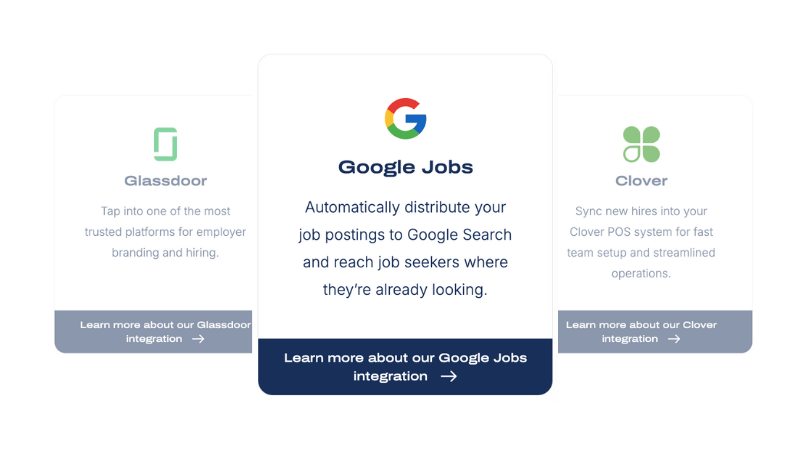
Because StaffedUp is fully integrated with Google, every job you post on StaffedUp is automatically sent to Google for Jobs. This removes all the manual technical steps and saves managers hours of work.
When you post through StaffedUp, your job reaches job seekers on Google without needing to do anything extra.

Why Posting a Job on Google Helps Hospitality Teams
Posting a job on Google brings in more applicants without adding extra work, which is especially helpful for restaurants, bars, and hotels that often hire fast and deal with frequent staffing changes (i.e. high turnover).
Google is one of the first places people go when they start looking for work. When someone searches “server jobs,” “hotel jobs,” or “restaurant hiring near me,” Google shows job listings right at the top of the page. This makes your open role easier to find compared to relying only on job boards or social media.
How Google Helps Attract Hospitality Talent
- Stronger visibility: Your job appears where people are already searching.
- More applicants: The listing reaches job seekers across many areas with no extra cost.
- Better reach for frontline roles: Servers, cooks, bartenders, hosts, and housekeepers search Google first.
- Good for seasonal hiring: When applicant flow needs a boost during holidays or busy months, Google helps increase reach.
- Helpful for urgent hiring: Many teams use Google during sudden staffing gaps.
Why This Matters for Busy Managers
Most managers do not have time to juggle multiple job boards. Google gathers the job listings in one place, which helps bring applicants to you faster. This leads to faster interviews and quicker shifts filled.
How StaffedUp Supports Google Posting
Since StaffedUp sends all job posts straight to Google, hospitality teams get all the benefits without doing extra work. You get more visibility while saving time and avoiding additional job board fees.
If your team wants more applicants without juggling multiple posting steps, StaffedUp makes it easy by connecting your job to Google instantly.
How to Post a Job on Google (Manual Method)
Posting a job on Google by yourself is possible, but it takes time and requires steps that many hospitality teams do not have the bandwidth to manage. Google does not let you upload a job directly. Instead, you must publish the job on your company website in a special format so Google can read it and display it in search results.
Here is a simple breakdown of how the manual method works.
Step-by-Step Manual Posting Process
1. Create a Job Page on Your Website
You need a dedicated job posting page that lists:
- Job title
- Pay information
- Location
- Full job details
- Job type
- Business name
This must be a page on your actual website, not a PDF or image.
2. Add Structured Data (Code Snippet)
Google requires a special code called structured data. It tells Google what each part of the job post means. Without this code, Google cannot read the post.
This step requires someone who understands website editing or coding. Many restaurants and hotels skip this because it takes extra time and technical skills.
3. Submit the Page to Google
After adding structured data, you need to submit the job page in Google Search Console so Google can “crawl” the page.
If the code is wrong, Google will ignore the job post.
4. Fix Errors if Google Flags Issues
Google often rejects posts that include:
- Missing pay
- Missing city
- Duplicate posts
- Long, unclear job titles
- Bad formatting
- Broken structured data
Since many hospitality teams do not have someone dedicated to website updates, these errors take time to fix.
Why Most Hospitality Employers Avoid This Method
- Time-consuming
- Requires coding
- Errors are common
- Slow to publish
- Extra work for managers already short on time
How StaffedUp Removes All of These Steps
With StaffedUp, you do not need to edit your website or deal with any code. When you publish a job on StaffedUp, it is sent to Google for Jobs automatically. The platform handles formatting, structured data, and syncing with Google, saving hours of work.
Instead of dealing with coding and setup, StaffedUp lets you post to Google with a simple click.

How to Post a Job on Google Using an ATS (Easy Method)
Using an ATS (Applicant Tracking System) is the easiest way to post a job on Google, especially for busy hospitality teams. An ATS handles all the technical details automatically, so managers can focus on finding the right candidates instead of formatting and coding.
Step-by-Step ATS Posting Process
1. Create Your Job in the ATS
Enter the job title, location, pay range, schedule, and job duties in the ATS. Some platforms also let you select pre-built templates for common hospitality roles like servers, cooks, or housekeepers.
2. Publish to Google Automatically
Once the job is saved, the ATS sends it directly to Google for Jobs. No website edits or coding are needed. The posting is formatted correctly so Google can read it immediately.
3. Track Applicants in One Place
The ATS keeps every applicant organized. You can:
- Filter by experience or availability
- Tag candidates as “interview,” “maybe,” or “not a fit”
- Send messages or schedule interviews directly from the platform
4. Update or Refresh Listings
If the job changes, you can update it in the ATS, and the system automatically updates Google. This keeps your post fresh and visible without extra effort.
Why This Method Works Best for Hospitality
- Saves time: One-click posting replaces multiple manual steps.
- Reduces errors: No structured data coding mistakes.
- Keeps applicants organized: Avoids lost resumes or missed opportunities.
- Supports fast hiring: Essential for high-turnover positions like servers, bartenders, and hosts.
How StaffedUp Simplifies the Process
StaffedUp is built for hospitality teams. Every job you post is sent to Google automatically. You do not need technical skills, and your listings stay up to date. The ATS also helps you track applicants and communicate quickly, which speeds up hiring.
Use StaffedUp to post your hospitality jobs to Google with one click, saving time and reaching more applicants effortlessly.

Common Reasons Your Job Isn’t Showing on Google
Even if you follow the steps, sometimes a job doesn’t appear on Google. For hospitality teams, understanding these common issues helps avoid delays and ensures roles get visibility.
1. Missing Required Information
Google requires basic details like:
- Job title
- Location
- Pay range
- Job type (full-time, part-time)
Missing any of these can prevent your listing from appearing.
2. Duplicate Job Posts
If the same job appears in multiple places without proper setup, Google may filter it out. This often happens when a manual post exists on your website and another post goes through a job board.
3. Weak or Unclear Job Titles
Titles like “Team Member Needed” are too vague. Google prefers clear titles like “Restaurant Server – Full-Time.”
4. Incorrect Formatting or Structured Data
Manual posts need structured data (code) so Google can read them. If formatting is wrong, your job won’t show.
5. Using Non-Integrated Platforms
Some job boards are not recognized by Google for Jobs. If your ATS or posting platform isn’t integrated, the job may never appear.
How StaffedUp Prevents These Issues
With StaffedUp, every job is automatically formatted, tagged, and sent to Google correctly. The platform ensures:
- Clear job titles and descriptions
- Complete location and pay info
- No duplicates
- Automatic updates
This helps hospitality teams avoid delays and keeps roles visible to applicants.
Post your jobs through StaffedUp to make sure every listing reaches Google quickly and correctly.
How StaffedUp Helps You Post Jobs on Google Automatically
StaffedUp makes posting jobs on Google fast, simple, and stress-free for hospitality teams. Instead of handling technical requirements or worrying about formatting errors, StaffedUp manages everything for you.
Key Benefits of Using StaffedUp for Google Jobs
1. One-Click Publishing
Post a job once on StaffedUp, and it automatically goes to Google for Jobs. No coding, no website edits, no technical setup.
2. Automatic Formatting
StaffedUp ensures job titles, descriptions, pay ranges, and locations meet Google’s requirements. This avoids errors that can prevent a post from appearing.
3. Real-Time Updates
If you update a job in StaffedUp, the changes sync automatically to Google. Your listing stays fresh and visible without extra work.
4. Saves Time and Money
Manual posting can take hours and often requires a developer. StaffedUp eliminates that need, freeing your team to focus on running the restaurant, bar, or hotel.
5. Track Applicants in One Place
Applicants from Google feed directly into StaffedUp. Managers can filter, tag, message, and schedule interviews from the same dashboard.
Why Hospitality Teams Choose StaffedUp
Restaurants, hotels, and bars often deal with high turnover and seasonal hiring spikes. StaffedUp handles the Google posting automatically, reduces manual work, and helps teams hire faster.
Start using StaffedUp today to post your jobs to Google with one click and attract more applicants without extra effort.
Best Practices for Posting a Job on Google
Even with an ATS like StaffedUp, following best practices ensures your job post performs well on Google and attracts the right applicants. Hospitality teams benefit when posts are clear, concise, and easy to find.
1. Use Clear Job Titles
- Avoid vague titles like “Team Member.”
- Include the role, location, and type (e.g., “Full Time Chef – Downtown Austin”).
- This helps Google match the post with relevant searches.
2. Include Pay Information
- Google prefers listings with a pay range.
- It improves transparency and increases applicant trust.
3. Add Shift and Schedule Details
- Mention if the role is part-time, full-time, or seasonal.
- Include typical shift hours to help candidates decide quickly.
4. Keep Duties Simple and Scannable
- Break responsibilities into bullet points.
- Focus on the most important tasks.
- Avoid long paragraphs that may be skipped.
5. Include Location and Work Environment
- Specify city, neighborhood, or property.
- If it’s a hotel, restaurant, or bar, clarify which location applicants will work at (especially for restaurant groups/franchises).
6. Write for Job Seekers
- Avoid jargon or overly technical terms.
- Use language that aligns with hospitality candidates’ expectations.
How StaffedUp Helps
StaffedUp’s templates automatically include these best practices. Jobs posted through StaffedUp are optimized for Google (+ all other major job boards), saving managers time while improving applicant quality.
Post your next hospitality job with StaffedUp and ensure it’s Google-ready in seconds.
How Often You Should Repost Jobs on Google
Keeping job listings fresh is important to remain visible on Google. Google favors active, recently updated posts, and outdated listings may drop in search results. Hospitality teams benefit from regularly refreshing postings to maintain applicant flow.
1. Post New Jobs for Each Opening
- Every time a position opens, create a new job listing.
- Avoid relying on old postings, which Google may not rank well.
2. Update Existing Listings When Needed
- Adjust pay, schedule, or location if details change.
- Even small updates signal to Google that the listing is current.
3. Close Filled Positions Promptly
- Remove or mark jobs as filled to avoid confusing applicants.
- This keeps your hiring process professional and efficient.
4. Refresh Seasonal Roles
- For roles like holiday servers or summer housekeeping, repost each season.
- Helps attract candidates who are actively searching during those periods.
How StaffedUp Simplifies Reposting and Updates
StaffedUp automatically refreshes your job posts on Google when you update details. There’s no need to manually delete or repost jobs, saving hospitality managers time and ensuring your roles remain visible.
Let StaffedUp handle reposting and updates automatically so your hospitality jobs stay visible and attract the best candidates.
FAQ About Posting a Job on Google
Here are answers to common questions hospitality managers have about posting jobs on Google. Understanding these can save time and reduce frustration.
1. How long does it take for a job to appear on Google?
After posting through an ATS like StaffedUp, jobs usually appear within a few hours. Manual posting may take longer depending on website indexing.
2. Does it cost money to post a job on Google?
No. Google for Jobs is free for employers. Costs only arise if you use paid job boards or advertise the listing.
3. Can you edit a job after posting?
Yes. With StaffedUp, you can update titles, pay, schedule, or descriptions anytime, and changes sync automatically to Google.
4. How many jobs can you post at once?
There is no strict limit. StaffedUp allows hospitality teams to post multiple jobs simultaneously, making it easy to handle high-volume hiring.
5. What if my job isn’t showing?
Common reasons include missing required information, duplicate postings, or formatting issues. StaffedUp prevents these errors automatically.
6. Is an ATS necessary to post on Google?
While manual posting is possible, an ATS saves hours of work, avoids errors, and keeps applicants organized—all essential for fast-paced hospitality hiring.
Using StaffedUp, hospitality teams can post jobs, make updates, and track applicants all in one place, ensuring their listings appear correctly on Google.
Conclusion and Next Steps for Employers
Posting a job on Google is one of the easiest ways to attract more applicants for hospitality roles. From servers and bartenders to housekeepers and front desk staff, Google ensures your openings are visible where job seekers are actively searching.
However, manual posting is time-consuming, requires technical knowledge, and can lead to errors. Using an ATS like StaffedUp simplifies the process by:
- Sending your job automatically to Google
- Formatting listings correctly
- Updating posts in real-time
- Tracking applicants in one dashboard
Next Steps for Hospitality Employers:
- Sign up with StaffedUp: Get instant access to Google posting integration.
- Create your job post: Enter job title, pay, location, and shift details.
- Publish with one click: StaffedUp handles Google posting, updates, and formatting.
- Track applicants: Filter, tag, and schedule interviews without leaving the platform.
- Refresh and repost as needed: StaffedUp keeps listings visible for continuous hiring.
Save time, reach more candidates, and hire faster by posting your hospitality jobs on Google through StaffedUp today.